- Published on
Andromeda Bot Lab Walkthrough
This is a medium level endpoint forensics lab by CyberDefenders. You can complete your analysis using Eric Zimmerman Tools. Start by reading Before Getting Started section for more details on how to use these tools.
Table of Contents
- Before Getting Started
- CTF Walkthrough
- Q1 Tracking the serial number of the USB device is essential for identifying potentially unauthorized devices used in the incident, helping to trace their origin and narrow down your investigation. What is the serial number of the inserted USB device?
- Q2 Tracking USB device activity is essential for building an incident timeline, providing a starting point for your analysis. When was the last recorded time the USB was inserted into the system?
- Q3 Identifying the full path of the executable provides crucial evidence for tracing the attack's origin and understanding how the malware was deployed. What is the full path of the executable that was run after the PowerShell commands disabled Windows Defender protections?
- Q4 Identifying the bot malware’s C&C infrastructure is key for detecting IOCs. According to threat intelligence reports, what URL does the bot use to download its C&C file?
- Q5 Understanding the IOCs for files dropped by malware is essential for gaining insights into the various stages of the malware and its execution flow. What is the MD5 hash of the dropped .exe file?
- Q6 Having the full file paths allows for a more complete cleanup, ensuring that all malicious components are identified and removed from the impacted locations. What is the full path of the first DLL dropped by the malware sample?
- Q7 Connecting malware to APT groups is crucial for uncovering an attack's broader strategy, motivations, and long-term goals. Based on IOCs and threat intelligence reports, which APT group reactivated this malware for use in its campaigns?
Before Getting Started
You should parse event log files for easier analysis using Evtxcmd and then analyze them using Timeline Explorer
- We'll first mount our memory dump file using Memprocfs
.\memprocfs.exe -device "C:\Users\Administrator\Desktop\Start Here\Artifacts\memory.dmp" -forensic 2
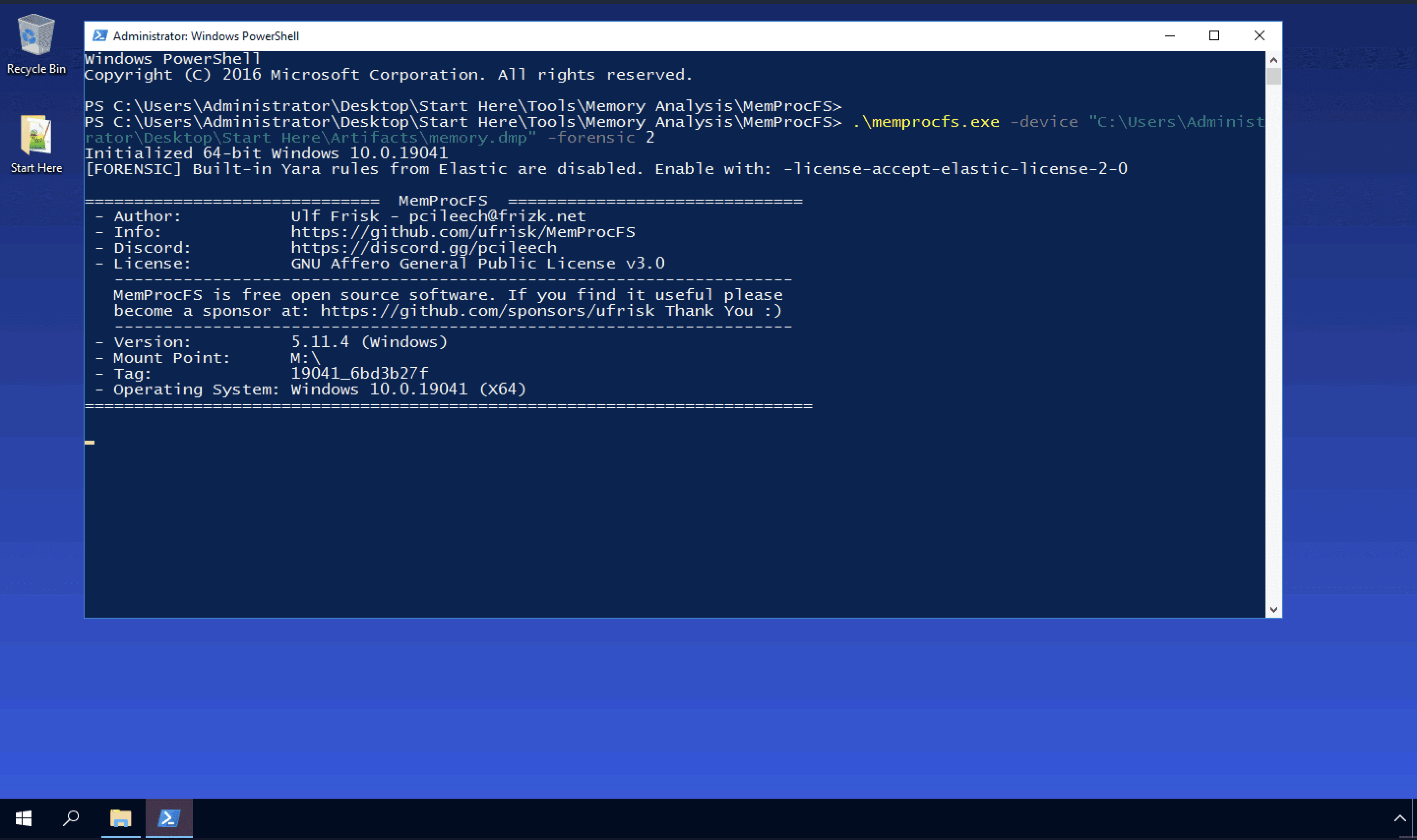
Once done you should see the mount point under drive
M:\. Go toM:\misc\drag and dropeventlogfolder to desktop. Create another folder namedoutthere. Now we can parse all the .evtx log files using Eric Zimmermans tool Evtxcmd.Move to folder containing Evtxcmd using Powershell and type the command below
.\EvtxECmd.exe -d "C:\Users\Administrator\Desktop\eventlog" --csv "C:\Users\Administrator\Desktop\out"
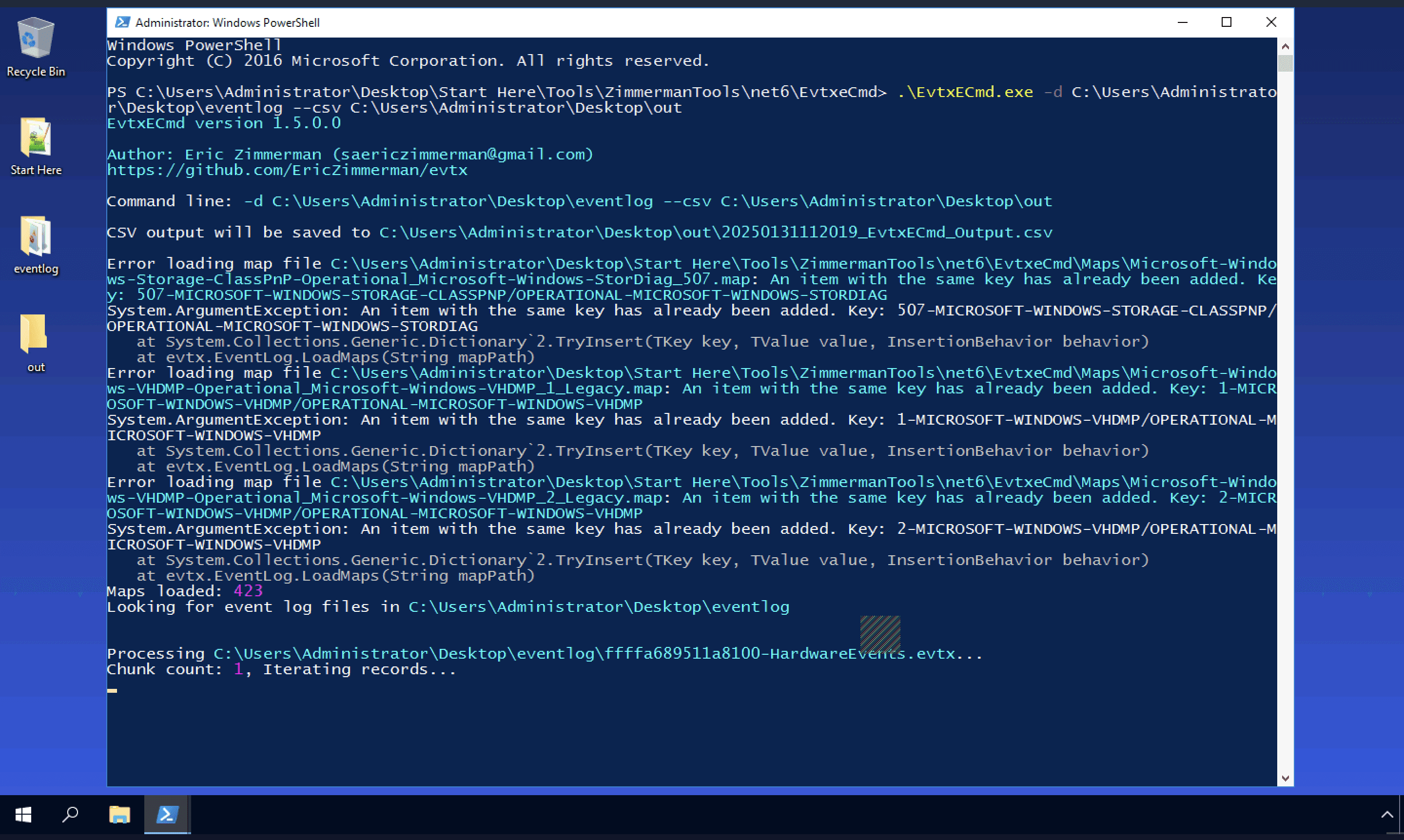
- This will parse all our .evtx files and save them as CSV in out folder on the desktop. We will later analyze these files using Timeline Explorer
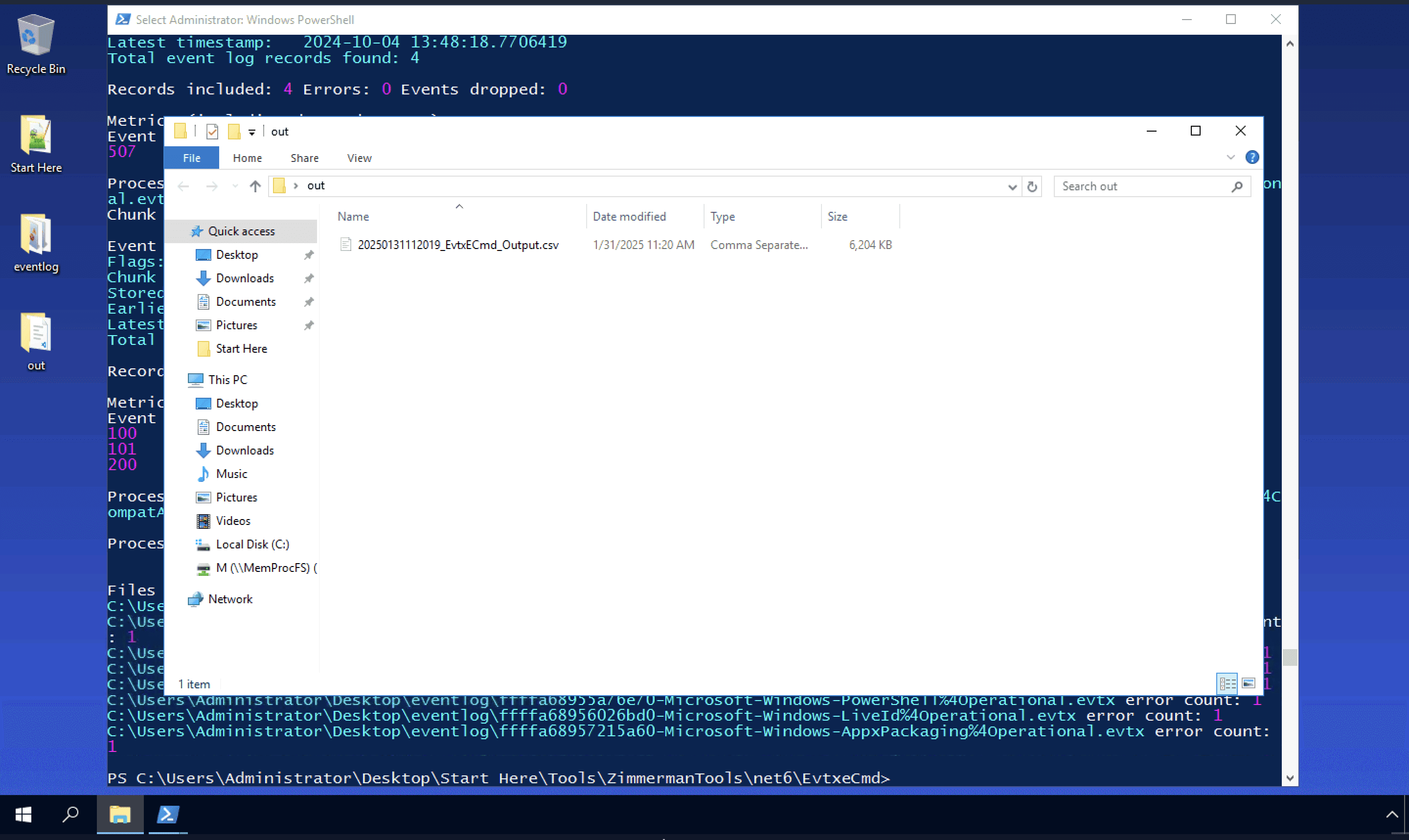
- Next open Timeline explorer from
C:\Users\Administrator\Desktop\Start Here\Tools\Log Analysisand drop .csv file right into it. You will end up with all the logs which you can correlate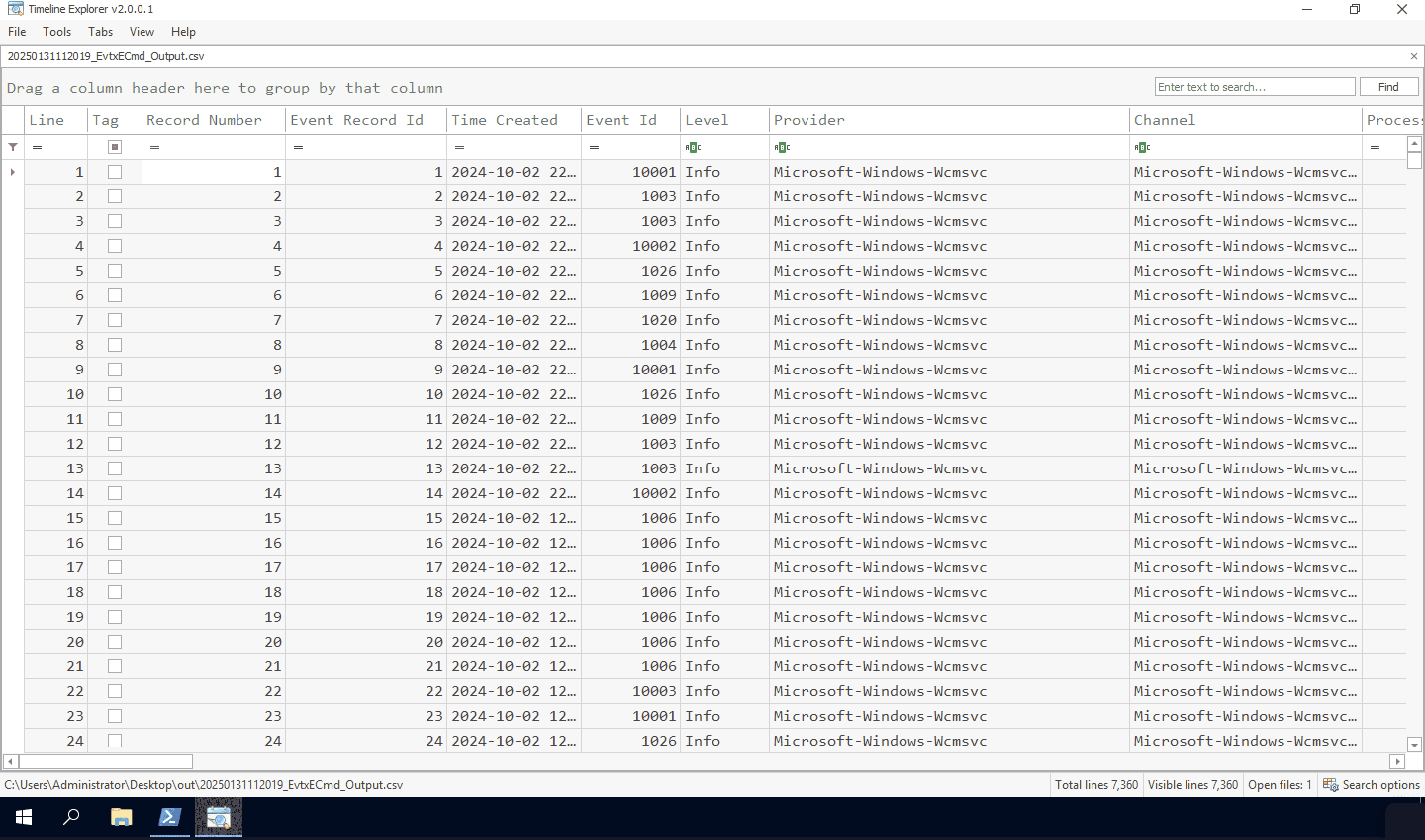
CTF Walkthrough
From here on you can find answers/flags for each question asked in this lab. I solved this lab using my own methodology or way of finding answers. You may do it differently and that's completely fine
Q1 Tracking the serial number of the USB device is essential for identifying potentially unauthorized devices used in the incident, helping to trace their origin and narrow down your investigation. What is the serial number of the inserted USB device?
- I started by searching for
USBusing the search bar. I was able to find out the serial number which is7095411056659025437. Remember when submitting this serial number as flag you need to add &0 at the end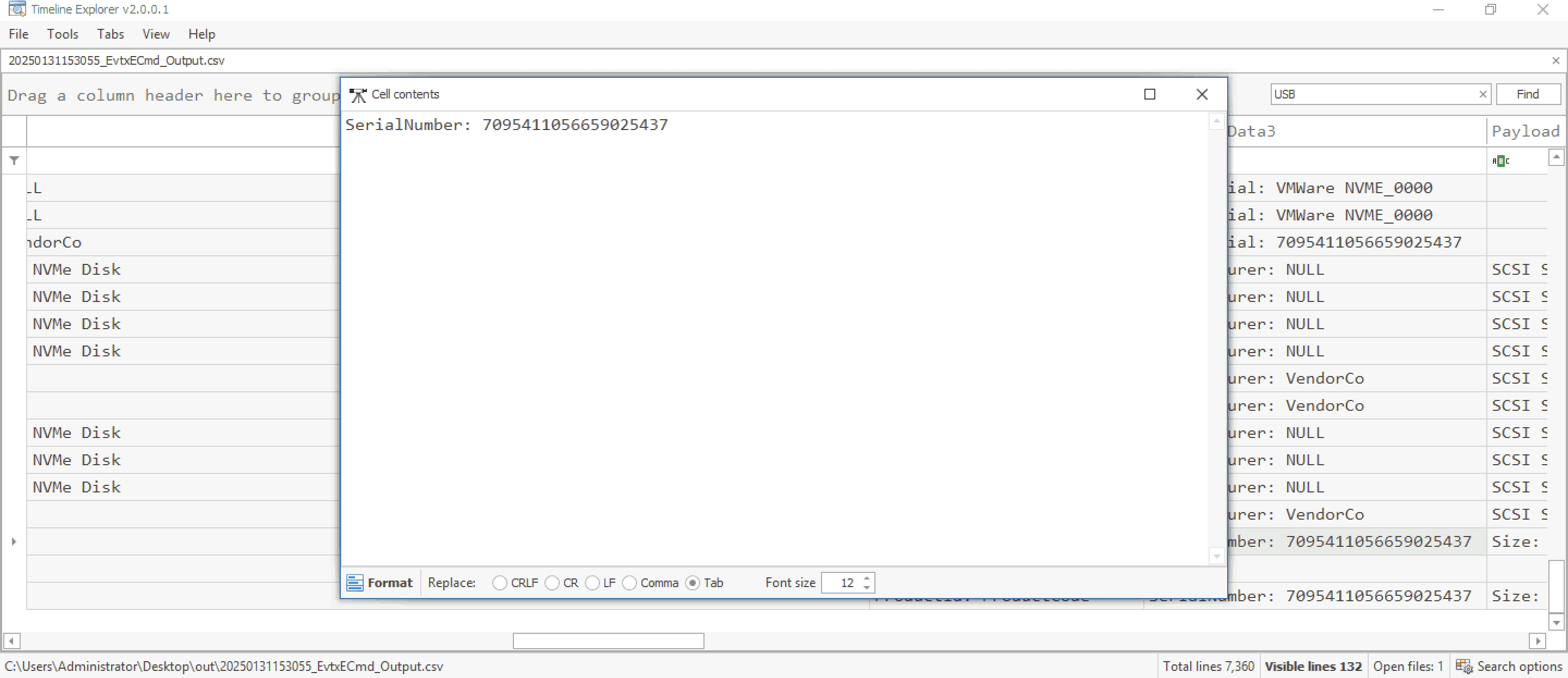
Q2 Tracking USB device activity is essential for building an incident timeline, providing a starting point for your analysis. When was the last recorded time the USB was inserted into the system?
- Using the same search from the previous question. I first sort by
time createdfield and then I look for map description field of each event. You'll see that lastUSB/VHD Insertion/Removalevent happened on2024-10-04 13:48:18and this should be our flag for this question
Q3 Identifying the full path of the executable provides crucial evidence for tracing the attack's origin and understanding how the malware was deployed. What is the full path of the executable that was run after the PowerShell commands disabled Windows Defender protections?
- Next in the event ID field I search for events with ID of
403which will tell us what Powershell commands were executed. Sort them byTime createdfield again and check the last command underPayload Data. We'll end up with our flagE:\hidden\Trusted Installer.exe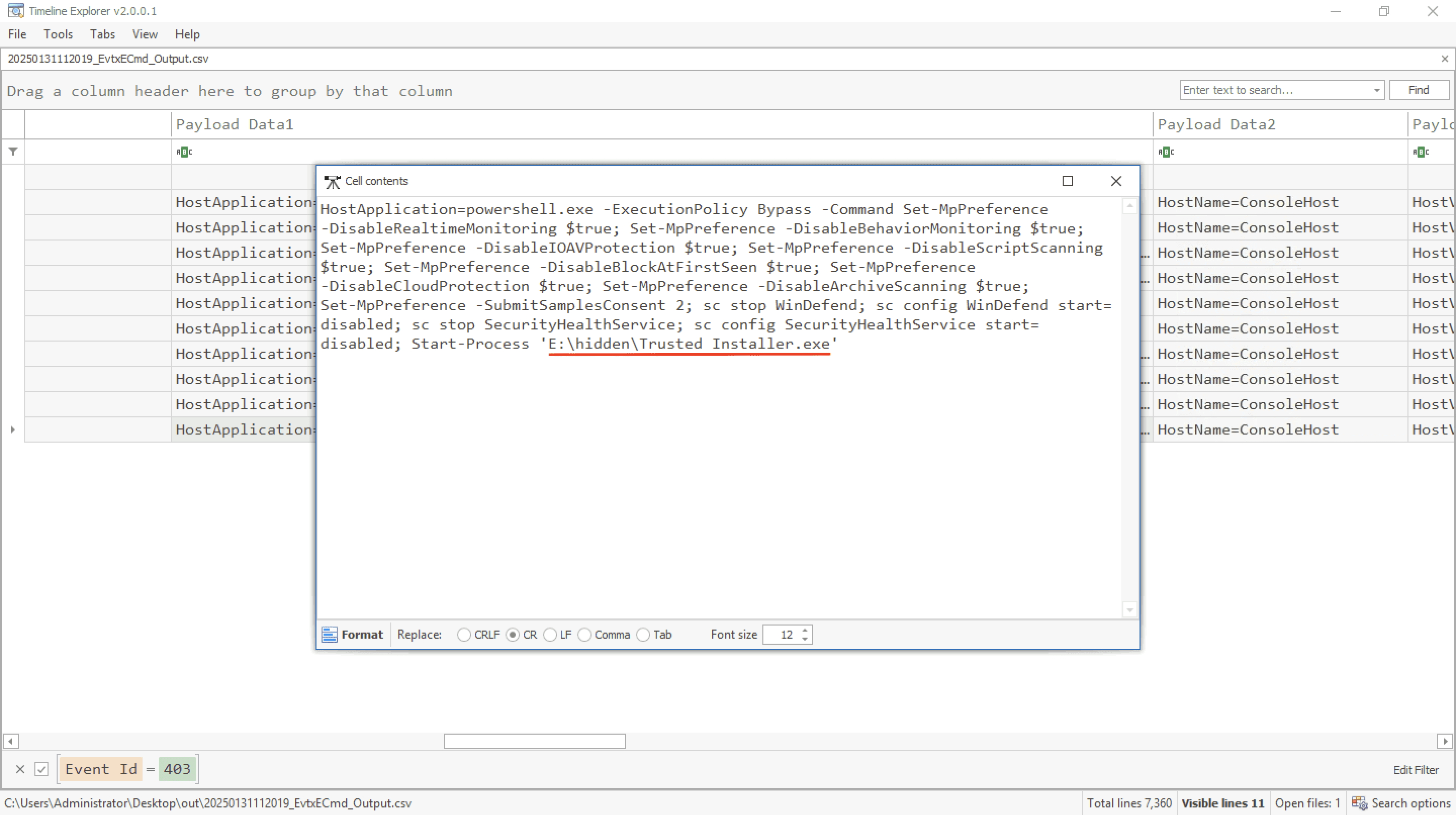
Q4 Identifying the bot malware’s C&C infrastructure is key for detecting IOCs. According to threat intelligence reports, what URL does the bot use to download its C&C file?
- Start finding C2 server with Virustotal by using the MD5 hash value of exe binary available in field
Payload Data3asBC76BD7B332AA8F6AEDBB8E11B7BA9B6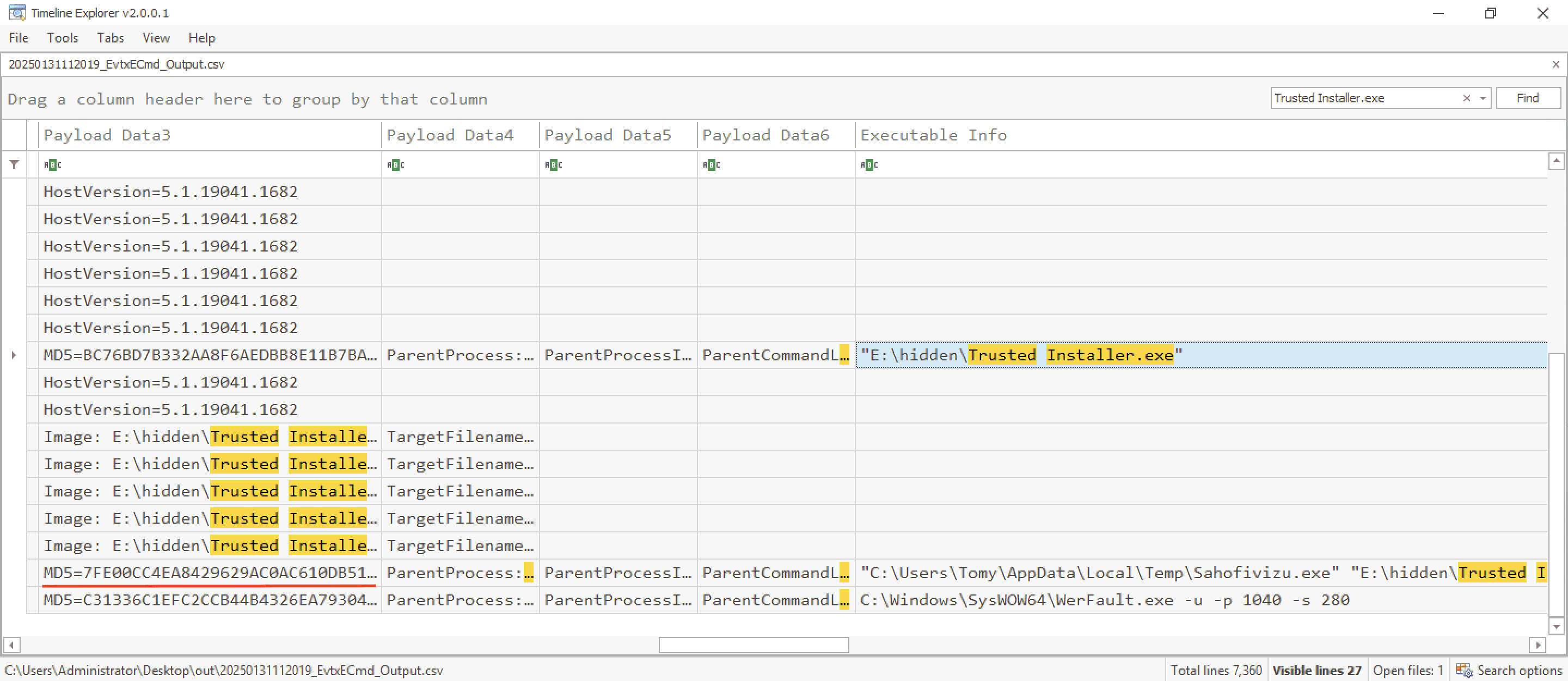
- in the behavior tab analyze the C2 section and you'll find the link which was used to download files for C2
http://anam0rph.su/in.php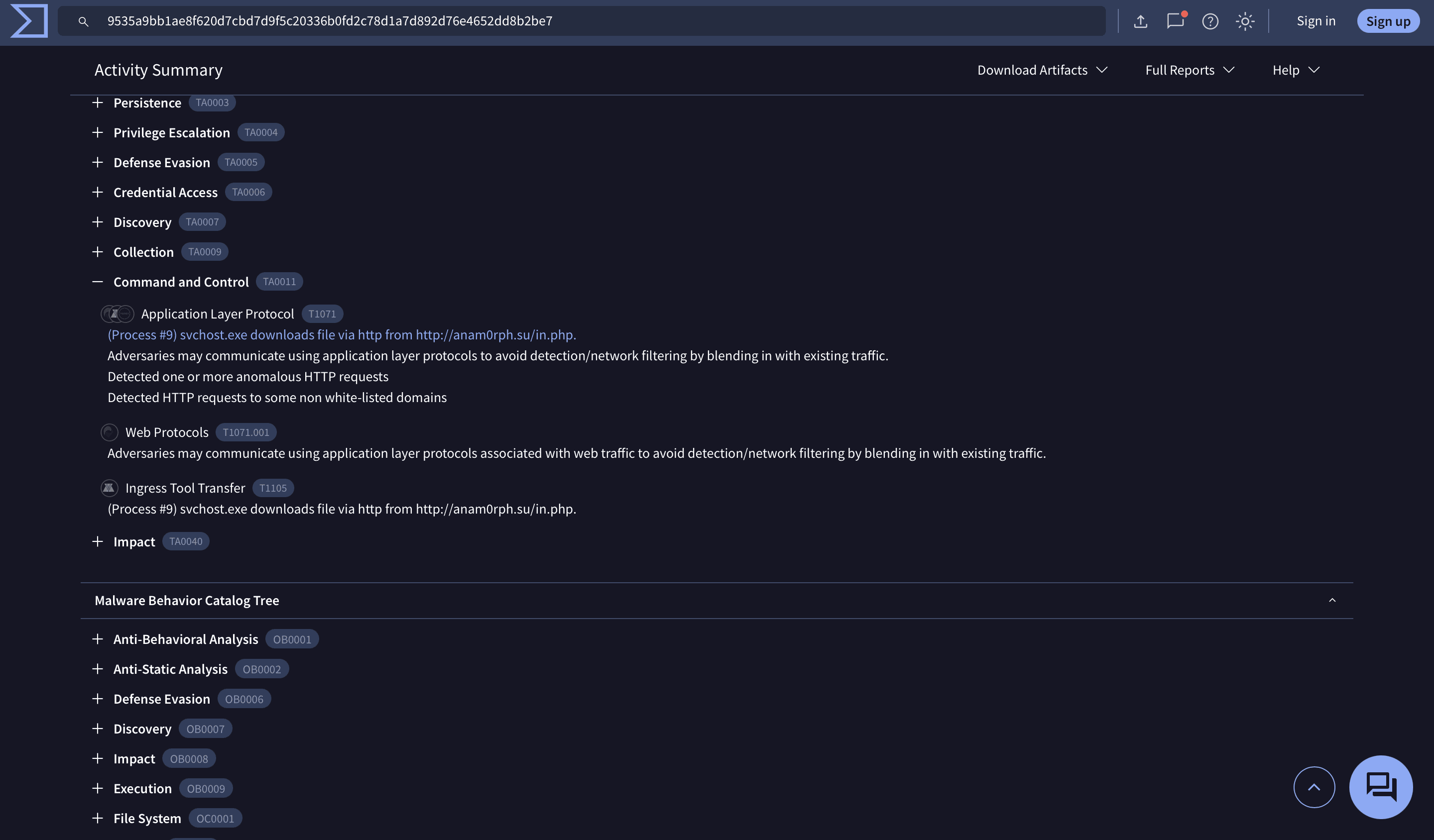
Q5 Understanding the IOCs for files dropped by malware is essential for gaining insights into the various stages of the malware and its execution flow. What is the MD5 hash of the dropped .exe file?
- On searching for the process name
trusted installer.exeusing the search bar again. We can see a process creation event and it's executable information which is"C:\Users\Tomy\AppData\Local\Temp\Sahofivizu.exe" "E:\hidden\Trusted Installer.exe"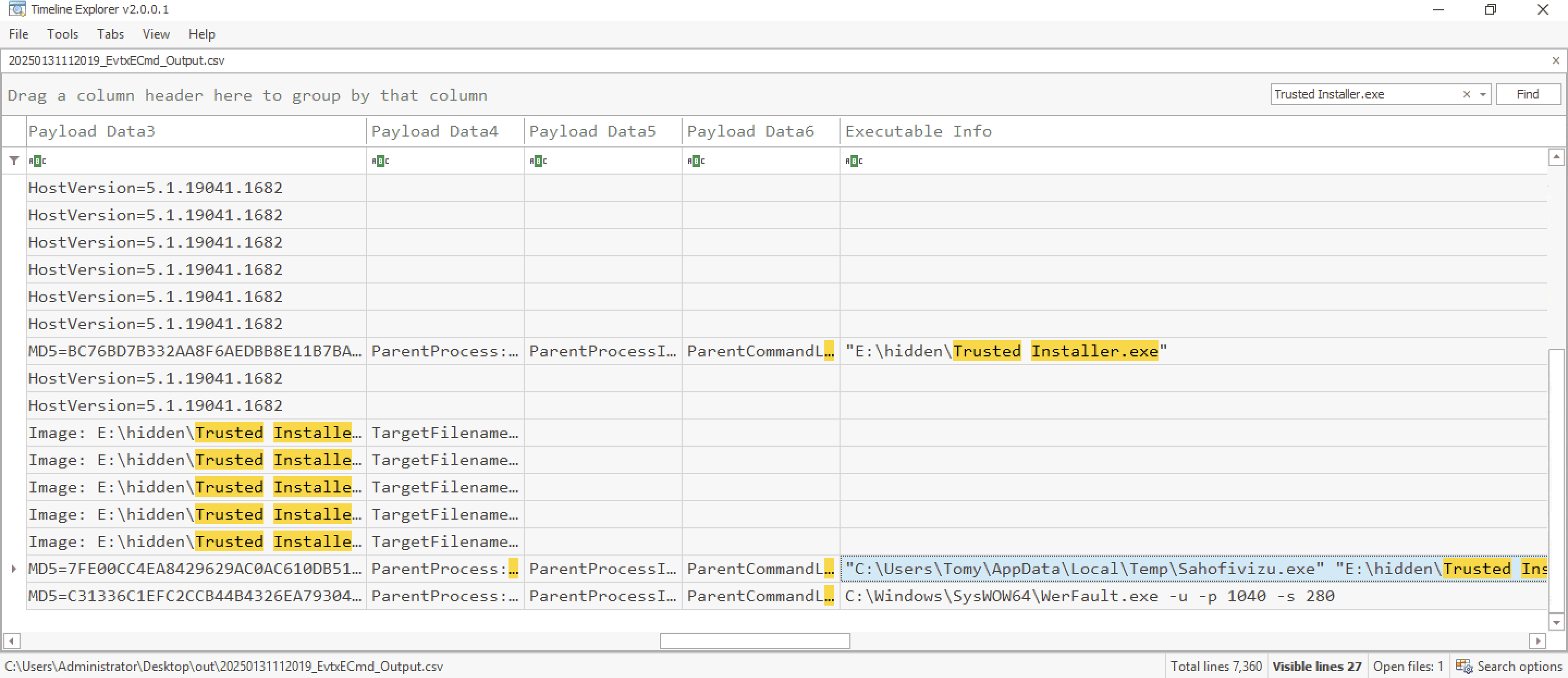
- It's clearly visible that parent process
Trusted Installer.exeis executing it's payloadSahofivizu.exe. On the left you'll see a MD5 hash value of this process and that should be our flag7FE00CC4EA8429629AC0AC610DB51993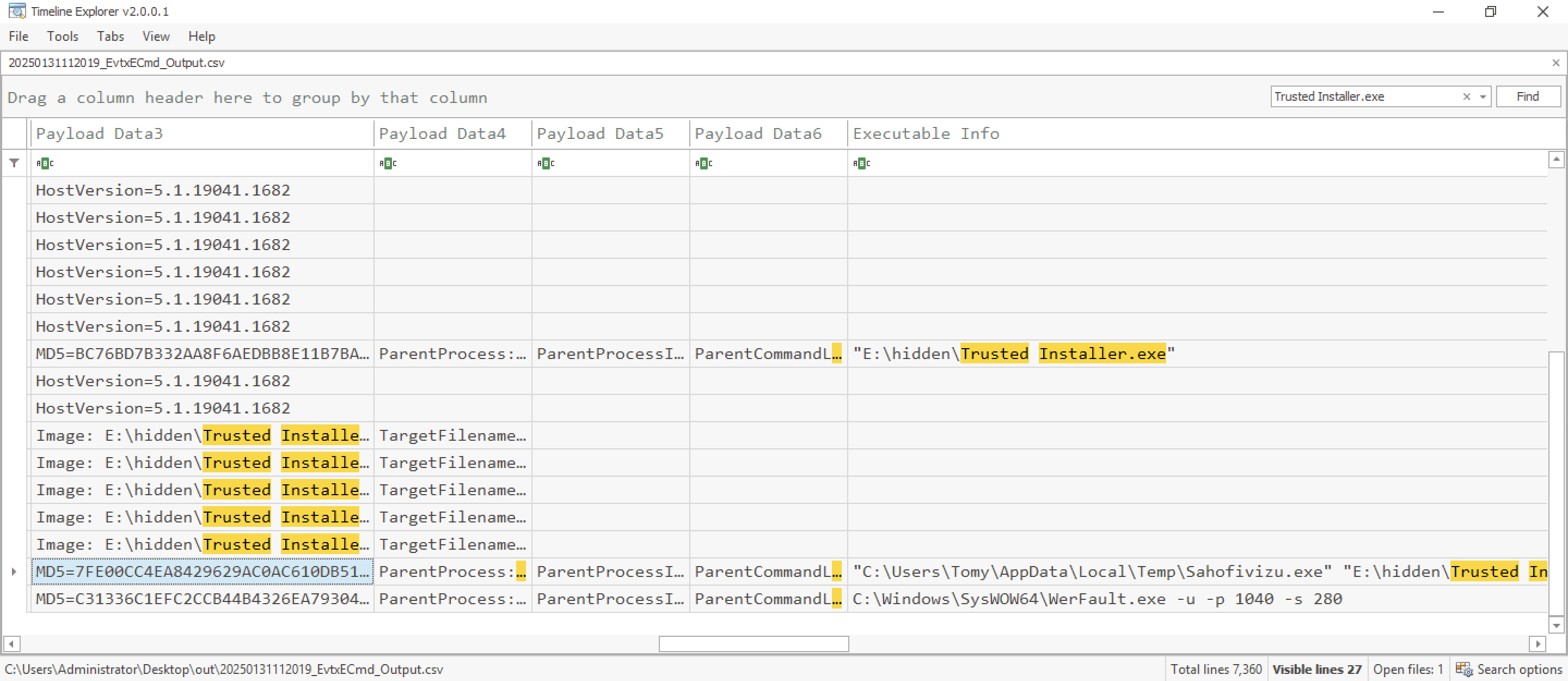
Q6 Having the full file paths allows for a more complete cleanup, ensuring that all malicious components are identified and removed from the impacted locations. What is the full path of the first DLL dropped by the malware sample?
- After using the same search from Q5. We can see over 5
FileCreateevent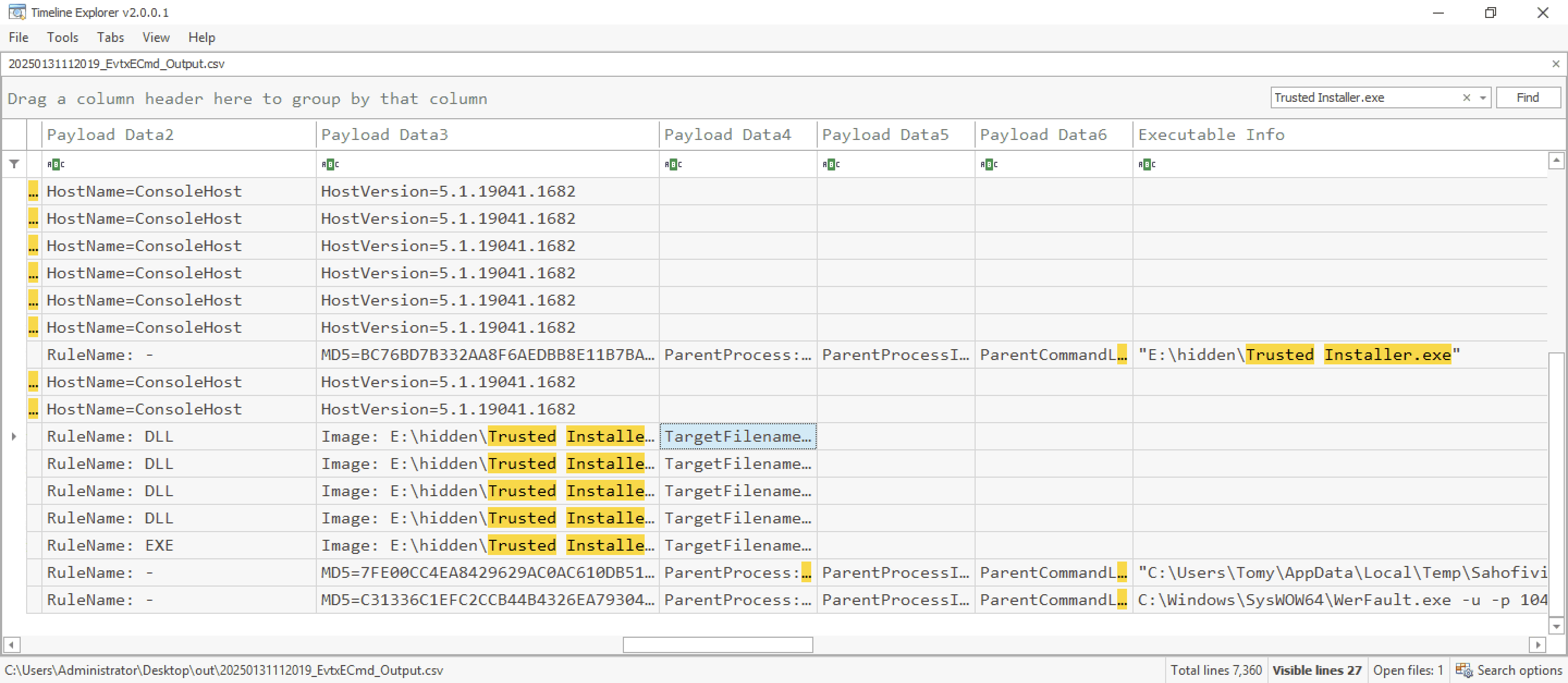
- On analyzing the
TargetFileamefield underPlayload Data4we can see the DLL that was created or dropped by the malware is inC:\Users\Tomy\AppData\Local\Temp\Gozekeneka.dll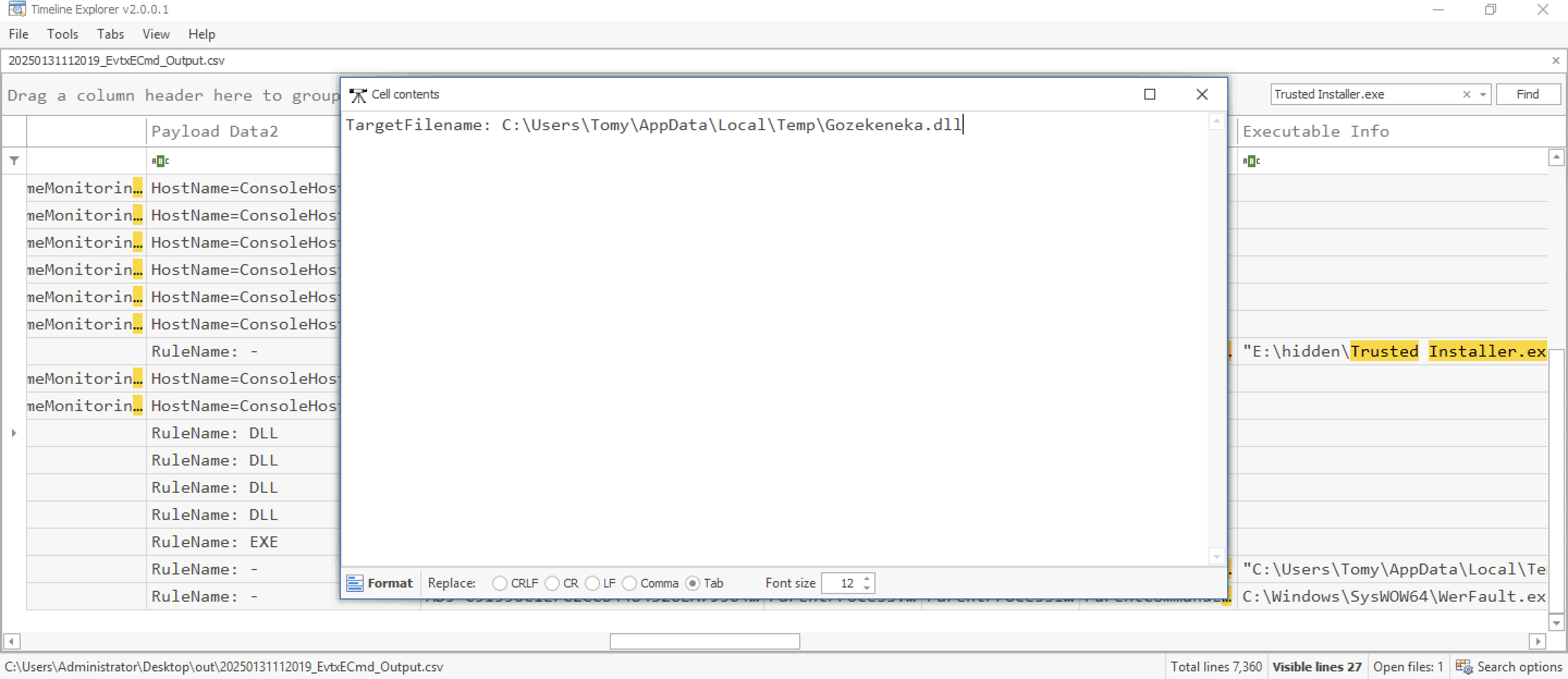
Q7 Connecting malware to APT groups is crucial for uncovering an attack's broader strategy, motivations, and long-term goals. Based on IOCs and threat intelligence reports, which APT group reactivated this malware for use in its campaigns?
- I started searching for andromeda malware and anything linked to it's origin. I came across the article by computerweekly and it turns out that this malware is used by a Russian APT group which goes by name
Turla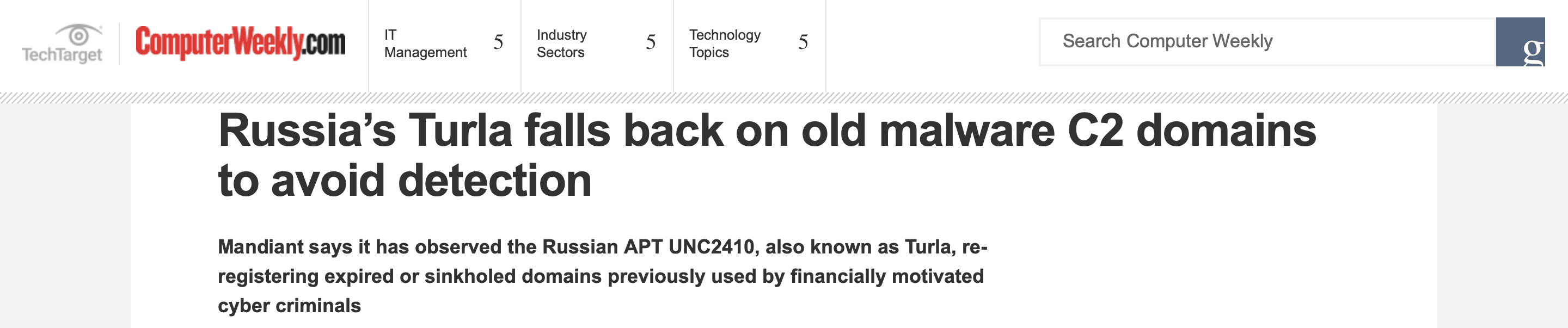
If you've made this far, thank you for sticking by and congrats on completing this lab