- Published on
GoogleCloudHunt Lab Walkthrough
This is a medium level cloud forensics lab by CyberDefenders. You can complete your analysis using JQ JSON Parser. I have attached every command I used to get to the flag. Incase you get stuck or you don't understand a command, try to ask ChatGPT or Gemini for explanation of that topic or command.
Table of Contents
- Scenario
- Q1 We need to determine if a user has fallen victim to the credential breach, which user account was compromised?
- Q2 In the attacker's initial exploration of the environment, what is the name of the first Google Cloud Storage bucket they accessed?
- Q3 Considering the attacker's focus on data exfiltration, what's the name of the object they may have exfiltrated within the first accessed bucket?
- Q4 Knowing each step the attacker takes is crucial. What's the name of the Compute Engine instance the attacker accessed?
- Q5 What service account is used by the Compute instance for calls to Google Cloud APIs?
- Q6 In the process of exfiltrating data, identify the Google Cloud SQL database the attacker attempted to export. What is the database's name?
- Q7 Tracking the data movement, which Google Cloud Storage bucket did the attacker attempt to export the database to?
- Q8 In the attacker's effort to maintain access, identify the new service account created by the attacker. What is the account ID of this service account?
- Q9 As part of establishing persistence, what is the ID of the secret key generated for the newly created service account?
Scenario
A wide credential breach has recently affected multiple organizations across various sectors. This incident has raised concerns about potential unauthorized access to your organization operating within Google Cloud environment. As a cybersecurity analyst, your task is to conduct a thorough investigation to determine the extent of the compromise
Q1 We need to determine if a user has fallen victim to the credential breach, which user account was compromised?
jq ".[].protoPayload | {authenticationInfo,requestMetadata,authorizationInfo}" logs.json
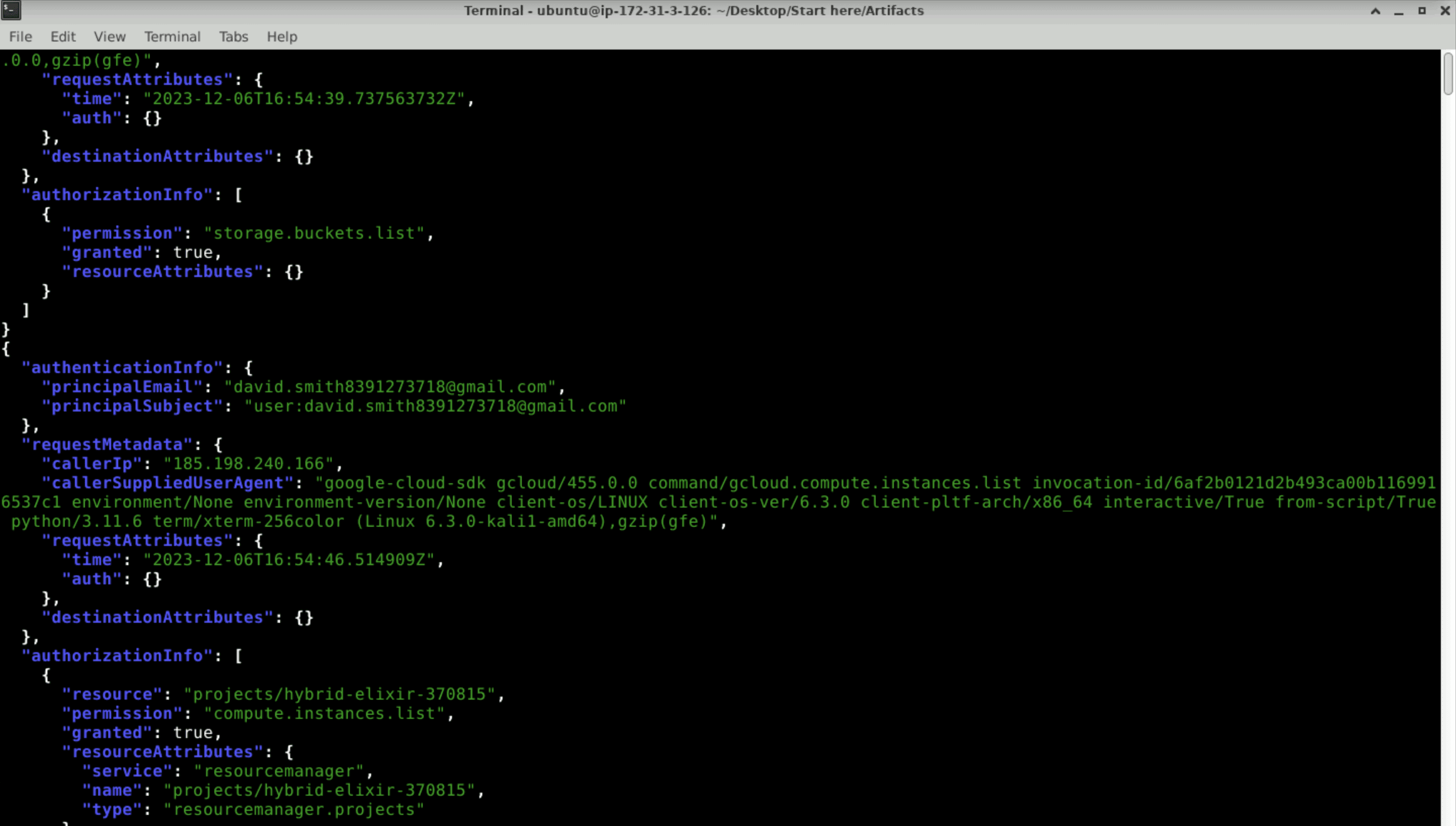
david.smith8391273718@gmail.com
Q2 In the attacker's initial exploration of the environment, what is the name of the first Google Cloud Storage bucket they accessed?
jq ".[].protoPayload | select(.authenticationInfo.principalEmail == "[email protected]") | {authenticationInfo,requestMetadata,authorizationInfo}' logs.json | grep "bucket"
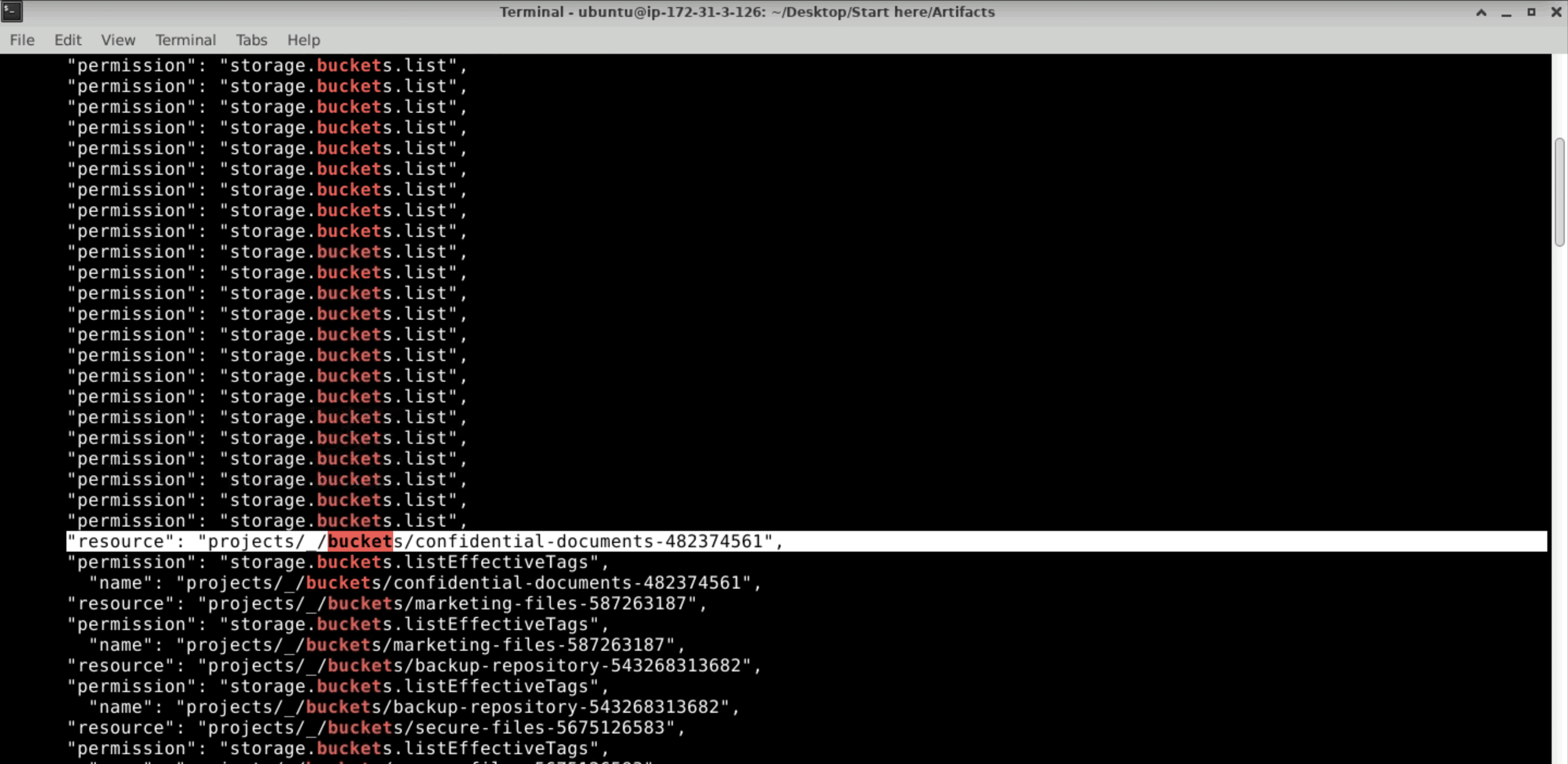
jq '.[].protoPayload | select(.authenticationInfo.principalEmail == "[email protected]") | {authenticationInfo, requestMetadata,authorizationInfo}' logs.json | grep -A 10
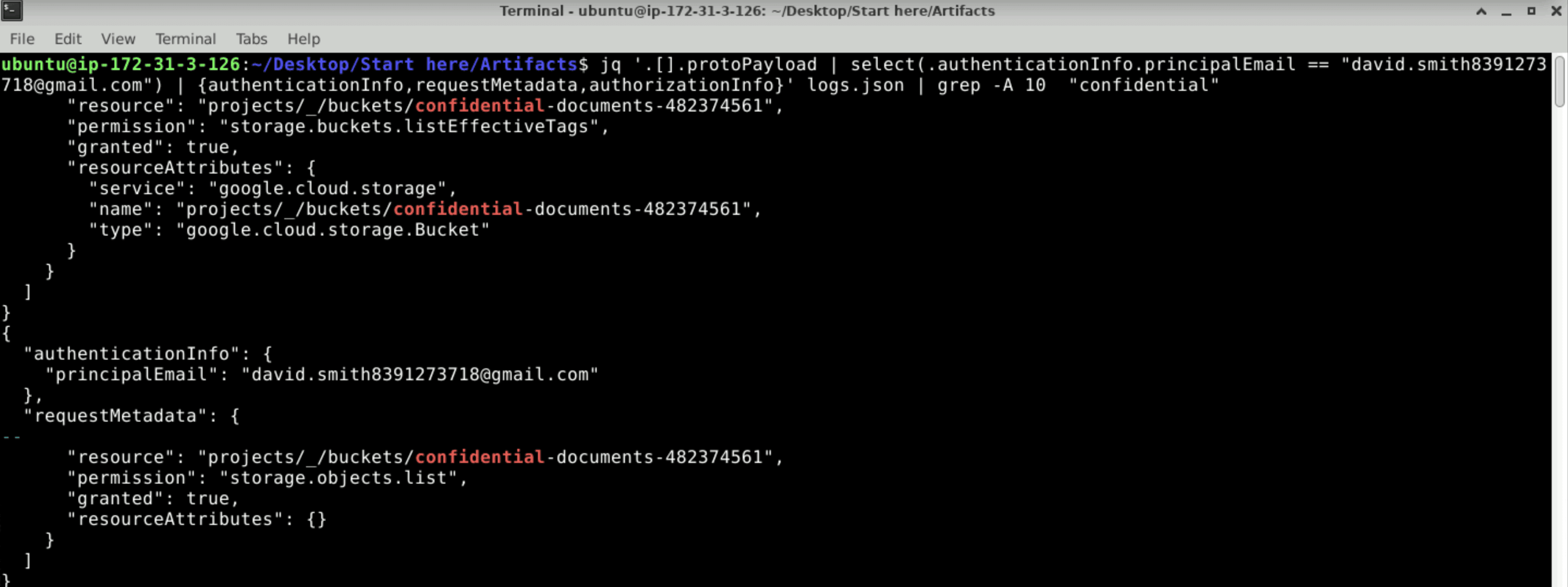
confidential-documents-482374561
Q3 Considering the attacker's focus on data exfiltration, what's the name of the object they may have exfiltrated within the first accessed bucket?
jq '.[].protoPayload | select(.authenticationInfo.principalEmail == "[email protected]") | {authenticationInfo, requestMetadata,authorizationInfo}' logs.json | grep -B 15 "storage.objects.get"
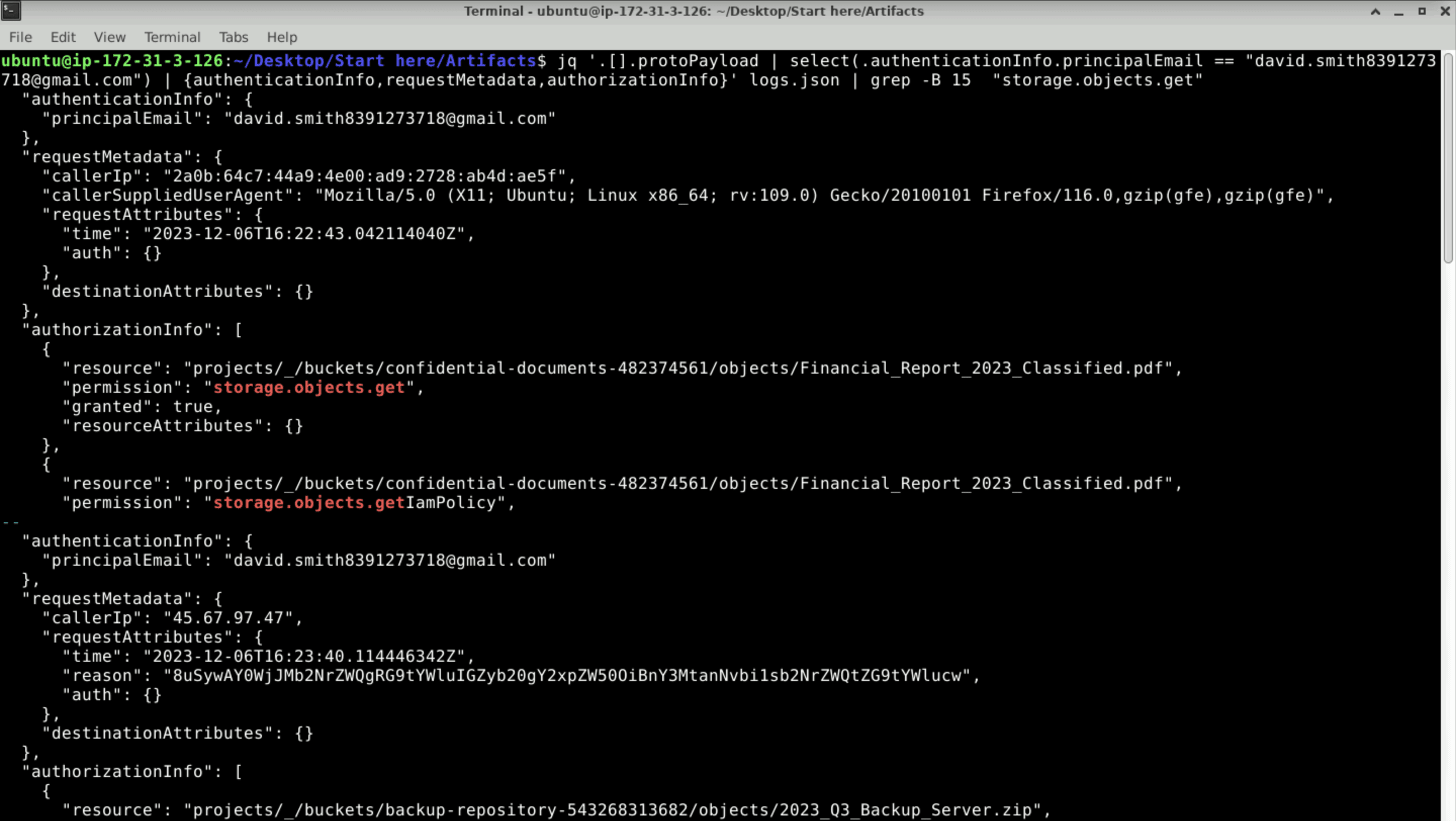
Financial_Report_2023_Classified.pdf
Q4 Knowing each step the attacker takes is crucial. What's the name of the Compute Engine instance the attacker accessed?
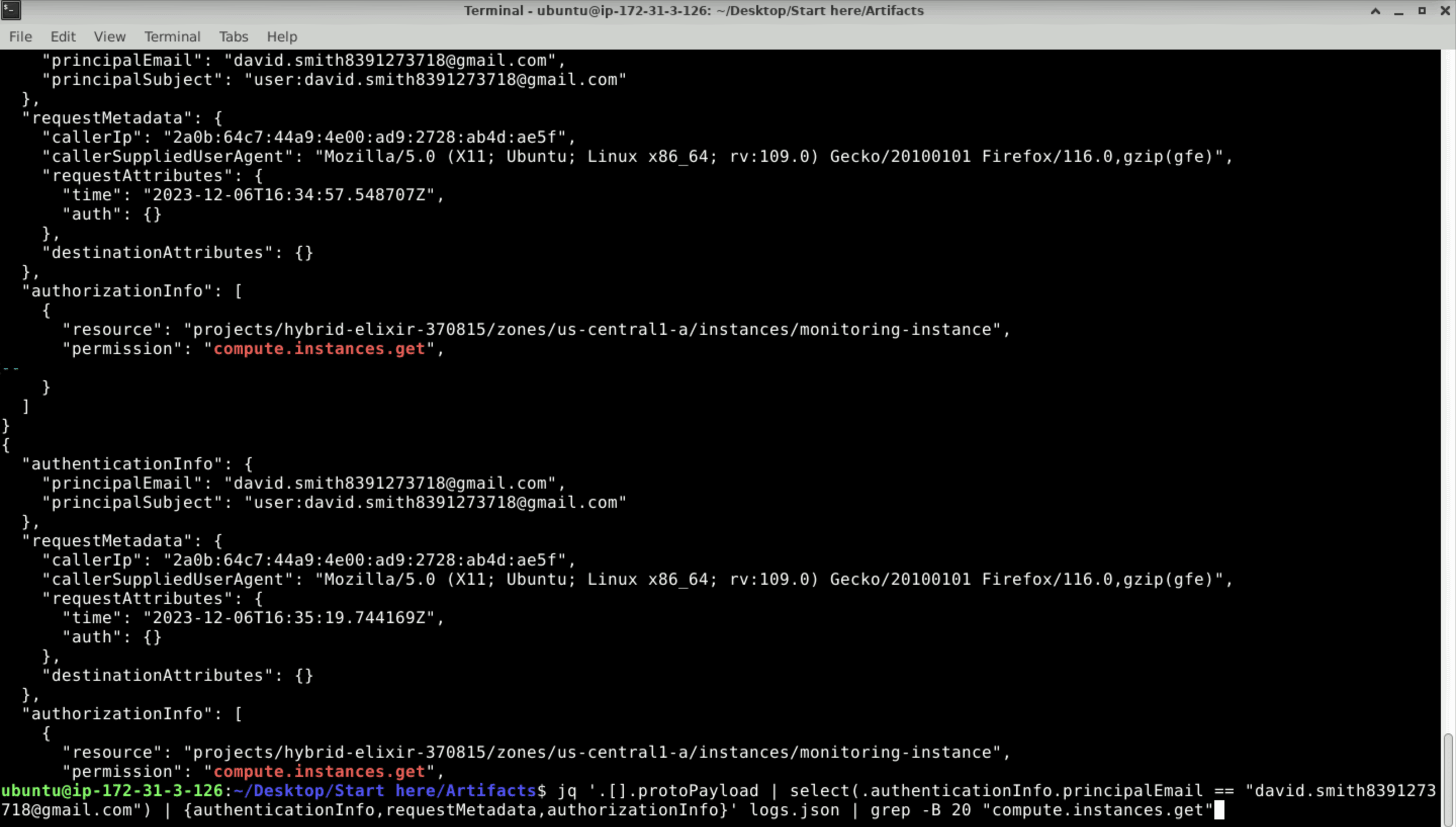
monitoring-instance
Q5 What service account is used by the Compute instance for calls to Google Cloud APIs?
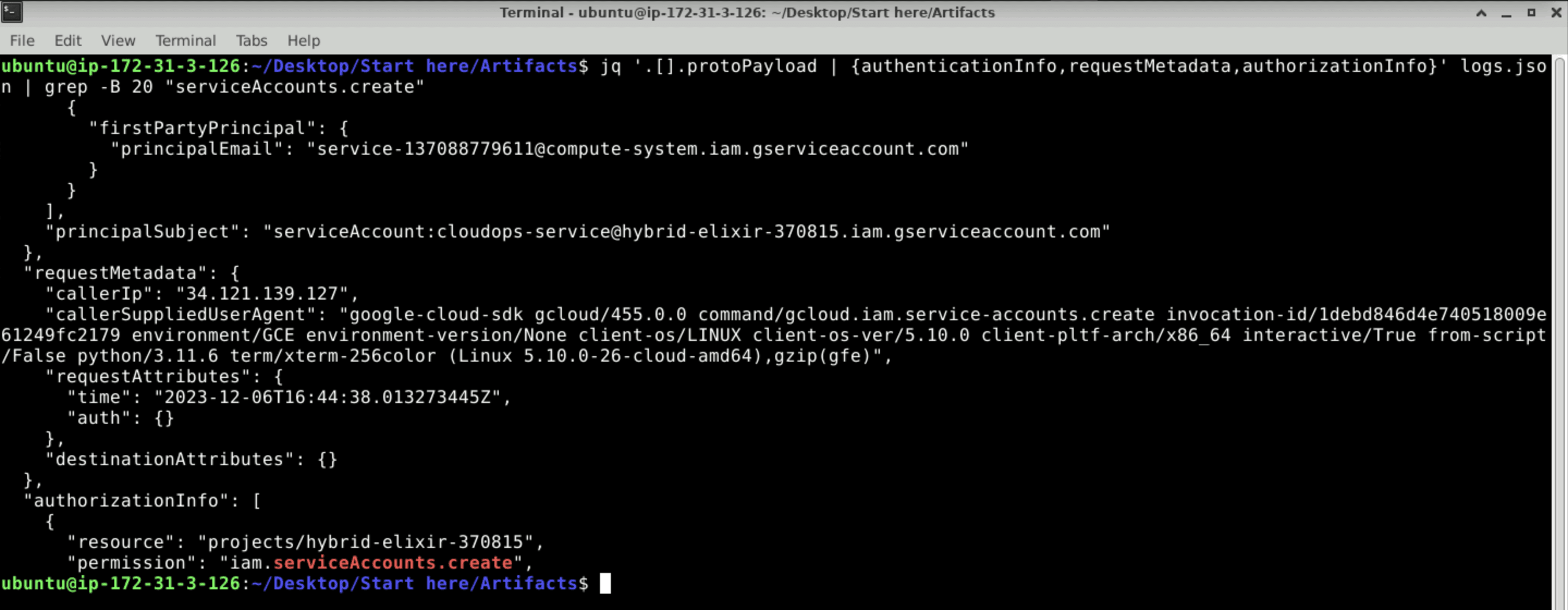
cloudops-service@hybrid-elixir-370815.iam.gserviceaccount.com
Q6 In the process of exfiltrating data, identify the Google Cloud SQL database the attacker attempted to export. What is the database's name?
jq '.[].protoPayload | select(.authenticationInfo.principalEmail == "[email protected]") | {authenticationInfo, requestMetadata,authorizationInfo}' logs.json | grep -B 20 "sql"
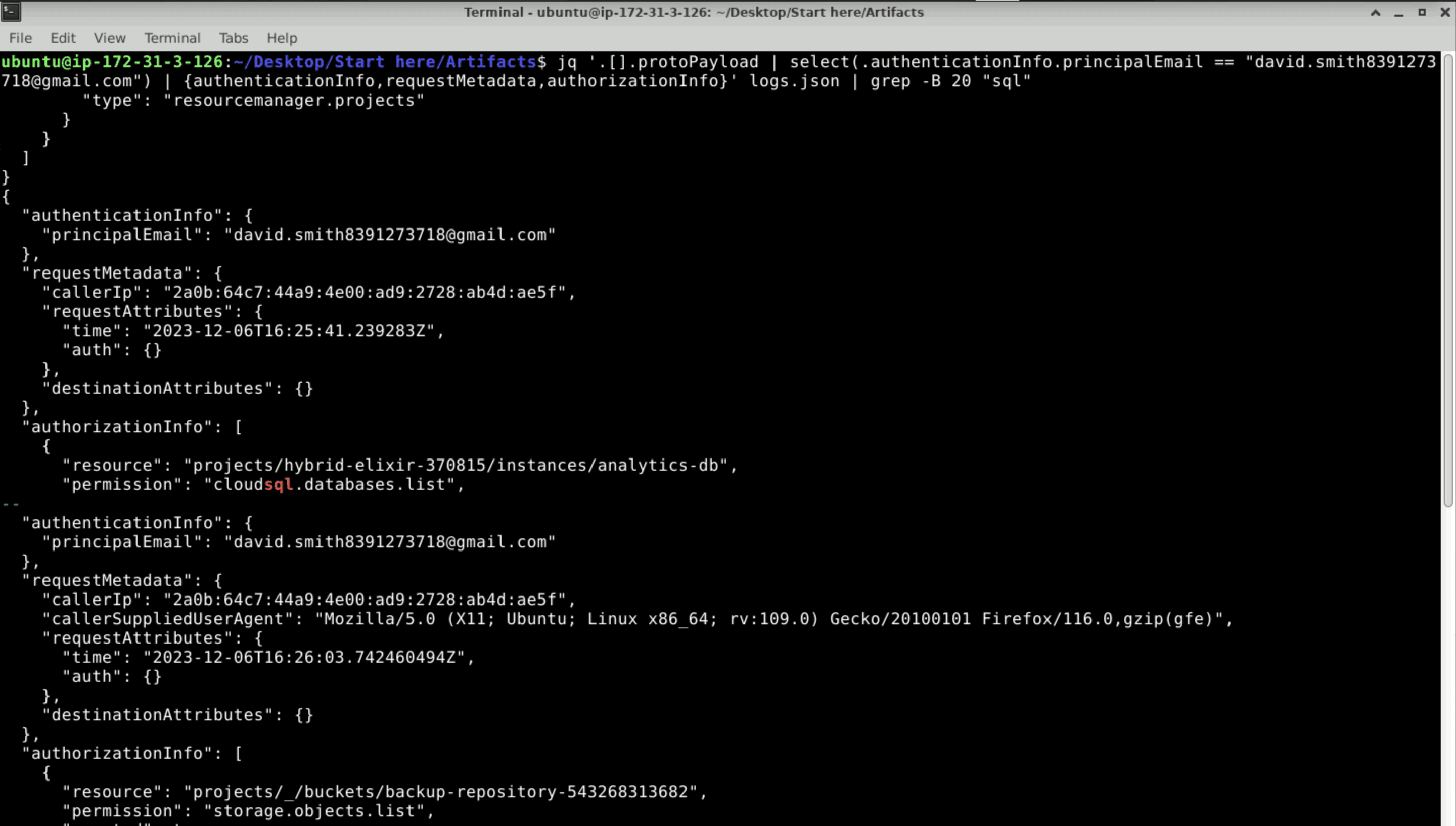
analytics-db
Q7 Tracking the data movement, which Google Cloud Storage bucket did the attacker attempt to export the database to?
jq '.[].protoPayload | select(.authenticationInfo.principalEmail == "[email protected]") | {authenticationInfo, requestMetadata,authorizationInfo}' logs.json | grep -B 20 "sql"
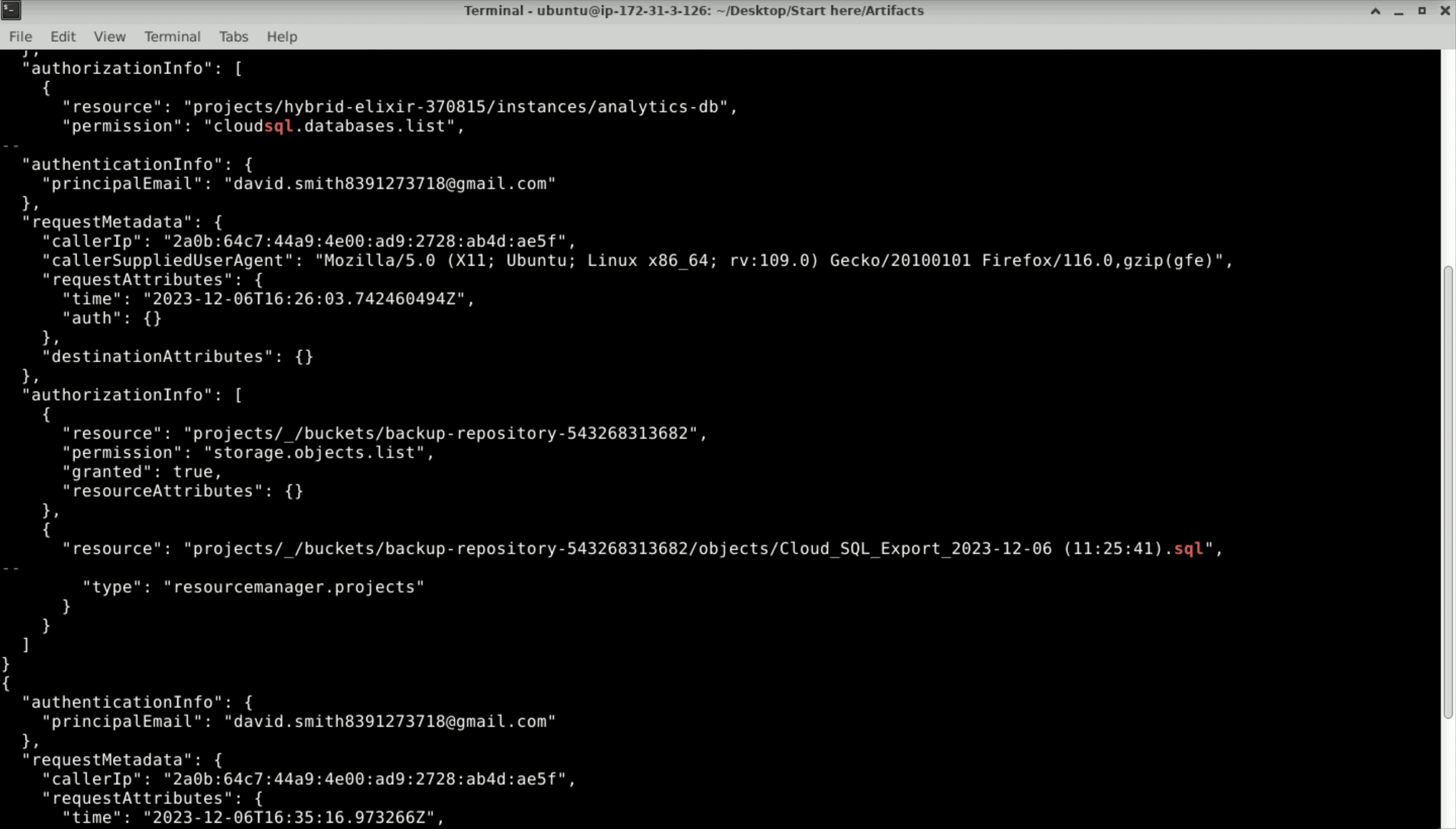
backup-repository-543268313682
Q8 In the attacker's effort to maintain access, identify the new service account created by the attacker. What is the account ID of this service account?
jq '.[]' logs.json | grep -A 20 "iam.serviceAccounts.create"
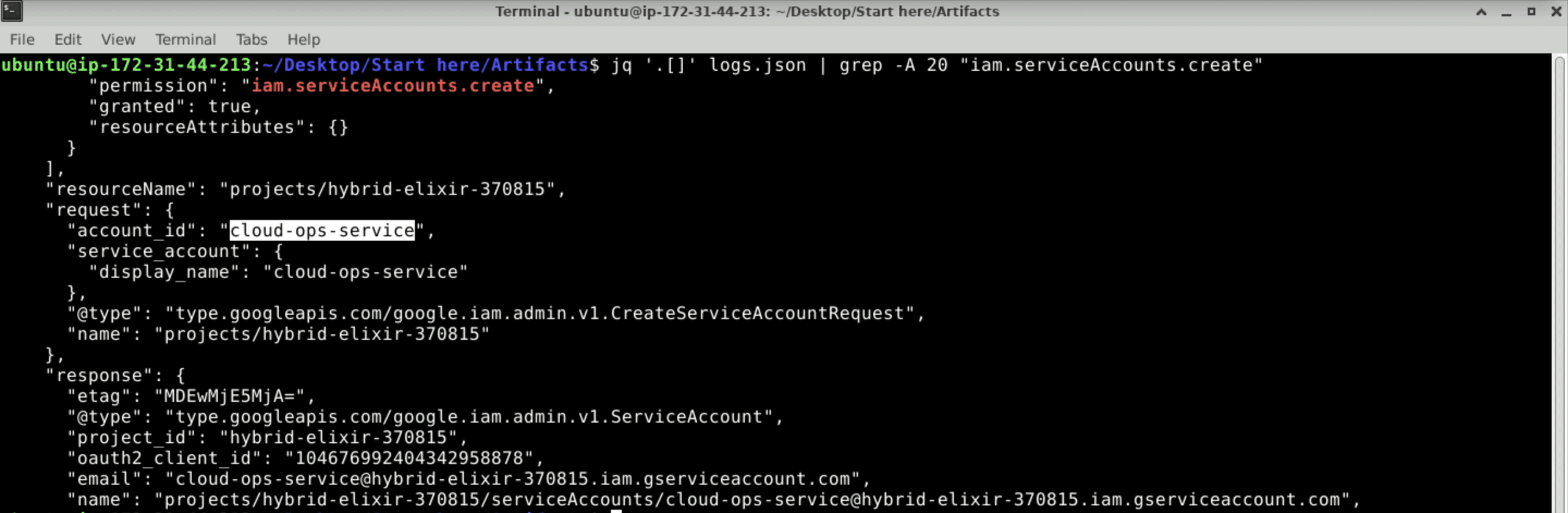
cloud-ops-service
Q9 As part of establishing persistence, what is the ID of the secret key generated for the newly created service account?
jq '.[]' logs.json | grep -A 20 "iam.serviceAccountKeys.create"
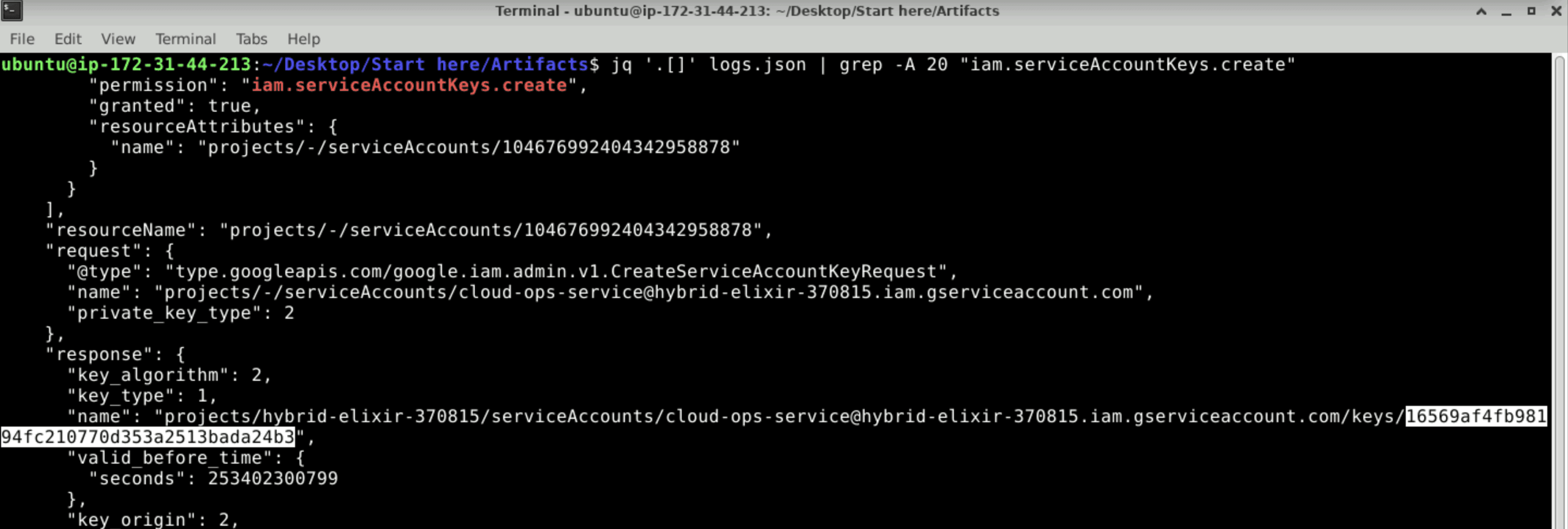
16569af4fb98194fc210770d353a2513bada24b3
If you've made this far, thank you for sticking by and congrats on completing this lab