- Published on
AWSWatcher Lab Walkthrough

This is a easy level cloud forensics lab by CyberDefenders. You can complete your analysis using AWS Management Console. Start by reading Before Getting Started section for more info.
Table of Contents
- Scenario
- Before Getting Started
- Capture The Flag
- Q1 During the initial scanning, the attacker interacted with the web application from an external IP address. What is the origin IP tied to the attacker, as observed in the AWS logs?
- Q2 A code review uncovered a function that lacked proper input validation, enabling arbitrary file processing. Which function’s misconfiguration directly enabled the initial exploit?
- Q3 The attacker uploaded a file masquerading as a benign document but containing an embedded malicious payload. What’s the filename of the SVG payload disguised as a financial record?
- Q4 During analysis of the CloudWatch Logs, the attacker’s external IP address was observed invoking an API to upload files to an S3 bucket. What is the exact URL path used for this upload operation, as seen in the logs?
- Q5 Which IAM role with excessive permissions was abused during the attack and used to query sensitive S3 buckets?
- Q6 What is the MITRE ATT&CK technique related to the attacker’s use of valid cloud credentials to log into the system?
- Q7 A server error inadvertently disclosed a temporary AWS access key in the debug logs. What is the AccessKeyId value that was leaked?
- Q8 A critical alert was triggered when the attacker invoked an API to retrieve temporary credentials. What is the Event ID of the GetRole API call?
- Q9 Analysis of HTTP User-Agent strings and CLI artifacts suggests the attacker was using a penetration-testing operating system. Which operating system was likely used by the attacker?
Scenario
Compliant Secure Store recently launched its new website—but security misconfigurations left critical gaps. Soon after the launch, an attacker initiated widespread scanning and discovered an upload feature that processed XML data without proper validation. By crafting a specially designed payload, the attacker manipulated the system’s input handling, triggering unintended data exposure.
Using the extracted information from this vulnerability, the attacker authenticated into the system and navigated internal resources. During the exploration, misconfigured storage buckets were discovered, and sensitive records were exfiltrated before the security team could intervene.
Your mission is to analyze the attack flow, identify exploited weaknesses, and implement the necessary security controls to prevent future incidents.
Before Getting Started
To solve this lab, you need access to the AWS Management Console. To obtain access, download the lab file containing the Account ID and Password by clicking on the Download Lab Files button. Once downloaded, use these credentials to log in and proceed with the lab.
Capture The Flag
From this point onward, you will find a detailed breakdown of every step I took to find out each flag. You may have a different methodology, and that is completely fine.
Q1 During the initial scanning, the attacker interacted with the web application from an external IP address. What is the origin IP tied to the attacker, as observed in the AWS logs?
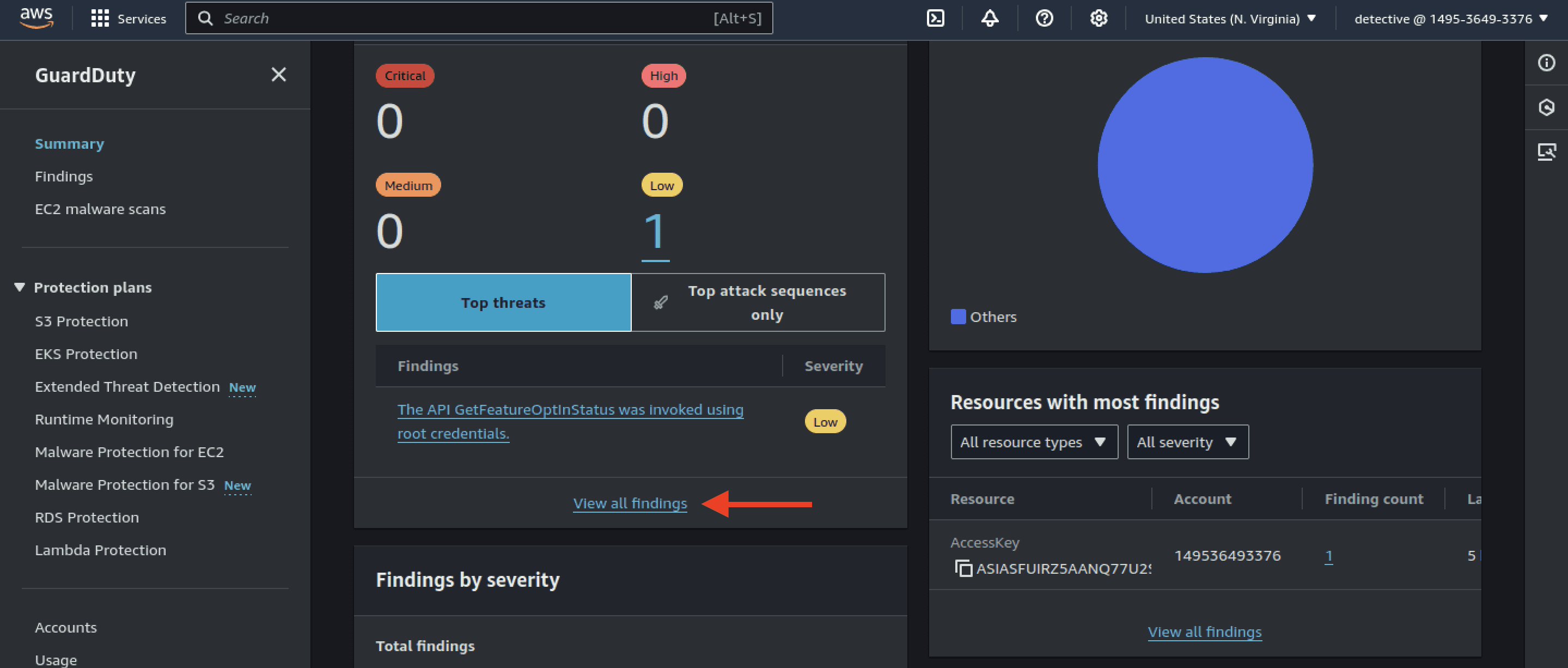
- Start by opening AWS GuardDuty, a cloud service that monitors and processes logs to identify suspicious activity in your environment. Click on View all findings and start examining each alert.
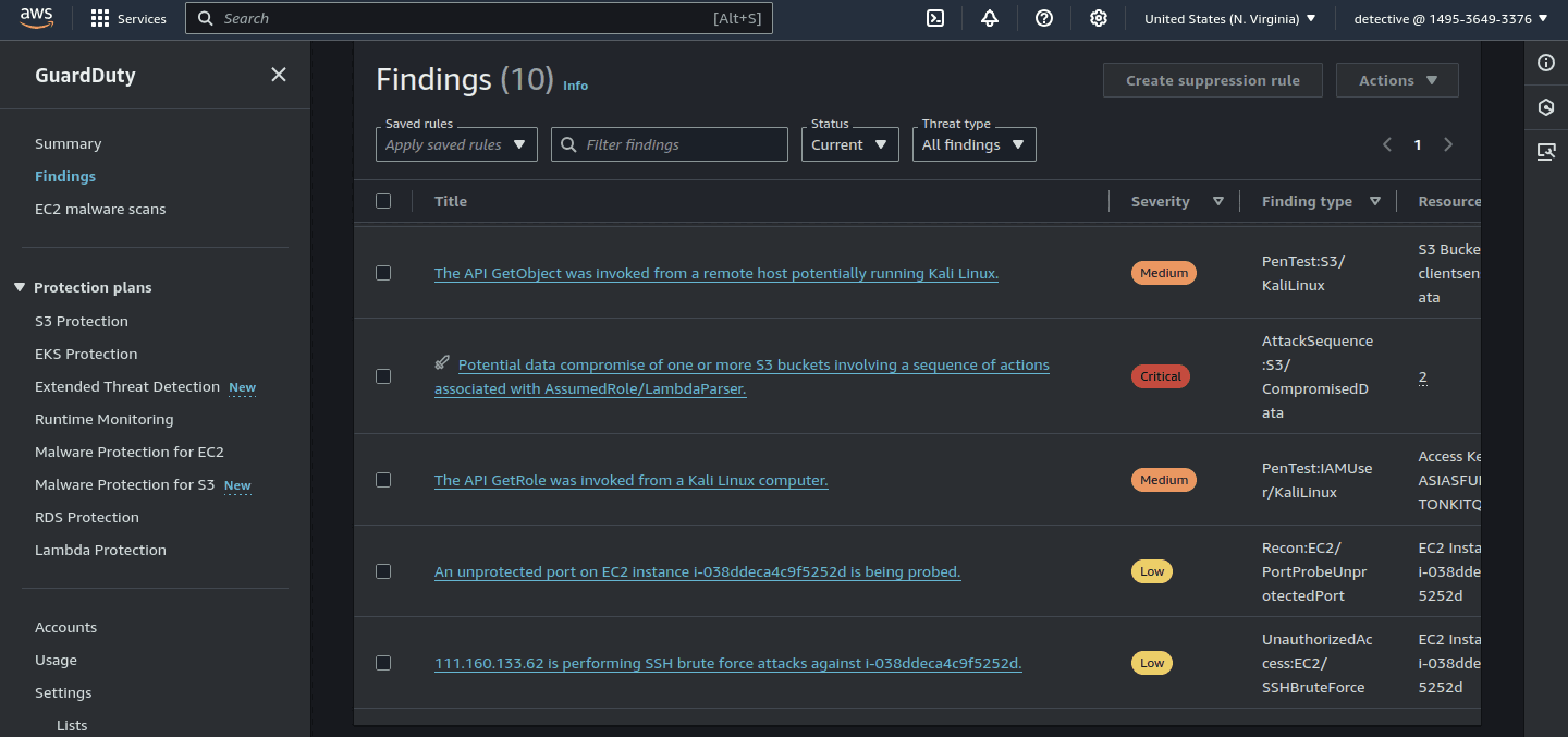
- We can see multiple alerts ranging from low to critical severity. I proceeded to open critical alert.
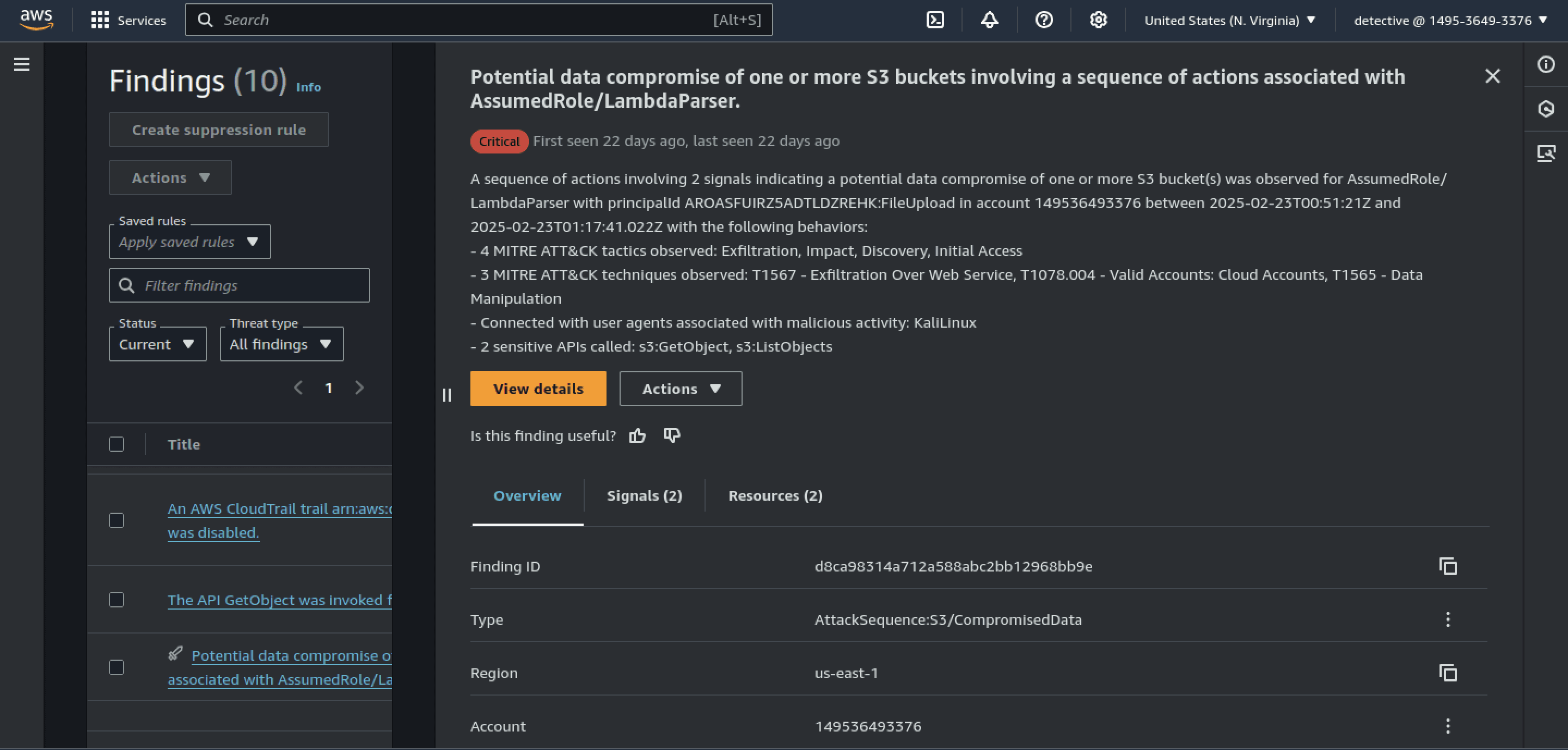
- This alert notifies us of a Potential data compromise, which is quite serious. Additionally, we can see MITRE-mapped TTPs used by the attacker prior to the compromise. Let's identify the attacker's IP address.
- Scrolling further, we can find the attacker's IP address under Endpoints.
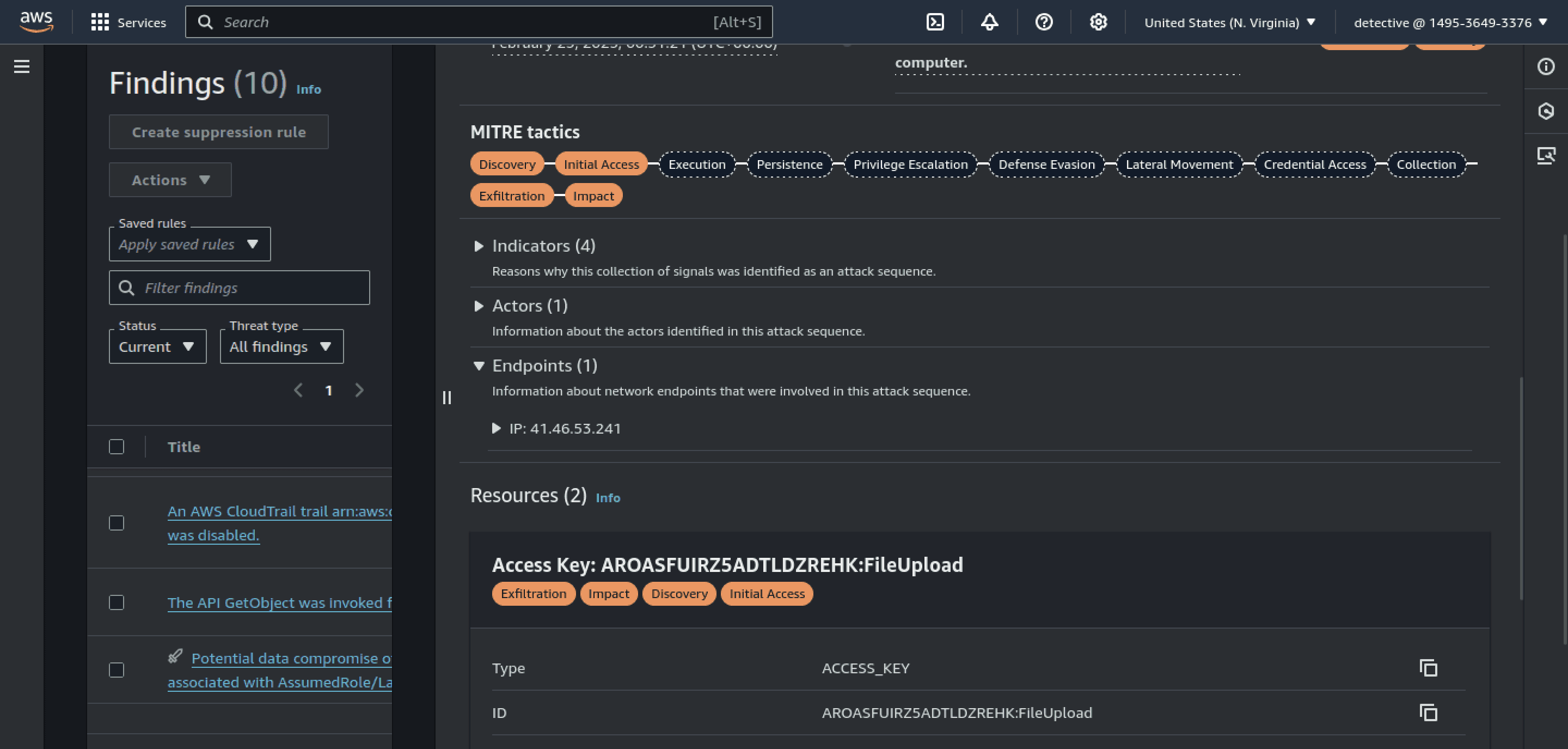
41.46.53.241
Q2 A code review uncovered a function that lacked proper input validation, enabling arbitrary file processing. Which function’s misconfiguration directly enabled the initial exploit?
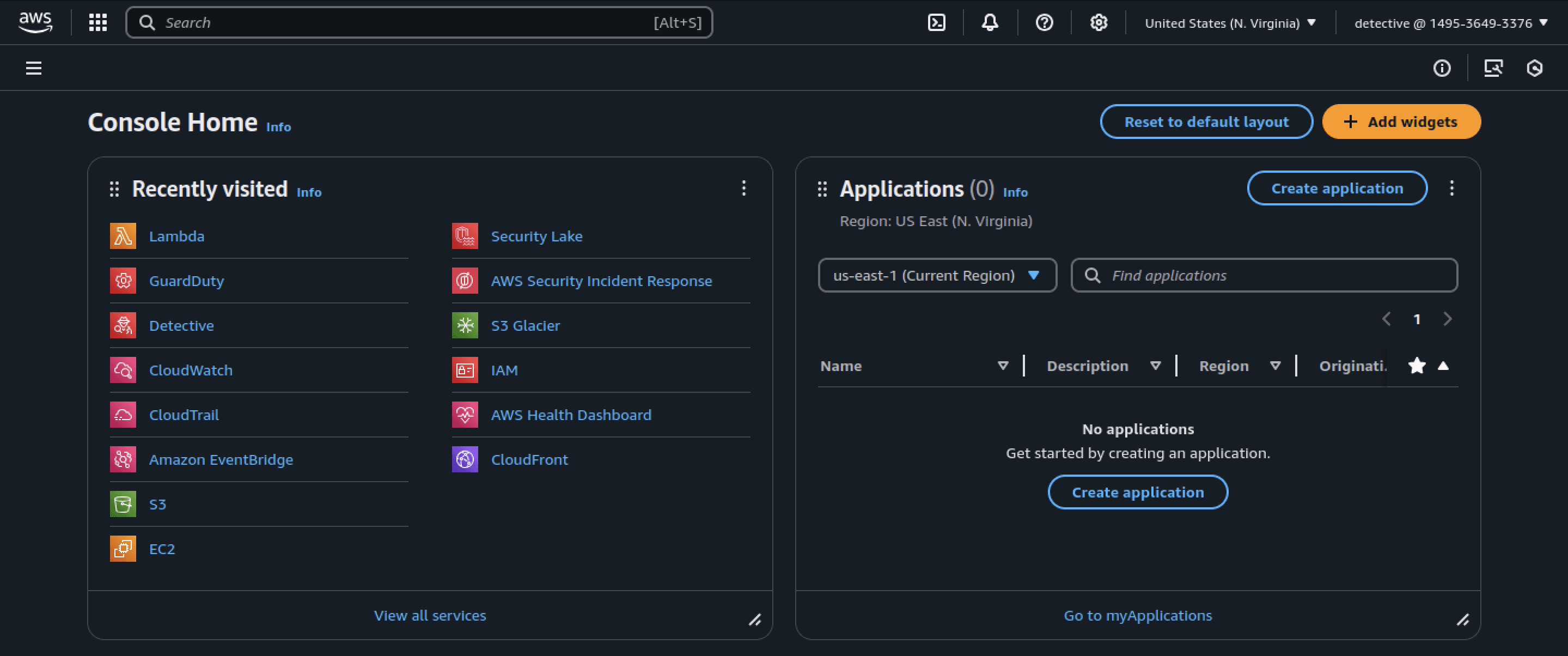
- Open the AWS dashboard again by clicking on the AWS icon at the top left. Then, navigate to Lambda, a serverless computing platform (FaaS).
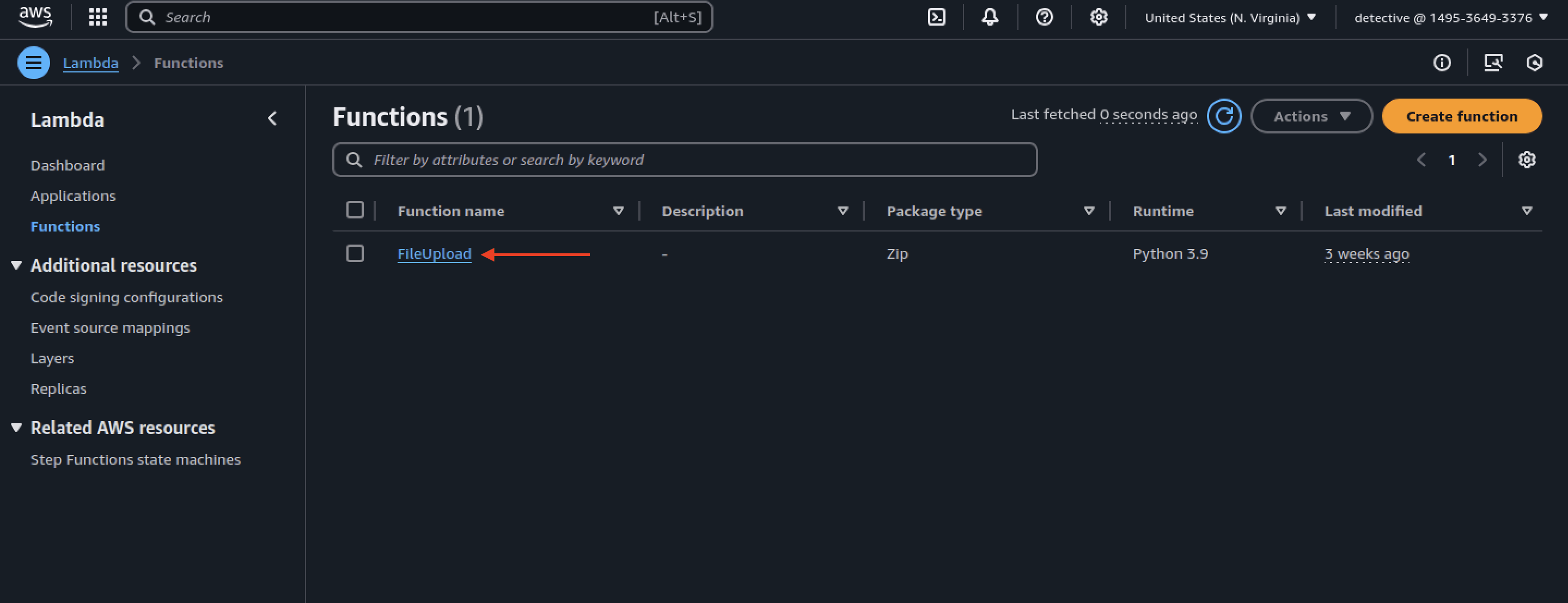
- In the screenshot below, we can clearly see a function named FileUpload. Let's conduct a code review this function.
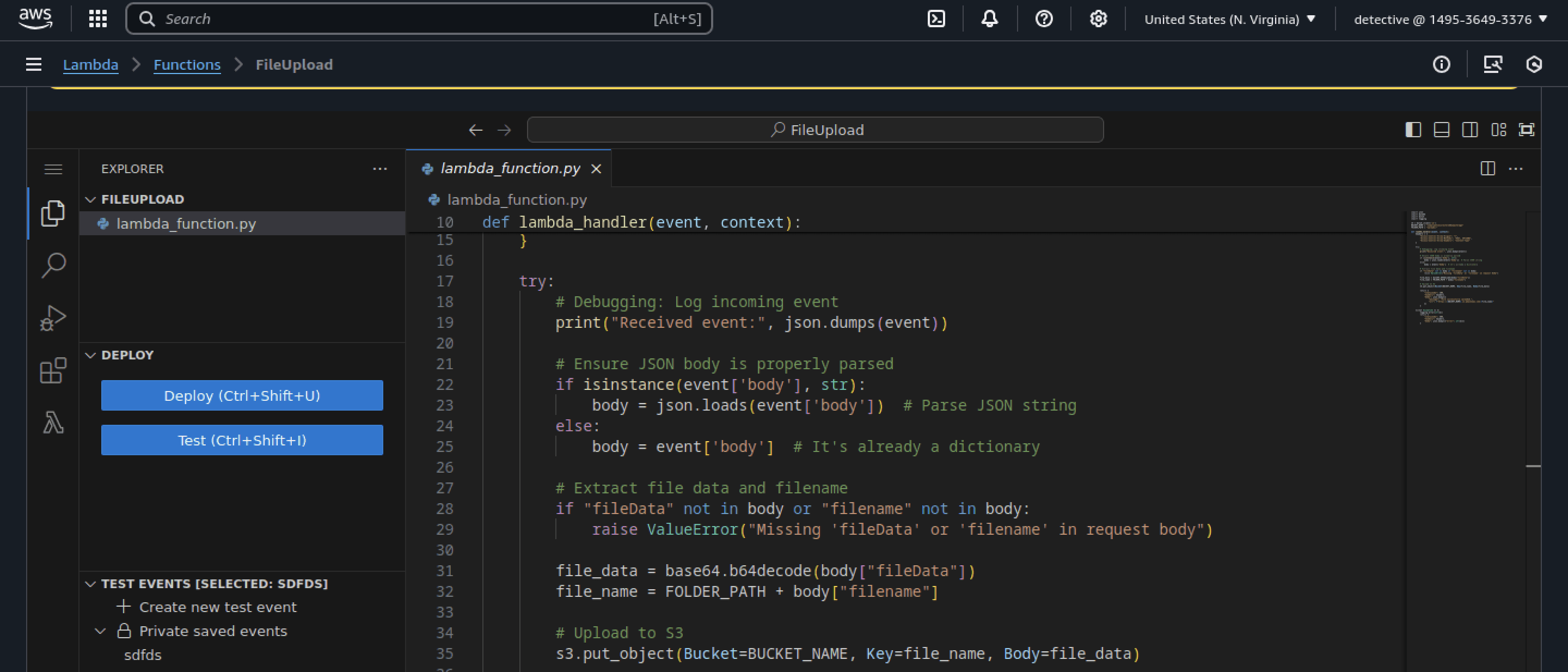
- This function ensures that JSON logs are parsed correctly. However, it lacks proper validation for uploaded files, which is a significant security concern. It is highly likely that the FileUpload function is the root cause of the exploit.
FileUpload
Q3 The attacker uploaded a file masquerading as a benign document but containing an embedded malicious payload. What’s the filename of the SVG payload disguised as a financial record?
- Open AWS S3, where all data storage buckets reside. We previously identified
compliantsecurestoreddumpstorageas the storage bucket for files uploaded through the FileUpload function.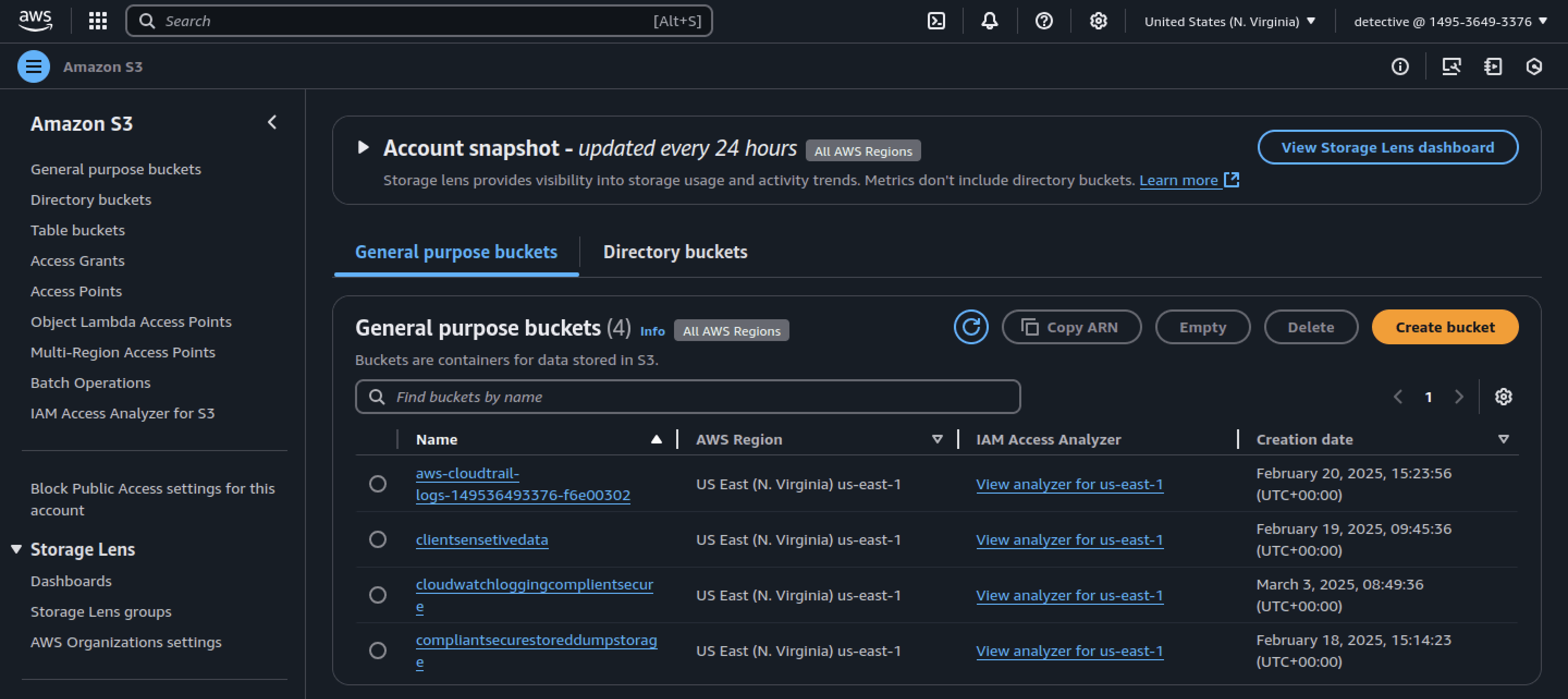
- Inside
compliantsecurestoreddumpstorage, there is a folder named Upload. Let's open it.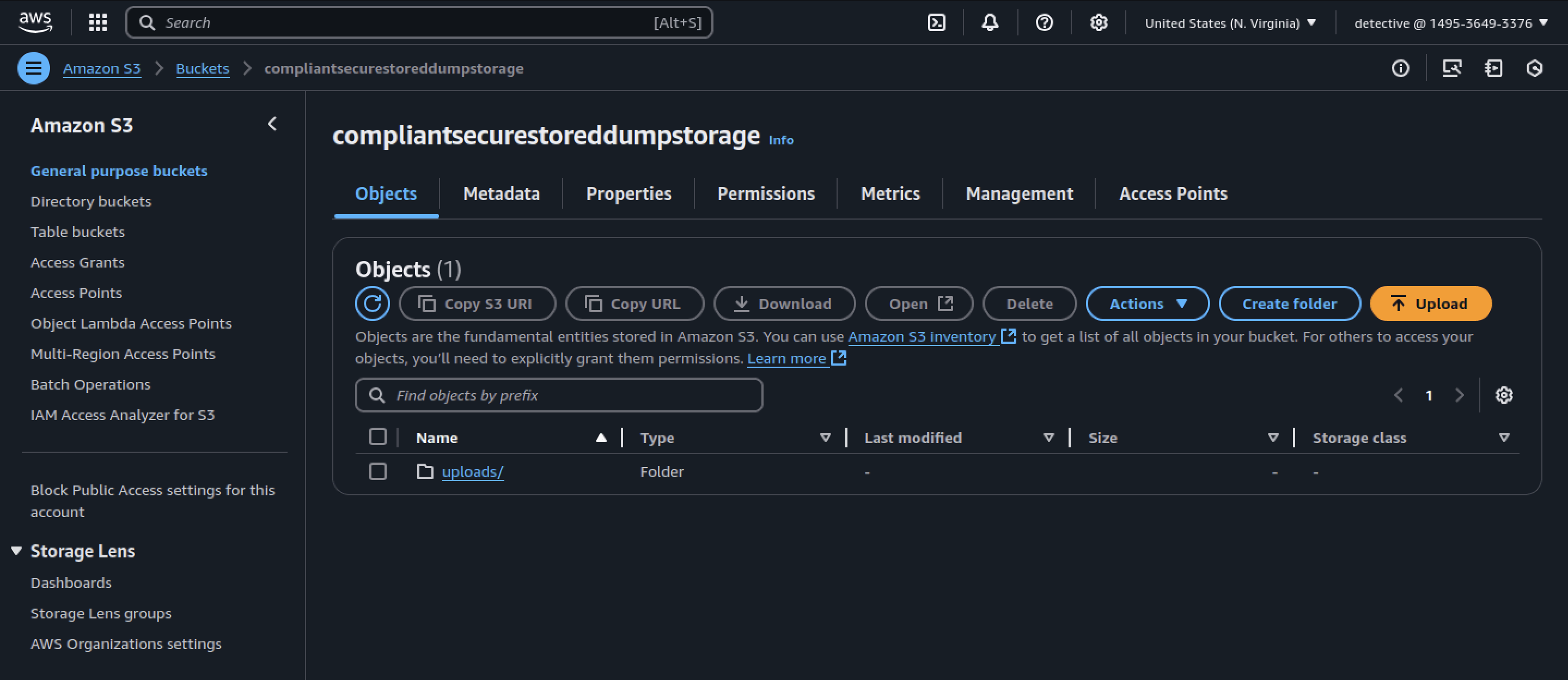
- Click on the Type bar to sort uploaded files by their extension.
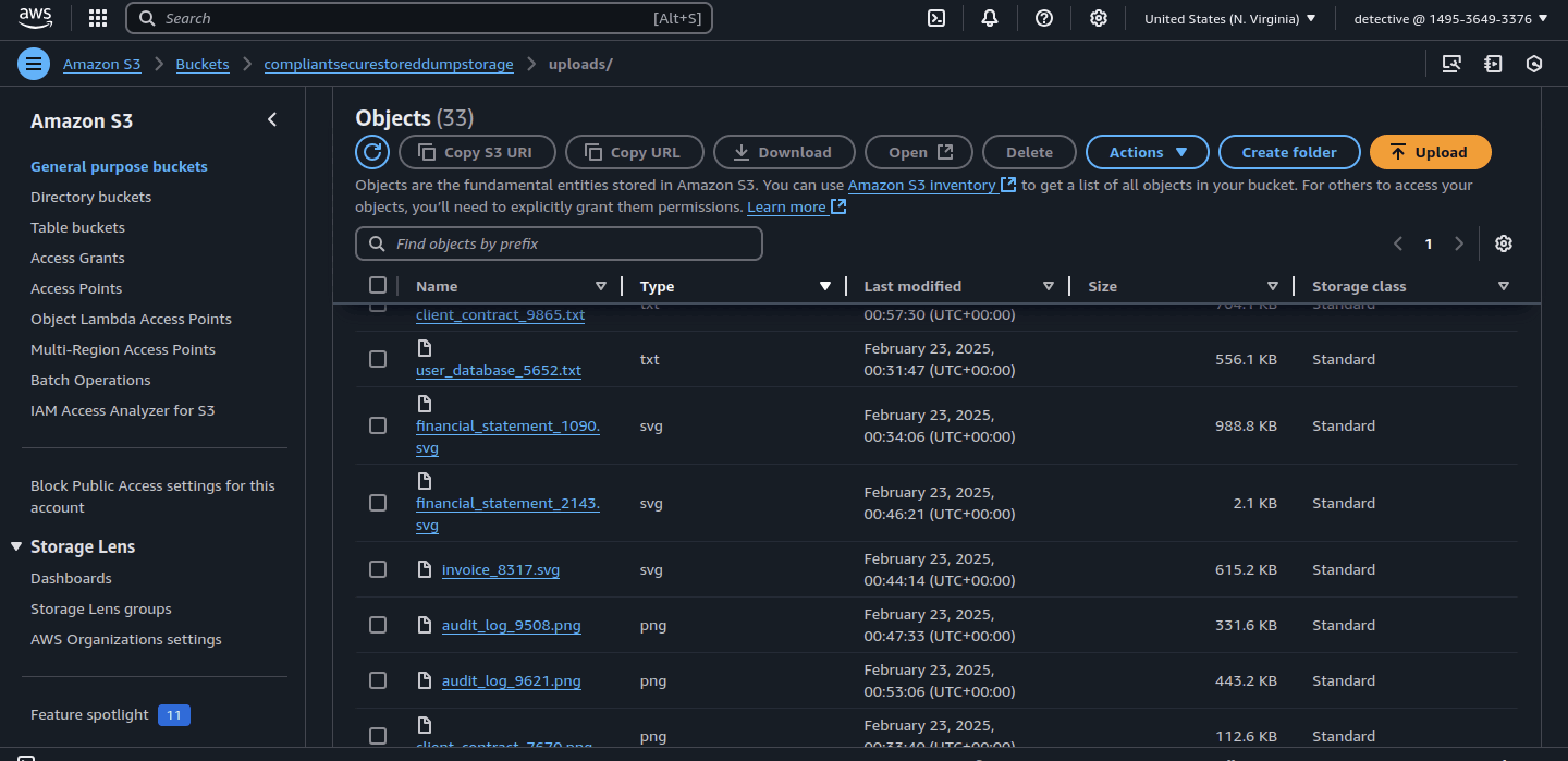
- We can see a file named financial_statement_2143.svg, which is likely our flag.
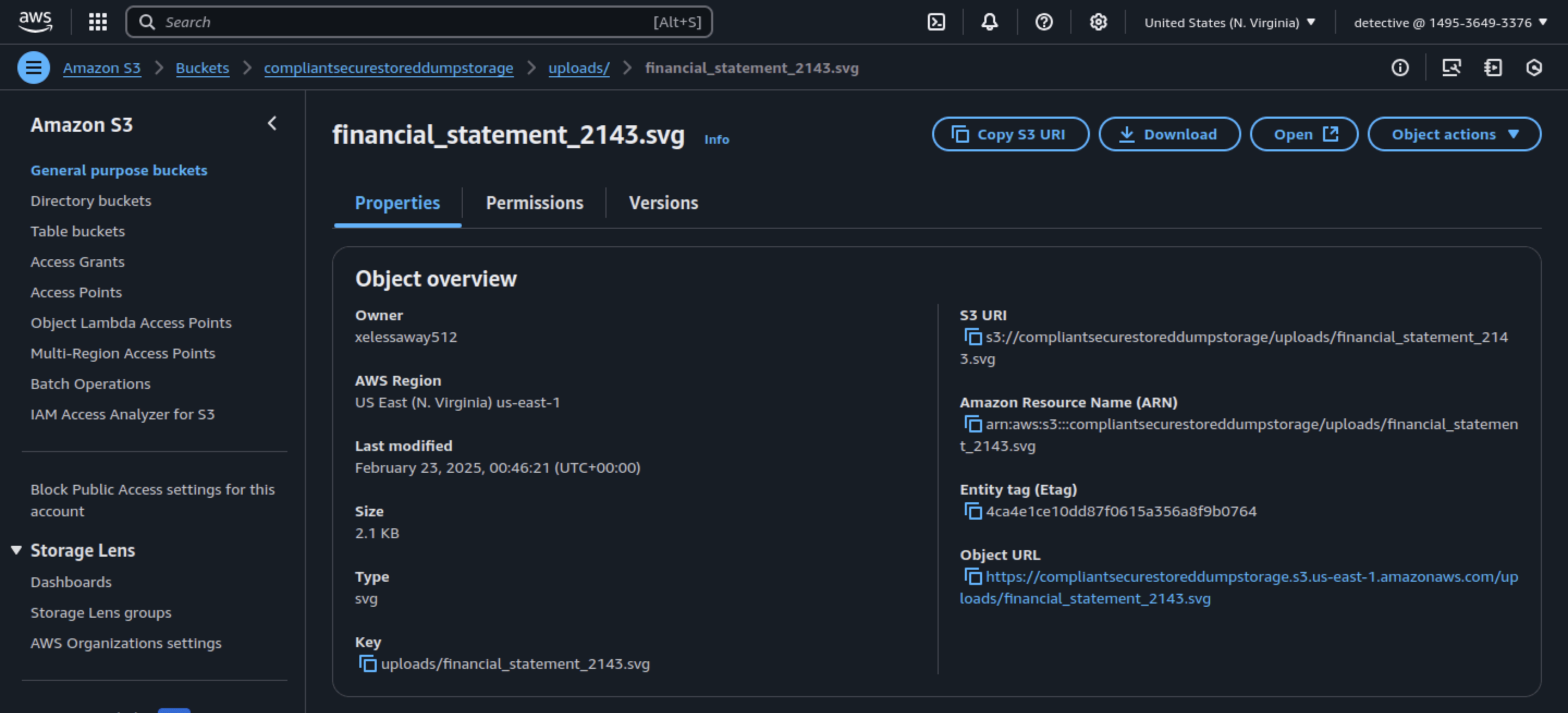
financial_statement_2143.svg
Q4 During analysis of the CloudWatch Logs, the attacker’s external IP address was observed invoking an API to upload files to an S3 bucket. What is the exact URL path used for this upload operation, as seen in the logs?
- To answer this question, open CloudWatch Logs and filter the logs by the attacker's IP address to locate the exact URL path used for the file upload.
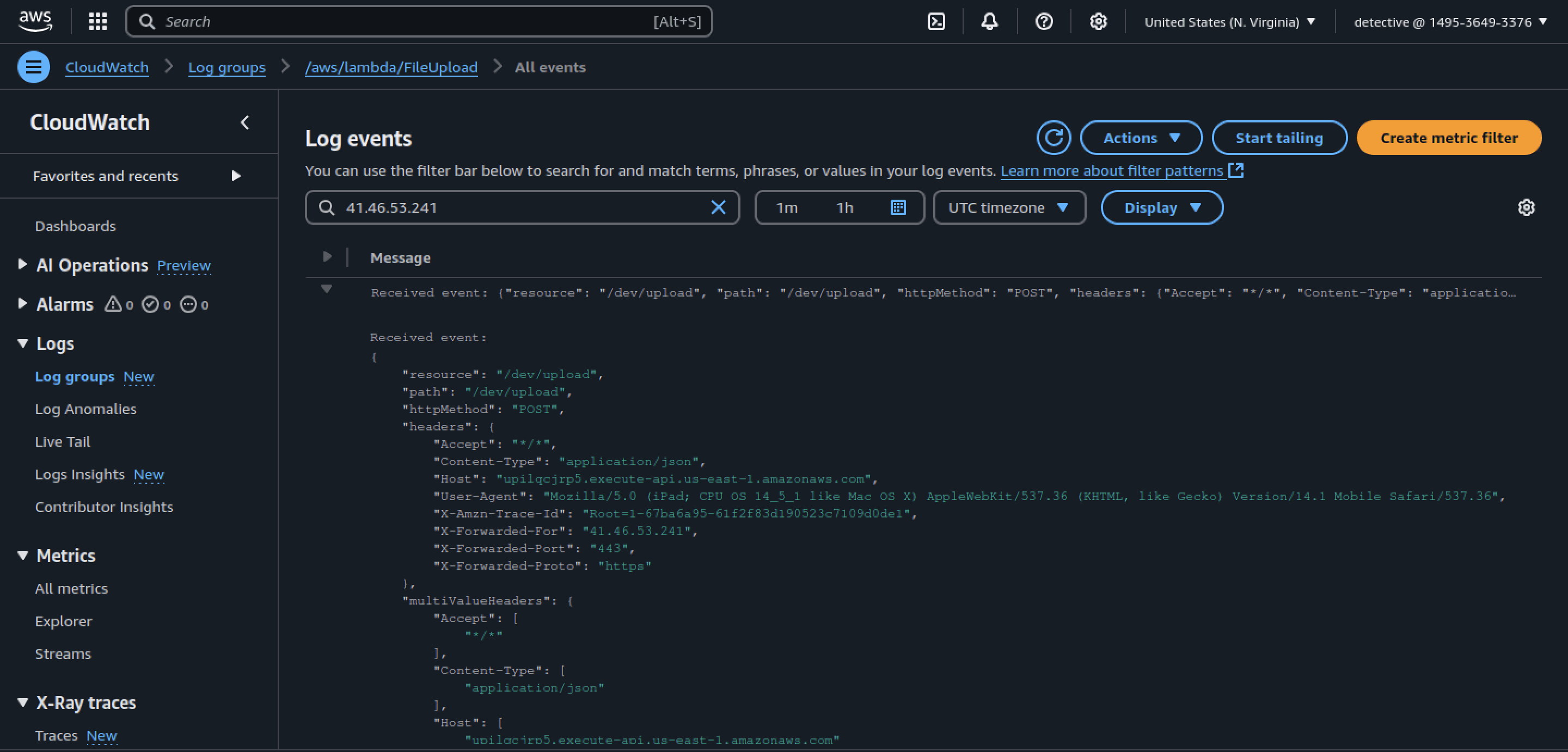
- We can combine the protocol (
https://), domain name (upilqcjrp5.execute-api.us-east-1.amazonaws.com), and the path (/prod/dev/upload) to obtain the exact URL.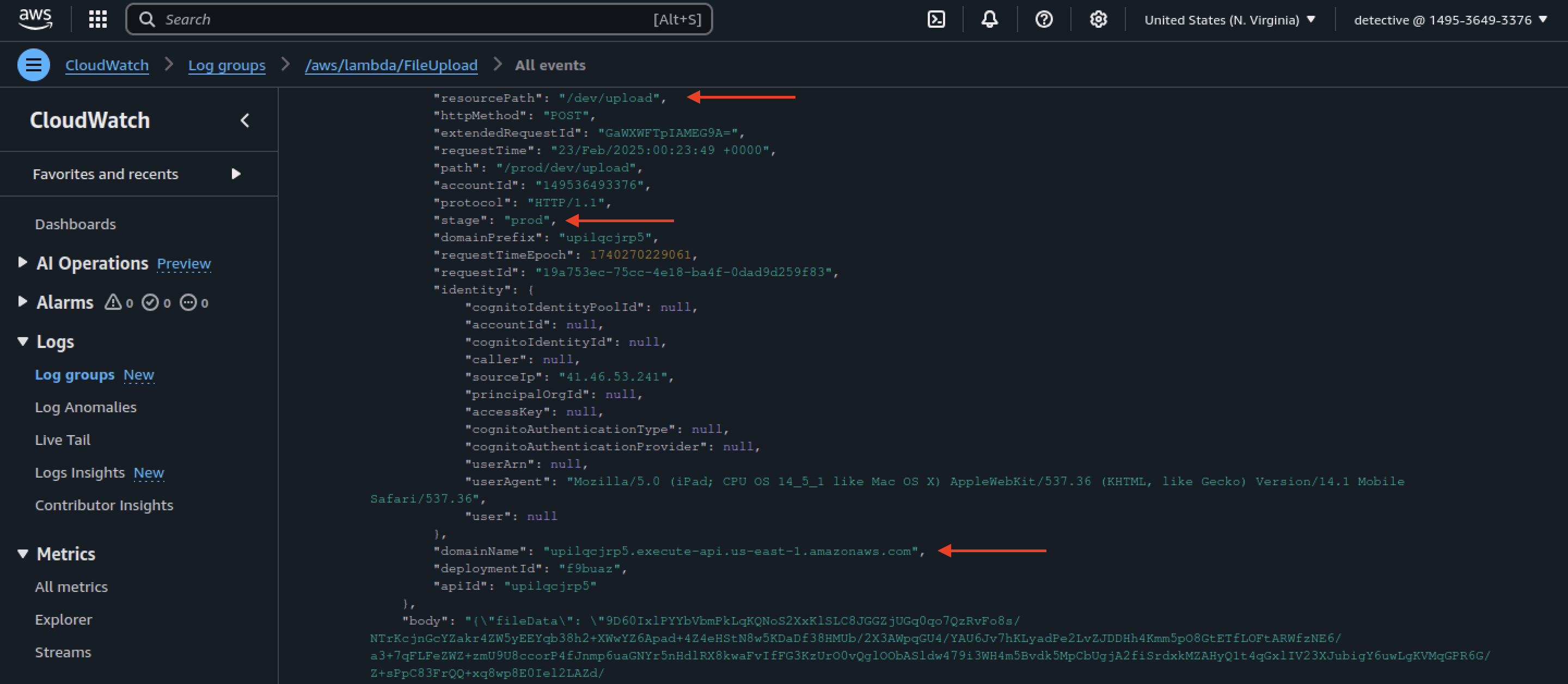
https://upilqcjrp5.execute-api.us-east-1.amazonaws.com/prod/dev/upload
Q5 Which IAM role with excessive permissions was abused during the attack and used to query sensitive S3 buckets?
- Open GuardDuty and revisit the critical alert. We can see that the LambdaParser role, which has excessive permissions, was exploited by the attacker.
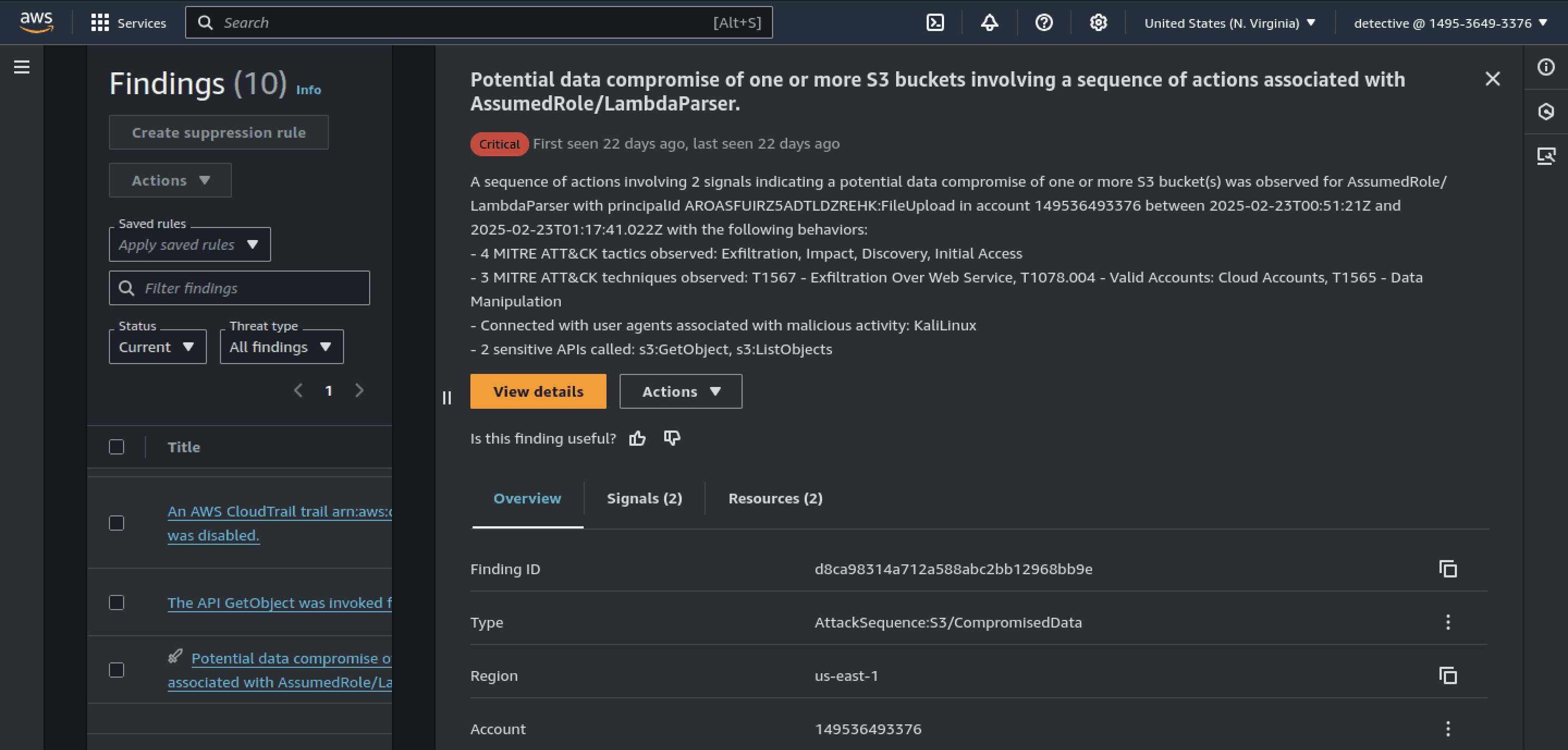
LambdaParser
Q6 What is the MITRE ATT&CK technique related to the attacker’s use of valid cloud credentials to log into the system?
- Reviewing the MITRE ATT&CK technique IDs in the GuardDuty alert, we can find out the technique linked to malicious use of valid cloud credentials.
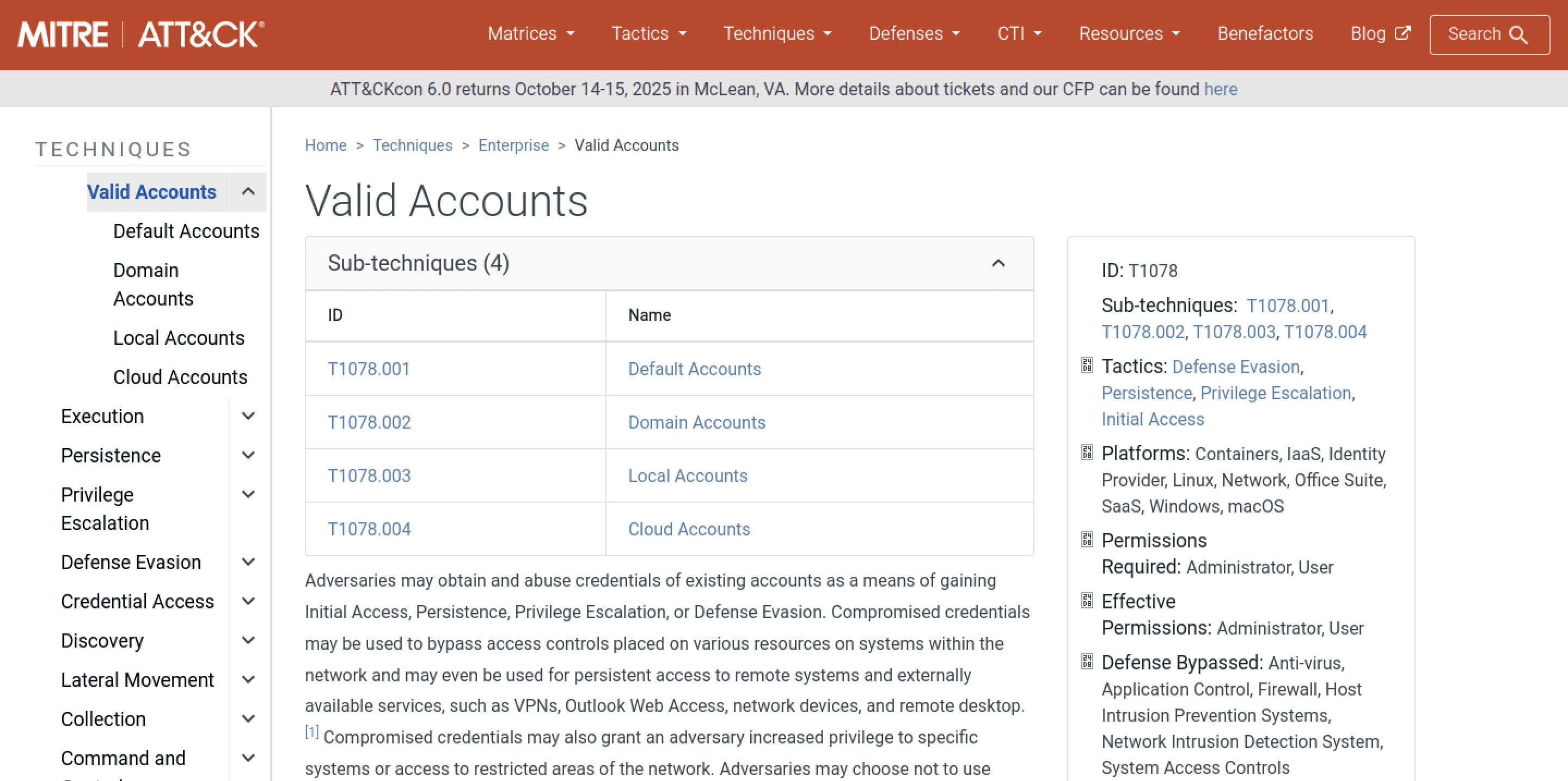
T1078.004
Q7 A server error inadvertently disclosed a temporary AWS access key in the debug logs. What is the AccessKeyId value that was leaked?
- In the GetRole API alert, we can find out the leaked AccessKeyId.
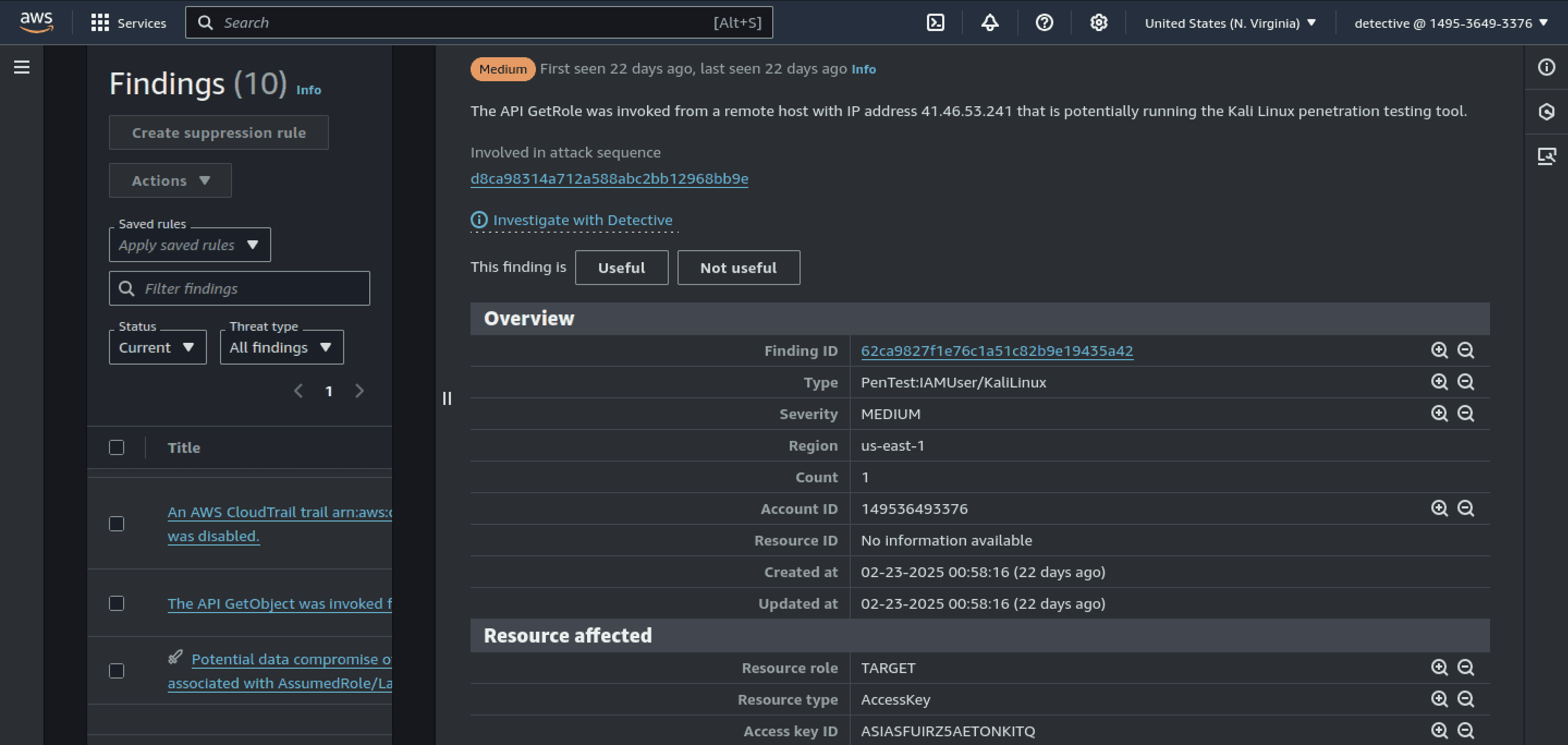
ASIASFUIRZ5AETONKITQ
Q8 A critical alert was triggered when the attacker invoked an API to retrieve temporary credentials. What is the Event ID of the GetRole API call?
- To find the Event ID, filter the logs by EventName set to GetRole and specify the exact date mentioned in the GetRole GuardDuty alert.
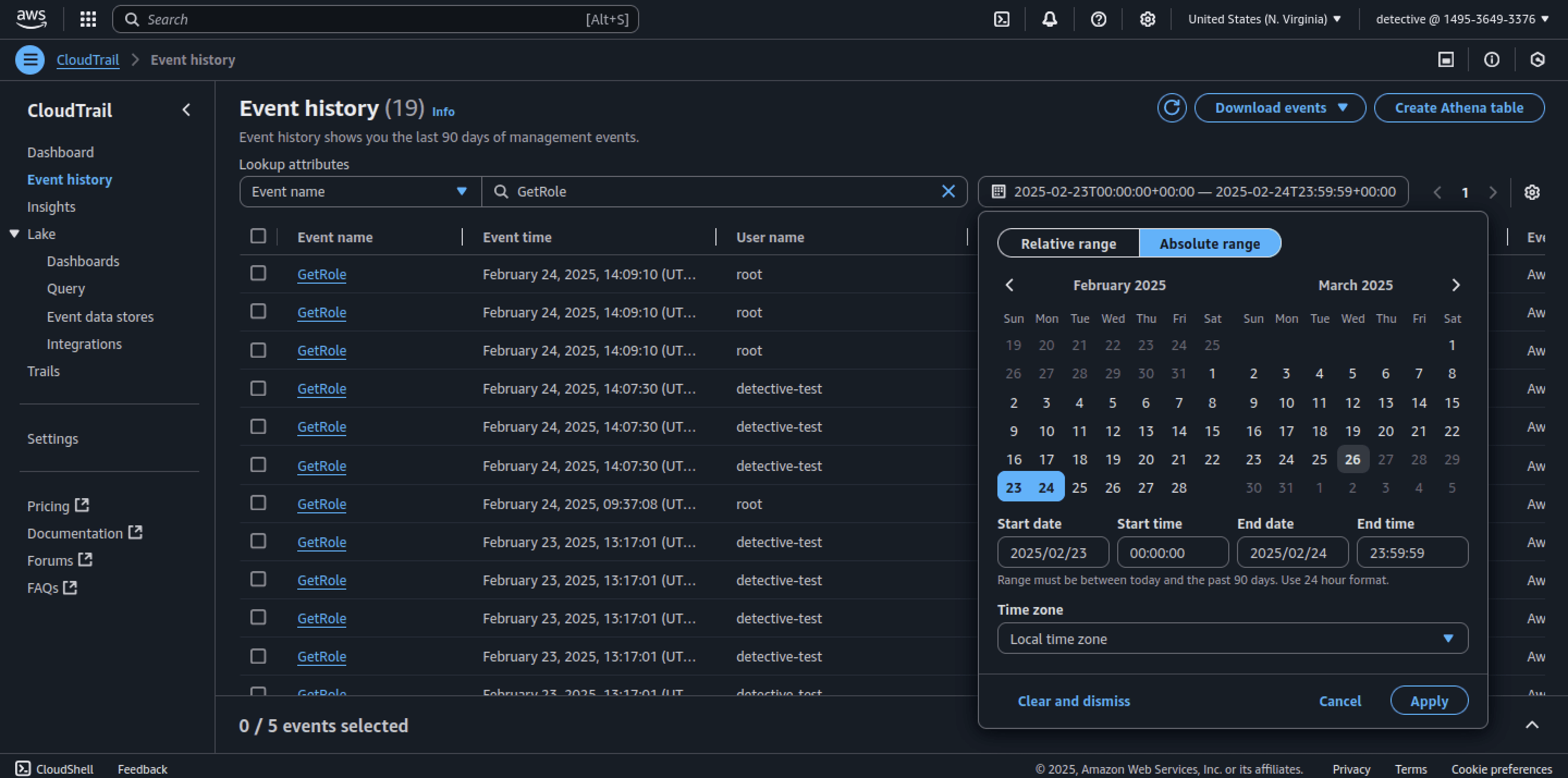
- Open the GetRole alert triggered by the attacker's IP address.
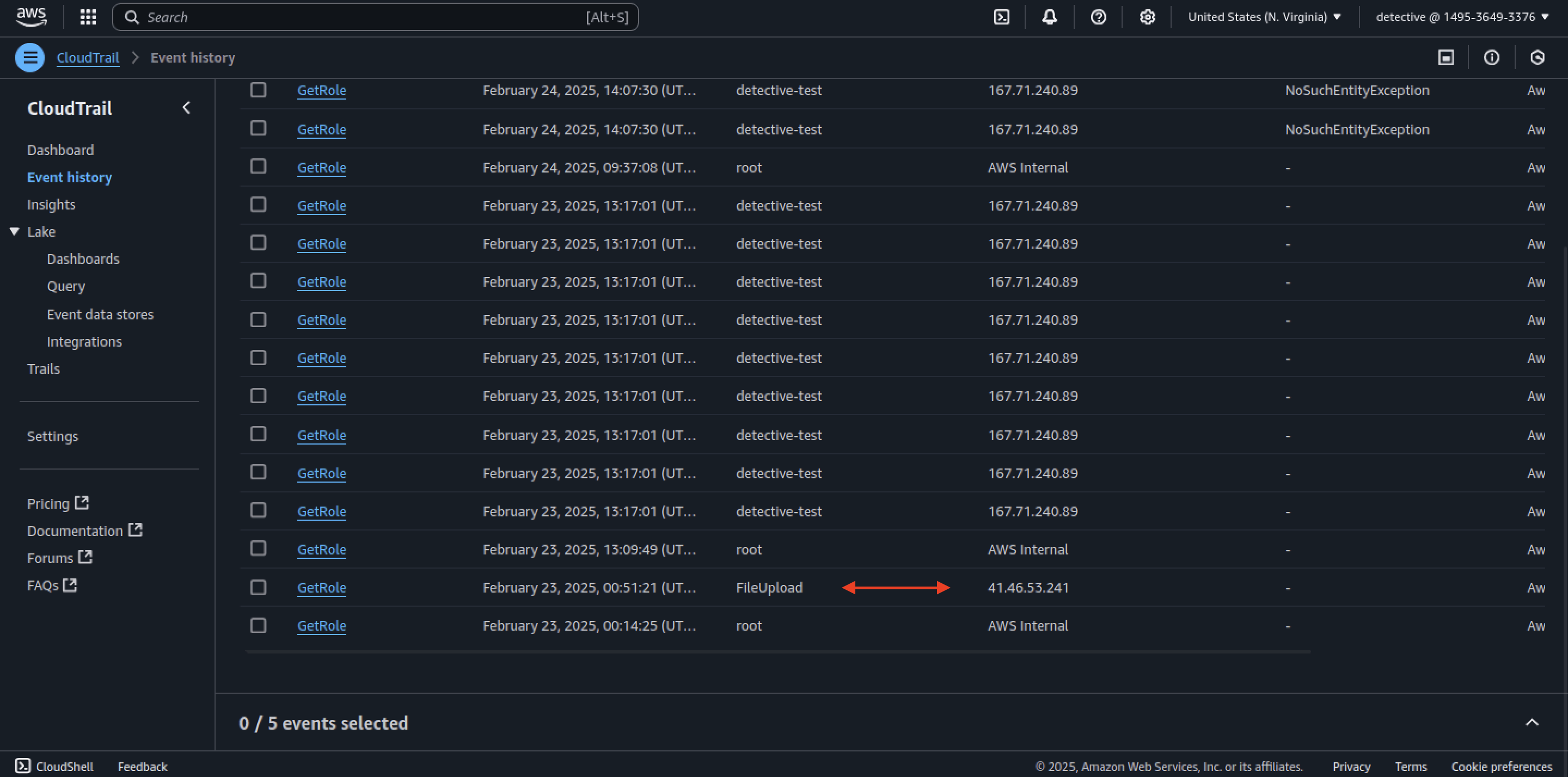
- The Event ID is clearly visible in the screenshot below, which serves as our flag.
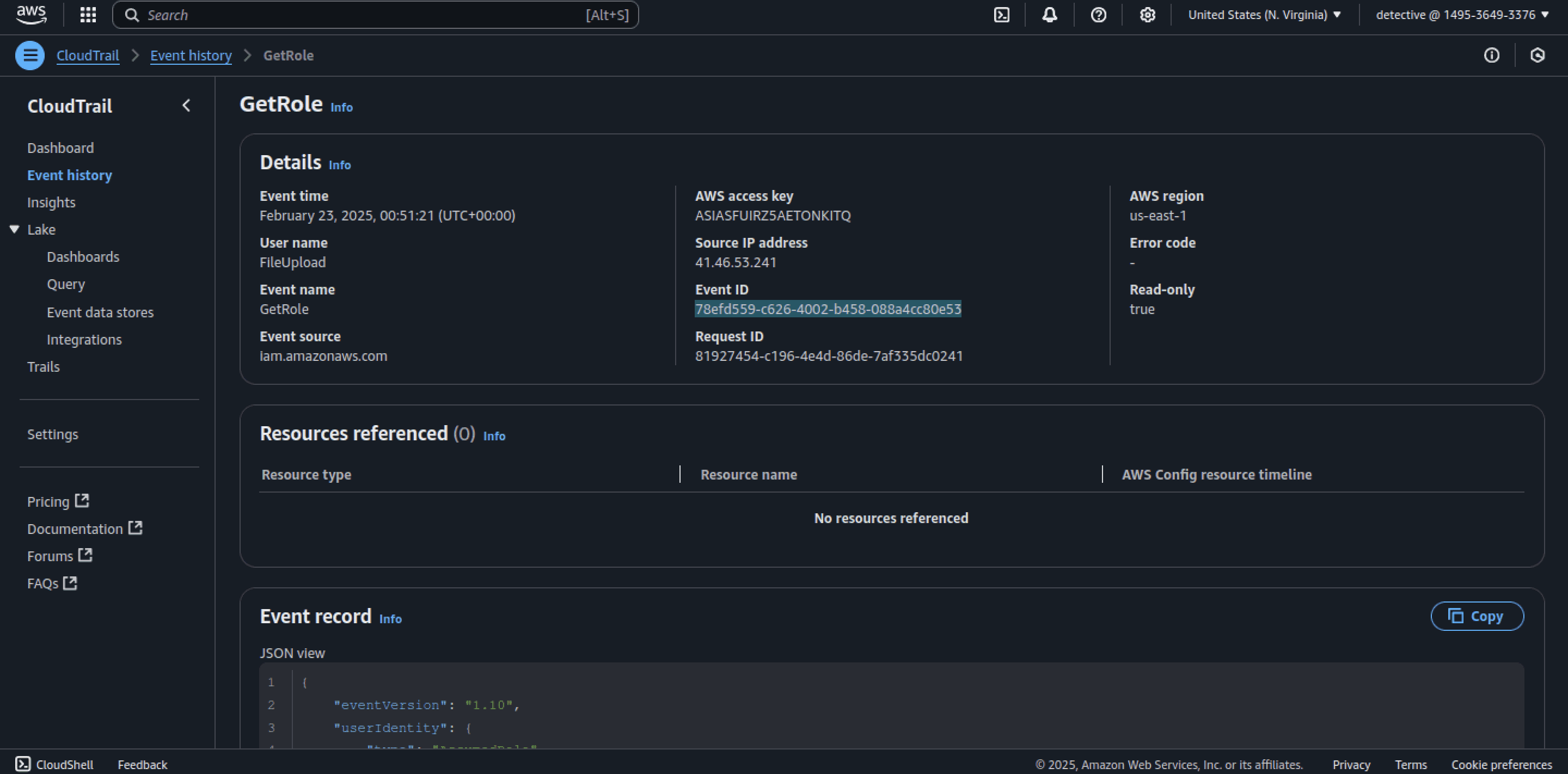
78efd559-c626-4002-b458-088a4cc80e53
Q9 Analysis of HTTP User-Agent strings and CLI artifacts suggests the attacker was using a penetration-testing operating system. Which operating system was likely used by the attacker?
- Based on the User-Agent strings and other artifacts, we can clearly see that the attacker was using Kali Linux.
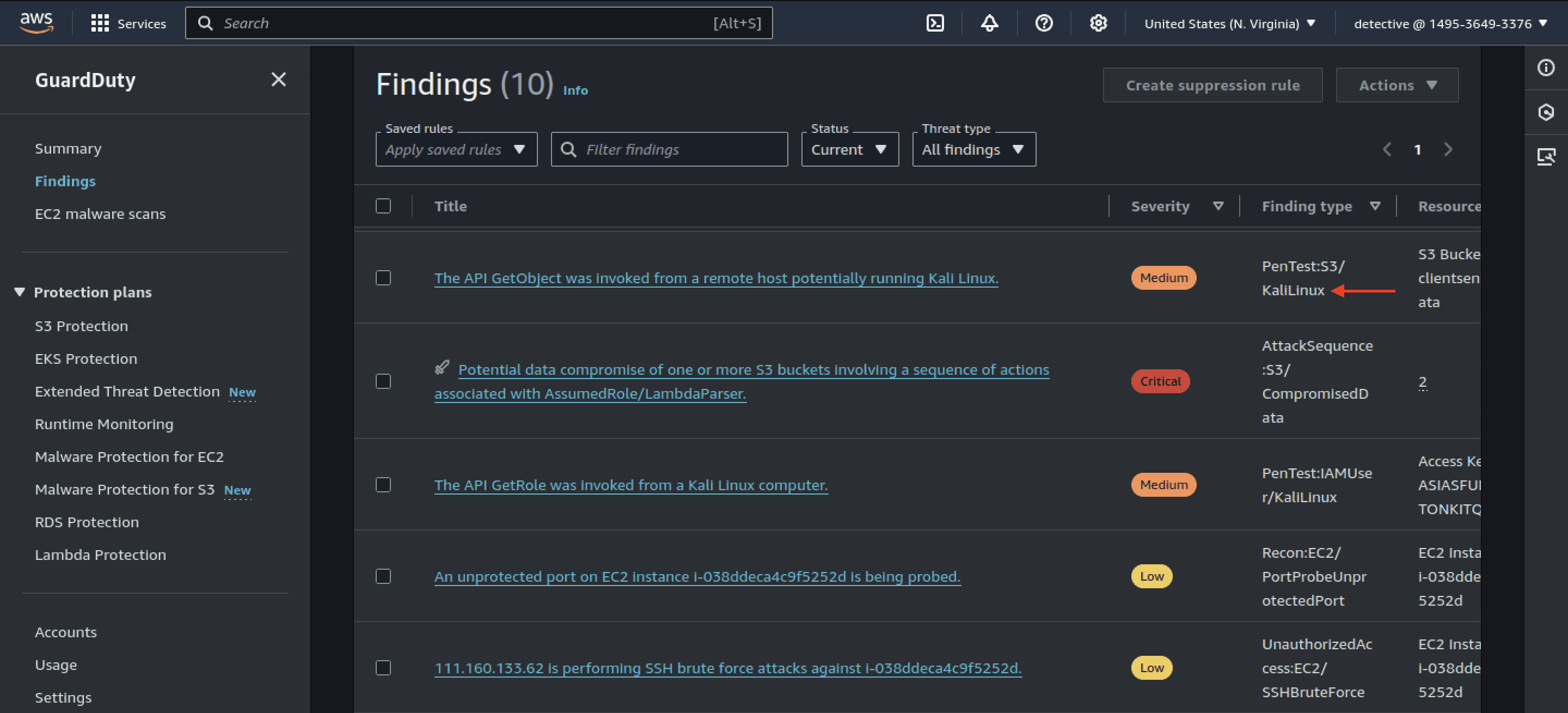
Kali
If you've made this far, thank you for sticking by and congrats on completing this lab