- Published on
DarkCrystal Lab Walkthrough
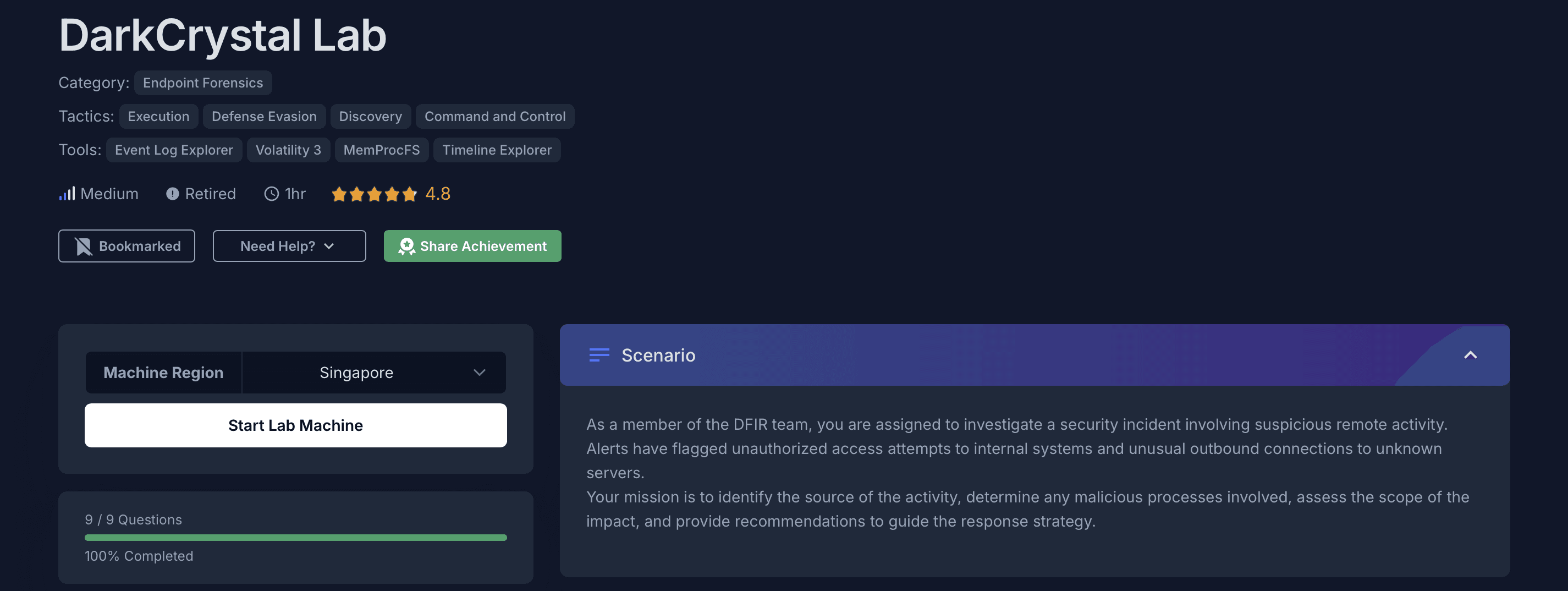
This is a medium level endpoint forensics lab by CyberDefenders. You can complete your analysis using either MemProcFS or Volatility 3 and for analyzing log files you can use Eric Zimmerman Tools. Start by reading the scenario in the above image and then proceed to capture flags.
Table of Contents
- Before getting started
- Q1: Malware frequently disguises itself by using names similar to legitimate executables to avoid detection. What is the filename of the malicious executable that serves as the origin and initiates the chain of malicious activities?
- Q2: What is the name of the first file created by the malicious executable identified in the previous question?
- Q3: Understanding how malware executes malicious scripts is critical for analyzing its workflow. If the malware leverages wscript to execute scripts, what executable file was launched as a result of their execution?
- Q4: Malware often exploits legitimate system processes, known as Living Off the Land Binaries (LOLBins), to evade detection. What is the name of the first file executed by the malware using a LOLBin?
- Q5: Malware frequently renames system utilities to bypass security defenses. What is the PID of the parent process linked to the legitimate LOLBin mentioned in the previous question?
- Q6: Remote Access Trojans (RATs) depend on command-and-control (C&C) channels to establish communication with attackers, enabling them to issue commands and carry out malicious operations. Which executable is responsible for facilitating the malware's C&C activities?
- Q7: Identifying the network communication used by malware is crucial for detecting its presence and understanding its command-and-control (C&C) infrastructure. What are the two local ports the malware uses to connect to its C&C servers?
- Q8: The malware likely retrieves a script from a remote server to execute commands or exfiltrate data. What is the name of the script retrieved in this case?
- Q9: Windows Defender initially detected the malware but was later disabled, allowing the malware to run again the next day. What detection name did Windows Defender assign to this malware sample?
Before getting started
I've completed this entire lab using MemProcFS instead of Volatility 3. Rather than using each Volatility plugin one by one, I prefer mounting the entire memory dump image as a drive and then analyze all the extracted forensic artifacts.
For parsing event log (.evtx) files, we can use EvtxECmd from Eric Zimmerman's tools. Also, don't forget to use TE (Timeline Explorer) for analyzing the parsed .csv log file.
You can check the steps below on how to mount the memory dump image, parse log files, and analyze them using TE. These steps will only help us save up time during our analysis.
Mount, Parse & Analyze
Mount the memory dump using MemProcFS:
.\memprocfs.exe -device "C:\Users\Administrator\Desktop\Start Here\Artifacts\memory.dmp" -forensic 2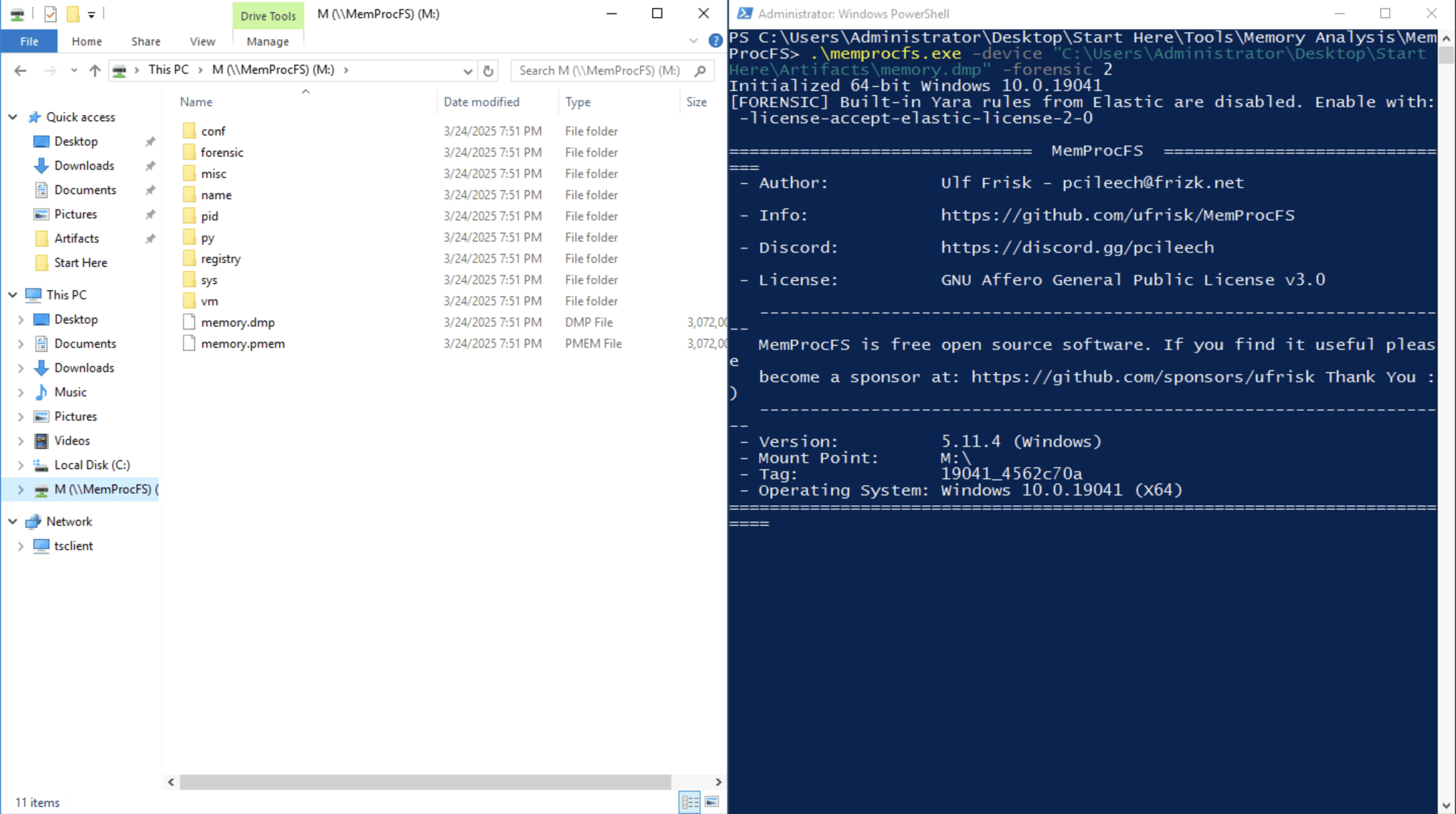
Let's also parse event log files, as it will help us save time later. Navigate to the following directory before executing the command to parse event log files:
cd "C:\Users\Administrator\Desktop\Start Here\Tools\ZimmermanTools\net6\EvtxeCmd"Execute the following command to parse the event logs (remember to create the
outfolder underArtifactsbefore executing this command):.\EvtxECmd.exe -d "C:\Users\Administrator\Desktop\Start Here\Artifacts\Logs" --csv "C:\Users\Administrator\Desktop\Start Here\Artifacts\out"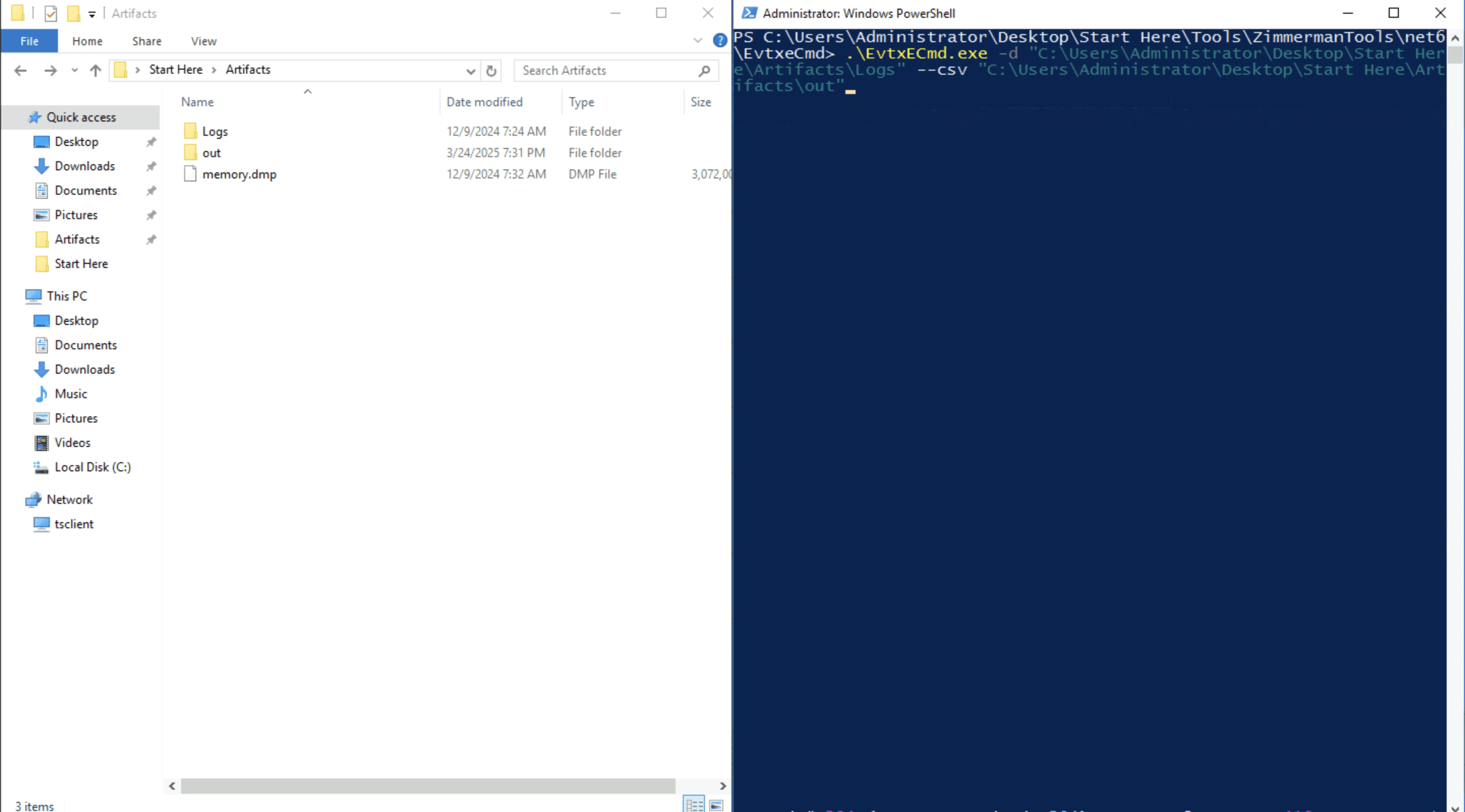
- Once all the files are parsed you'll see the final output similar to screenshot below
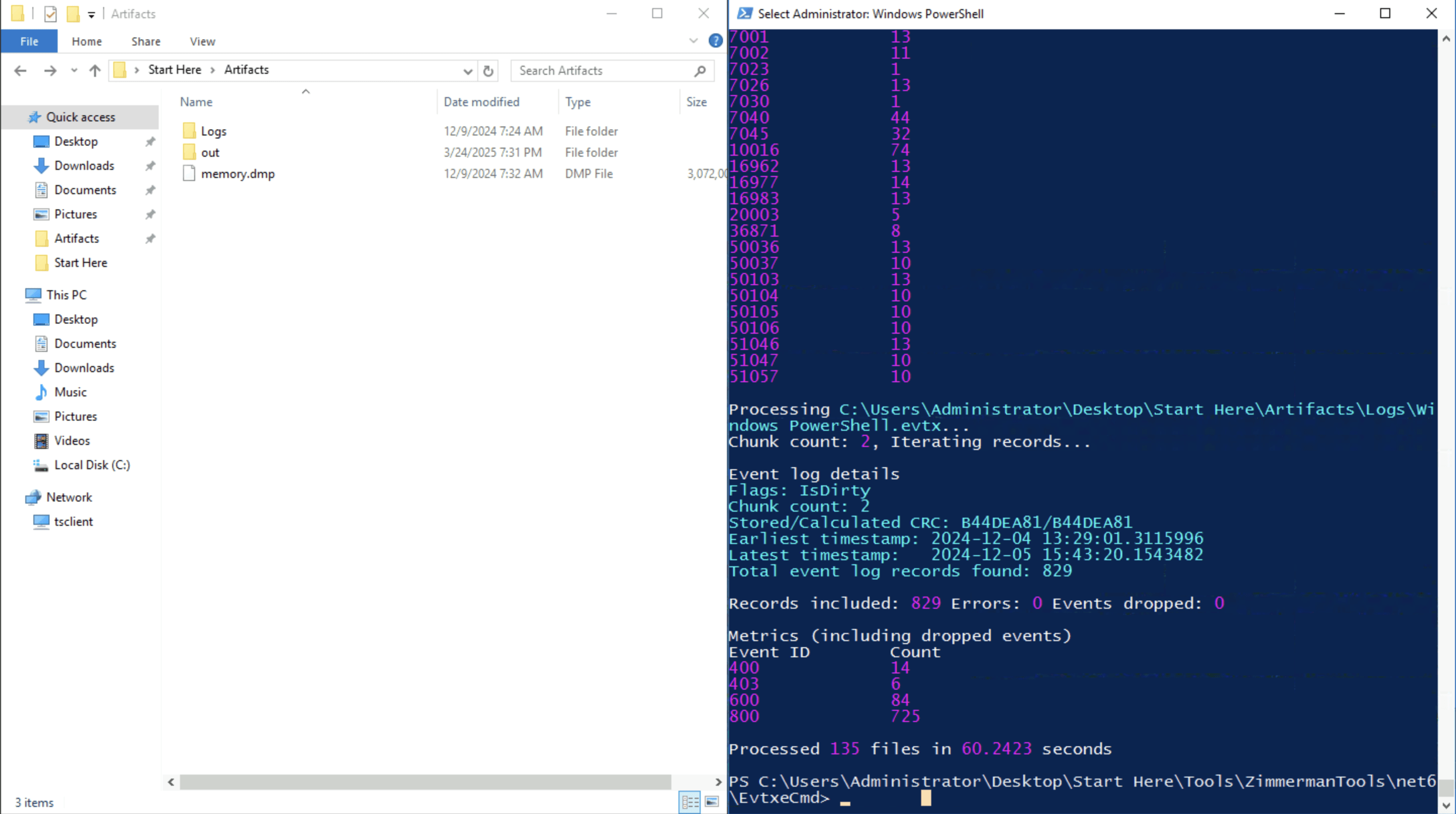
Now go ahead and open the generated CSV file (In
outfolder) using Timeline Explorer for easier analysis.
Q1: Malware frequently disguises itself by using names similar to legitimate executables to avoid detection. What is the filename of the malicious executable that serves as the origin and initiates the chain of malicious activities?
- Filter for Event ID 4688 (
A new process has been created). Refer to Microsoft's documentation for more details on this event ID. - Identify suspicious executable names. In this case,
TrustedInstaller.exeis executed byservices.exe, which is unusual and suggests an attempt to masquerade as a legitimate Windows process.
- Further analysis reveals that
TrustedInstaller.exewas executed many times, confirming it as the malicious process initiating the attack chain.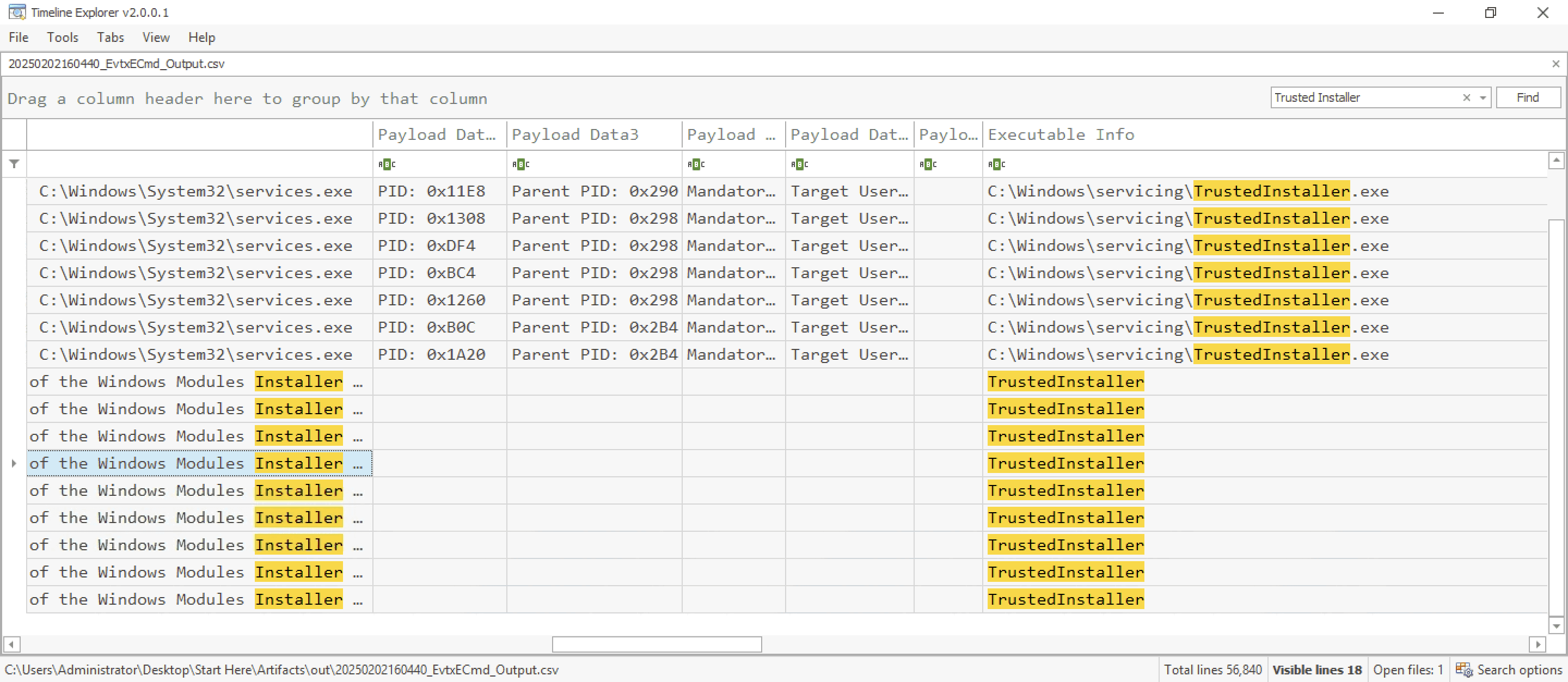
Q2: What is the name of the first file created by the malicious executable identified in the previous question?
- Load additional logs by dragging and dropping the
evtxlog folder from themiscdirectory under the mountedM:\drive. Then, parse all files and open the generated.csvfile in Timeline Explorer.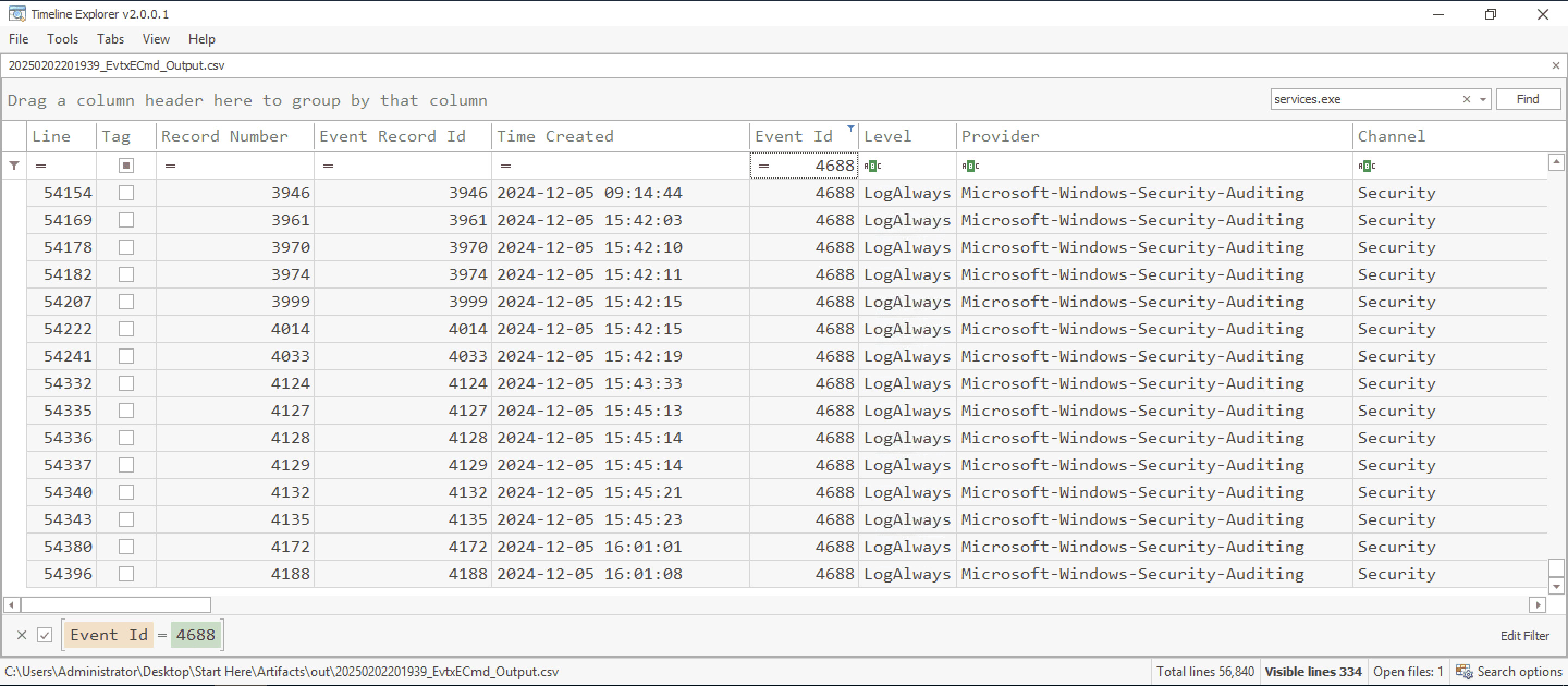
- Filter by the malicious process (
services.exe) and Event ID 4688. The first file created byservices.exeis1313.exe, confirming it as the initial dropped file in the infection chain.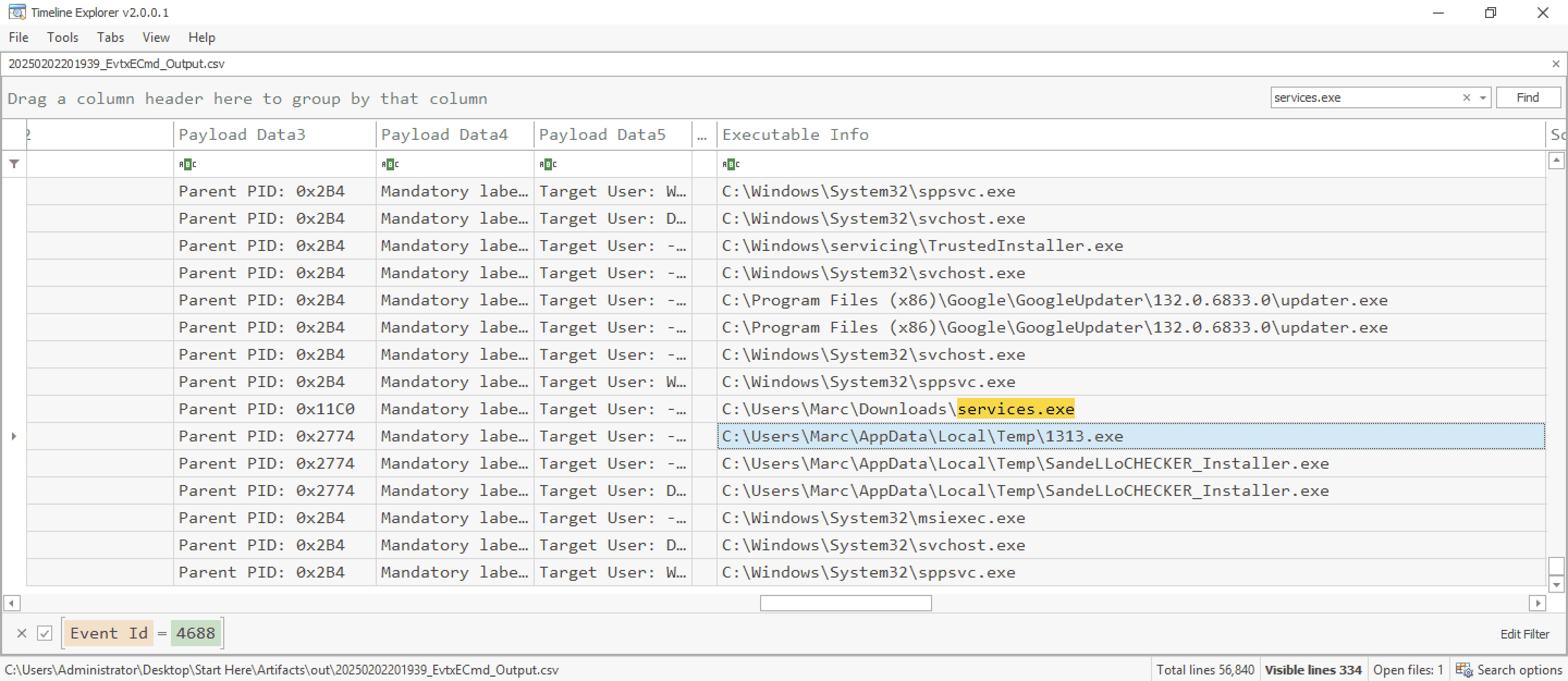
Q3: Understanding how malware executes malicious scripts is critical for analyzing its workflow. If the malware leverages wscript to execute scripts, what executable file was launched as a result of their execution?
- Search for the process execution of
1313.exeto understand its behavior. Identify that1313.execreates a new process,wscript.exe, a legitimate Windows process often abused by malware for script execution.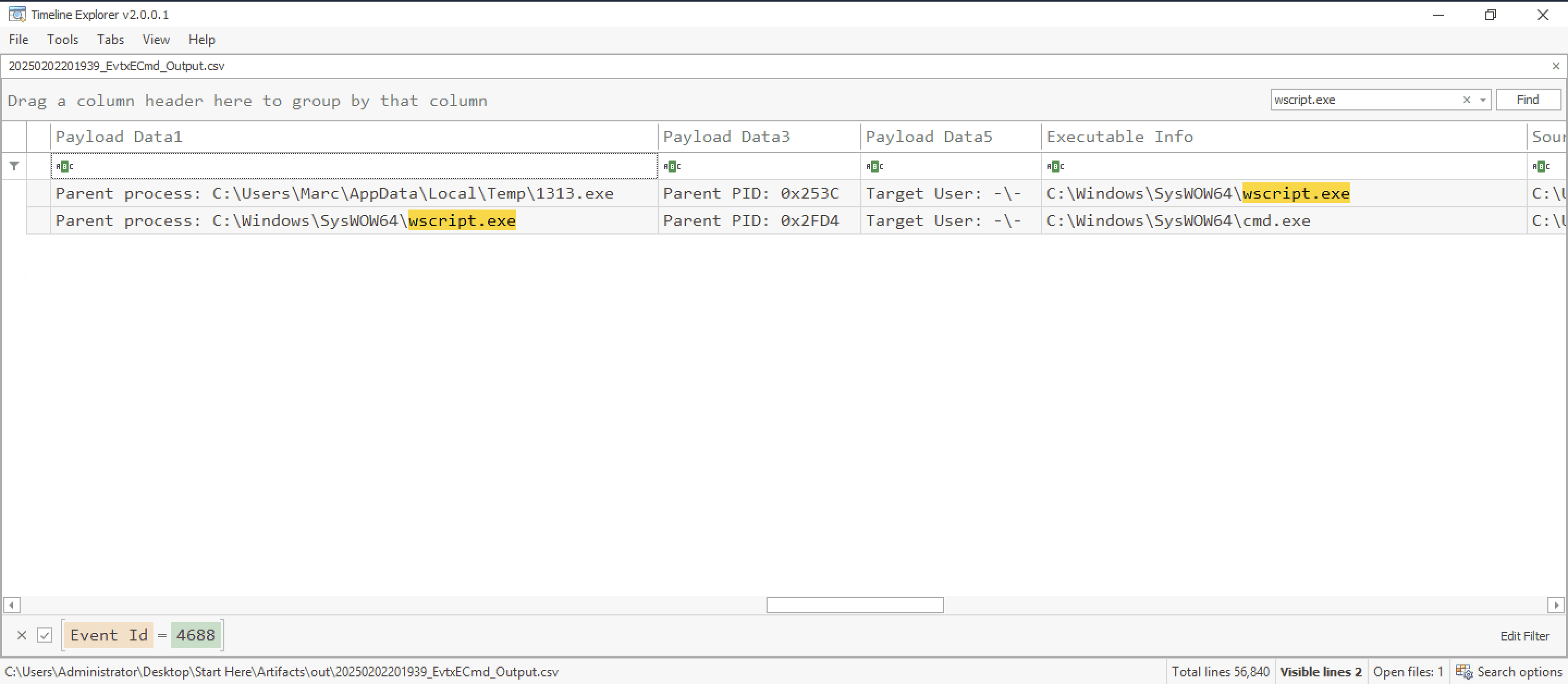
- Follow the process chain and observe
wscript.exelaunchingcmd.exewhich then spawnsproviderBrowser.exe, which is highly suspicious and should be the flag for this question.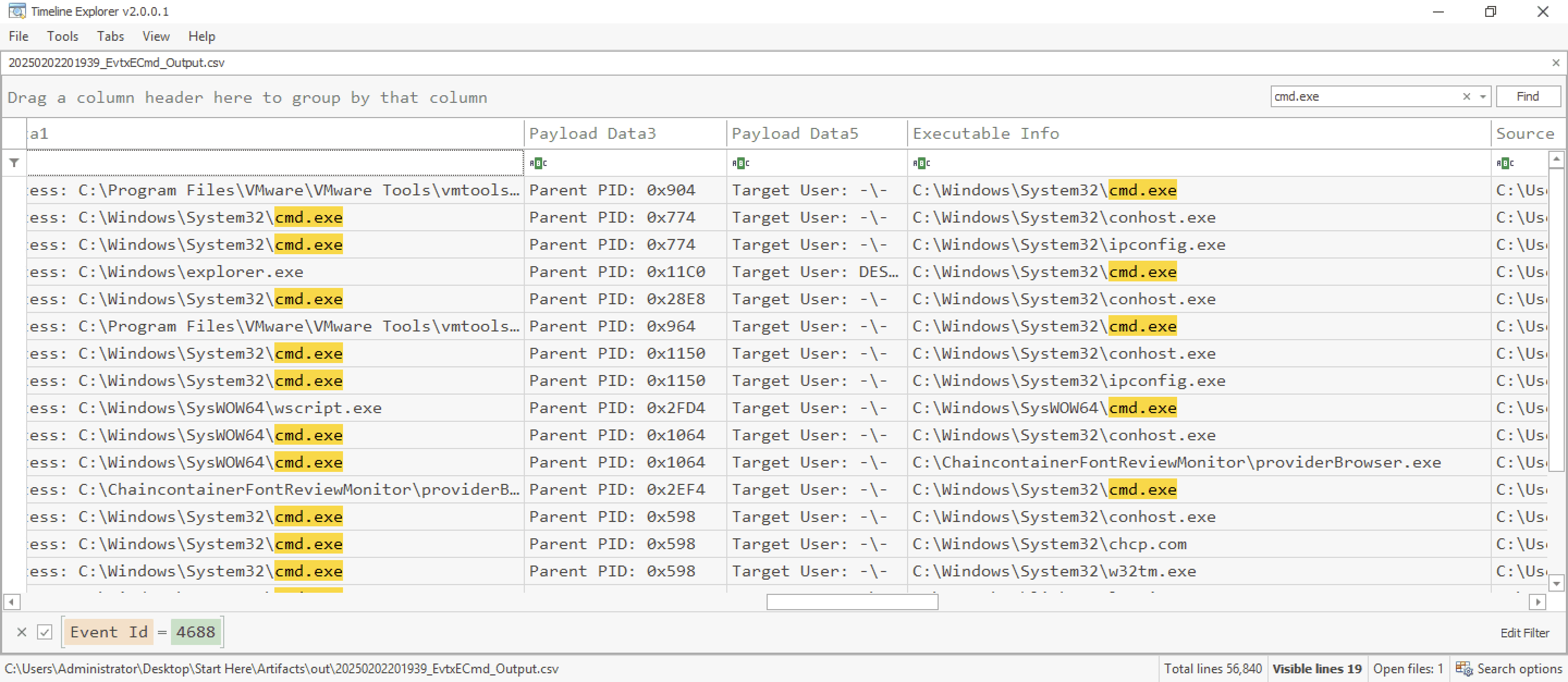
Q4: Malware often exploits legitimate system processes, known as Living Off the Land Binaries (LOLBins), to evade detection. What is the name of the first file executed by the malware using a LOLBin?
- The second process executed by
services.exe(PID 692) reveals the use ofmsiexec.exe(PID 1392, PPID 692), another example of a LOLBin. Proc file will be underM:\sys\proc\proc -v.txt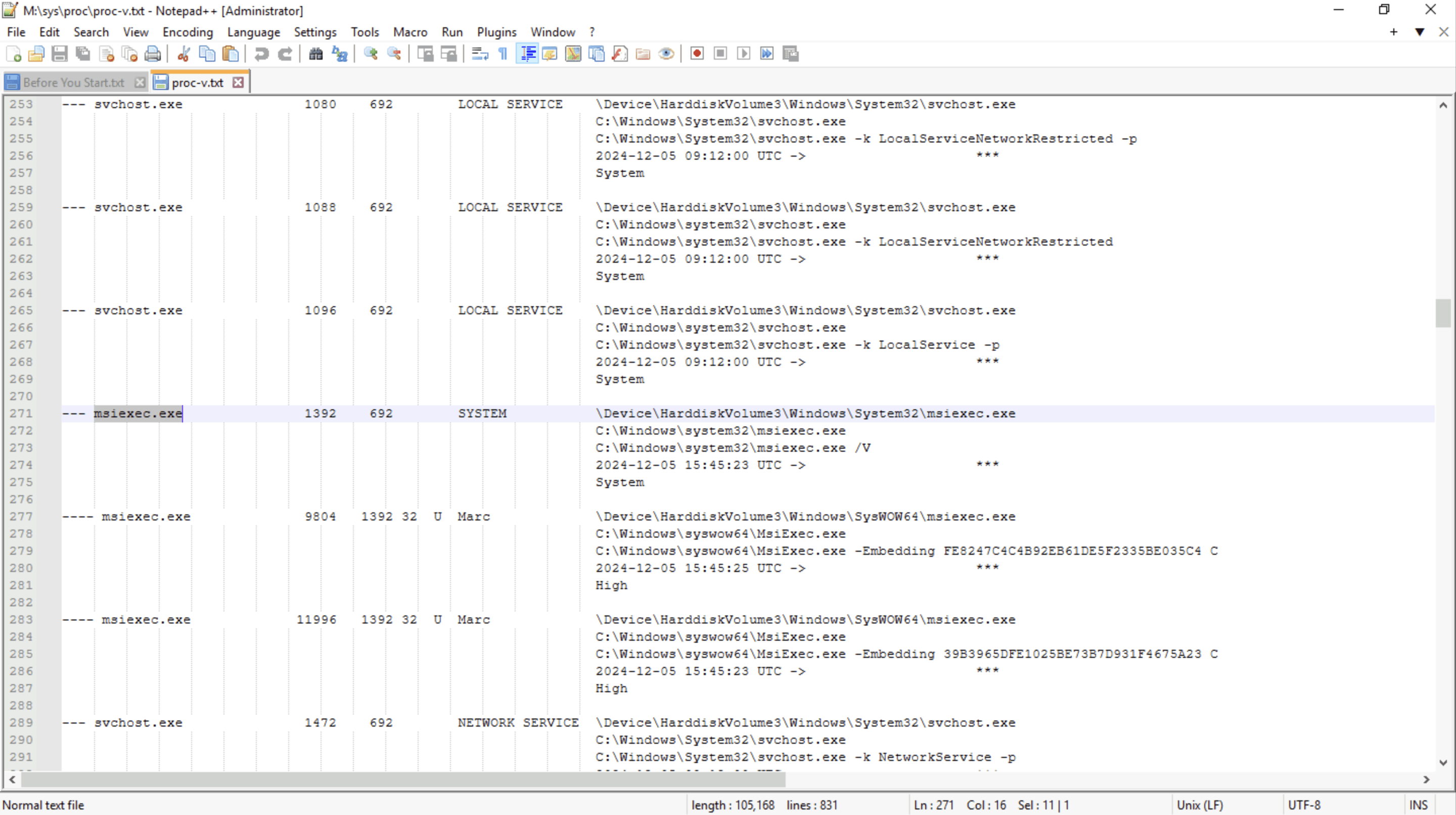
- Further analysis shows that the malicious process
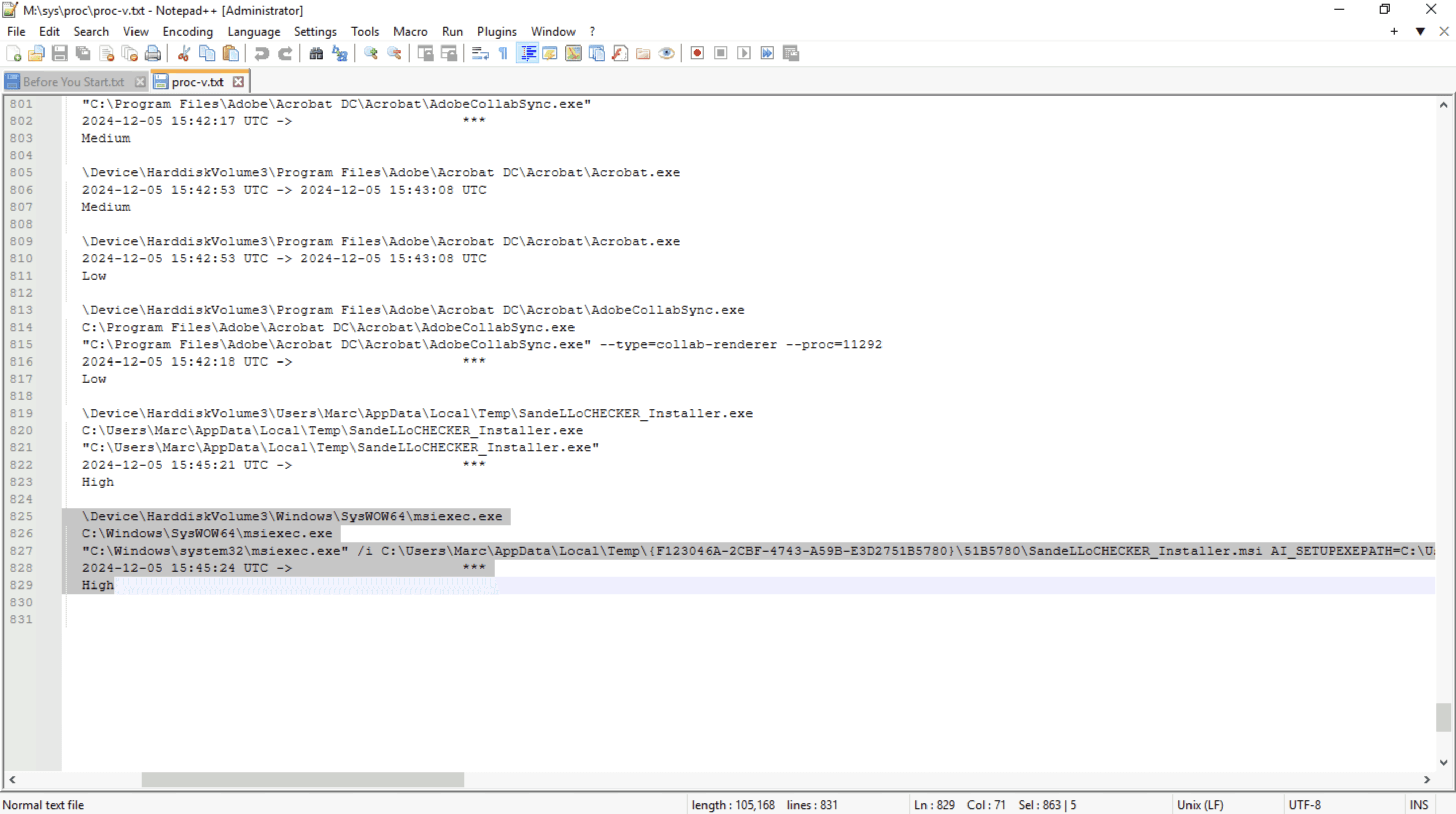
SandeLLoCHECKER_Installer.msiis the first file executed bymsiexec.exe(LOLBin).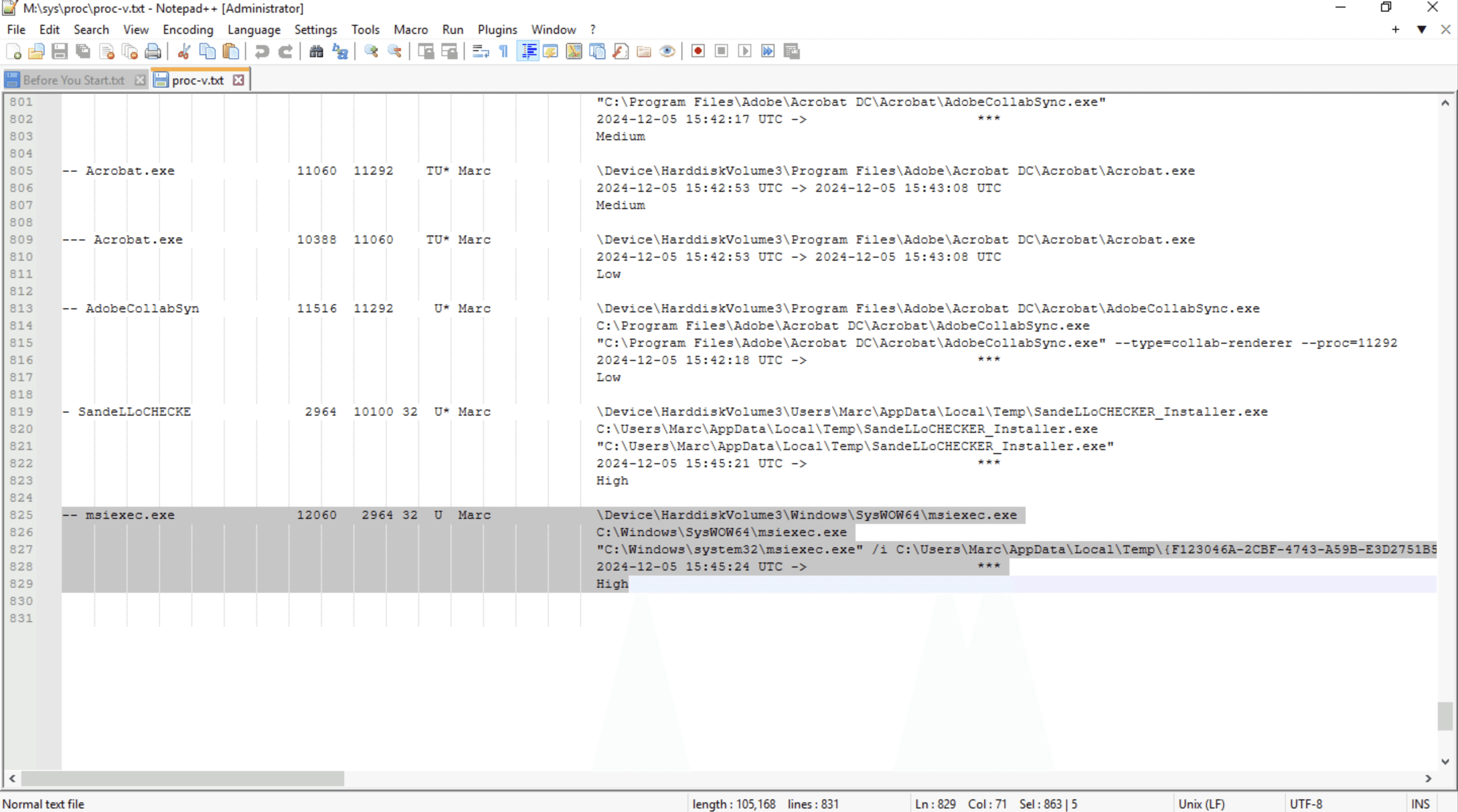
- Screenshot containing the entire command
Q5: Malware frequently renames system utilities to bypass security defenses. What is the PID of the parent process linked to the legitimate LOLBin mentioned in the previous question?
- If you have answered Q4, you can easily find the PID required for this question (as it was previously mentioned).
- You can identify
2964as the PID linked to the malicious process using Volatility 3's pslist plugin. Use the following command:python .\vol.py -f "C:\Users\Administrator\Desktop\Start Here\Artifacts\memory.dmp" windows.pslist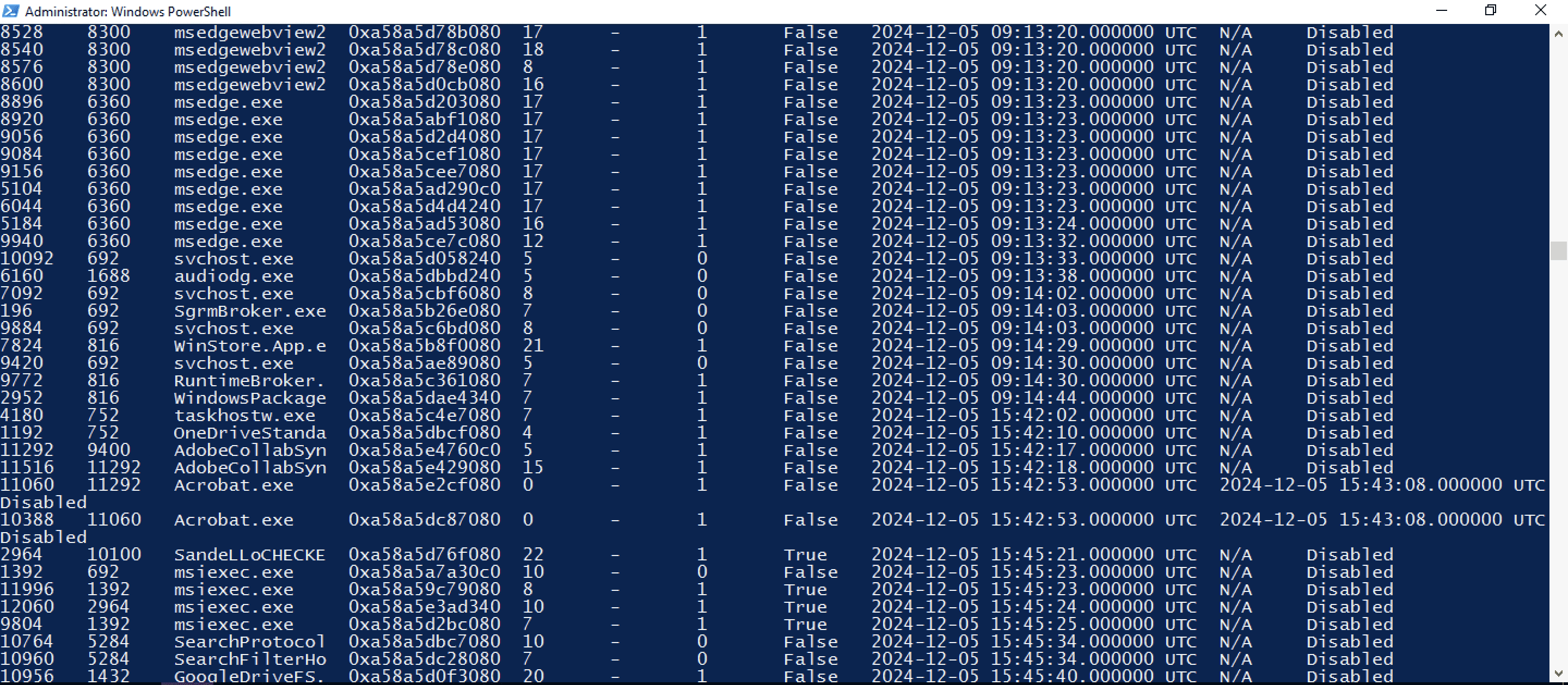
Q6: Remote Access Trojans (RATs) depend on command-and-control (C&C) channels to establish communication with attackers, enabling them to issue commands and carry out malicious operations. Which executable is responsible for facilitating the malware's C&C activities?
- Inside
netstatfile (M:\sys\net\netstat.txt), we can see a process namedGoogleDriveFS.exe(masquerading as a legitimate Google Drive binary to evade detection) is observed establishing a connection to the malicious IP address77.222.47.117:80.
- VirusTotal search confirms this IP is linked to DC RAT.

Q7: Identifying the network communication used by malware is crucial for detecting its presence and understanding its command-and-control (C&C) infrastructure. What are the two local ports the malware uses to connect to its C&C servers?
- If you successfully answered Q6, you should have no difficulty identifying the port numbers. They are already mentioned alongside the IP address in the screenshot below.
- The two local ports used for C2 are:
49948, 49949
Q8: The malware likely retrieves a script from a remote server to execute commands or exfiltrate data. What is the name of the script retrieved in this case?
- After conducting additional research online and analyzing the provided logs, I found the following IOC:
//77.222.47.117/packetrequestdownloads/0/defaultimage/_/universalProvider/0DownloadsWordpress/8ProtonBigloadlongpoll/privatePublicTrack/dump/Uploads/VideoPipeProcessorDefault.php - The malicious script responsible for receiving commands is
VideoPipeProcessorDefault.php.
Q9: Windows Defender initially detected the malware but was later disabled, allowing the malware to run again the next day. What detection name did Windows Defender assign to this malware sample?
- By searching for
Windows Defenderusing Timeline Explorer, we can find the malware name underPayload Data1. It is labeled asTrojan:Win32/DCRat.MQ!MTB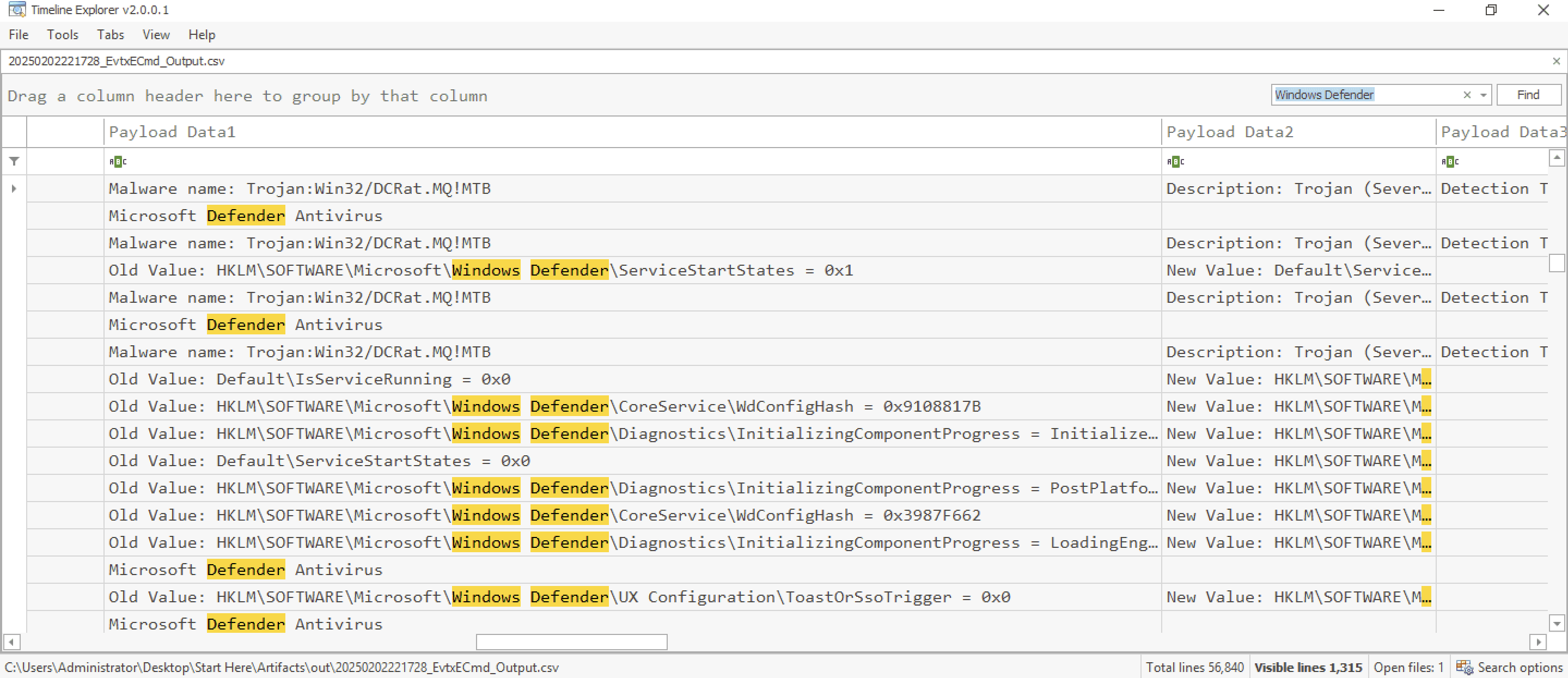
If you've made this far, thank you for sticking by and congrats on completing this lab